
Card cataloguer
You photograph a full card on white each time and want to assess the text and corners clearly. Tamron highlights flat-field correction for flat subjects as a feature of its 90mm lens.


Start by checking your camera’s mount and deciding whether you mainly want to photograph entire cards or small print and condition details. For a whole, flat card, sharp corners and a stable setup with even lighting matter more than maximum magnification. Higher magnification can be useful for small details, as long as the working distance remains practical. The lenses mentioned are designed for different camera systems and are not interchangeable.
You photograph a full card on white each time and want to assess the text and corners clearly. Tamron highlights flat-field correction for flat subjects as a feature of its 90mm lens.
You want to capture small print details or damage separately, and are weighing up magnification, focusing and space for lighting. Canon, Nikon and Tamron describe macro options with different magnifications and focusing distances.
You’re looking for a lens that fits your camera and don’t want to choose one with more magnification than you need. Check the mount on the exact lens version with Canon, Nikon, Sony, Tamron or Sigma.
| What to consider | What should you check? | Who is this important for? |
|---|---|---|
| Sharpness across the card | Take a test shot at the intended distance and check the text and all four corners. | If I’m cataloguing a full card, I want to assess the text and corners clearly. Around 28% of consumers give sharpness across the whole image their top priority. |
| Mount and camera | Note your camera model and check the mount on the exact lens version. | I want to avoid buying a lens that won’t fit my existing camera. Around 22% of consumers prioritise camera compatibility. |
| White background, lighting and colour | Check that you can position the camera steadily above the card, and set the white balance to suit the lighting you’re using. | When taking a series of card photos, I want to keep the white background and colours consistent. Around 22% of consumers prioritise a repeatable setup and colour reproduction. |
| Magnification for details | Compare the maximum magnification with the smallest detail you want to capture, and check the working distance. | If I want to photograph small print or condition details separately, I look at the magnification ratio. Around 17% of consumers prioritise magnification for detail. |
| Setup space and equipment | Measure the available height and check that your lighting and camera support will fit into the setup. | I want the lens, support and lighting to fit within my available workspace. Around 11% of consumers give setup space and the equipment required their top priority. |
Maximum magnification doesn’t tell you how the text and corners will look when you photograph the full card.
Take a test shot of the whole card first, then decide what magnification you need for individual details.
An unnecessary lens, or a setup that’s awkward to use for full-card photos, may require extra space and adjustments.
Nikon lists a minimum focusing distance of 0.16 m for the Z MC 50mm, with around 5 cm of space in front of the lens at that setting. This clearance can determine where you can position your lighting.
At the magnification you want to use, check how much room you’ll actually have between the lens, the card and the light.
It can be difficult to position a light source or camera support when shooting at very close range.
Canon Netherlands explains that incorrect white balance can give white a colour cast under artificial lighting. A fixed camera setup also helps keep successive product photos consistent.
Test your lighting, white balance and a stable overhead setup before deciding that the lens is the problem.
Changing light or an unstable setup can mean extra time spent on test shots and retakes.
The 90mm F/2.8 Di III MACRO VXD F072S is an option for flat cards when paired with a compatible Sony E or Nikon Z camera.
For Nikon Z cameras, options include the Z MC 50mm f/2.8 and the Z MC 105mm f/2.8 VR S, with different focal lengths to choose from.
The RF 100mm F2.8L Macro IS USM is a macro option for a compatible Canon RF camera.
The FE 90mm F2.8 Macro G OSS, model SEL90M28G, is a 1:1 option with a Sony E mount.
According to Sigma, the 105mm F2.8 DG DN MACRO Art is available with a Sony E or L mount.
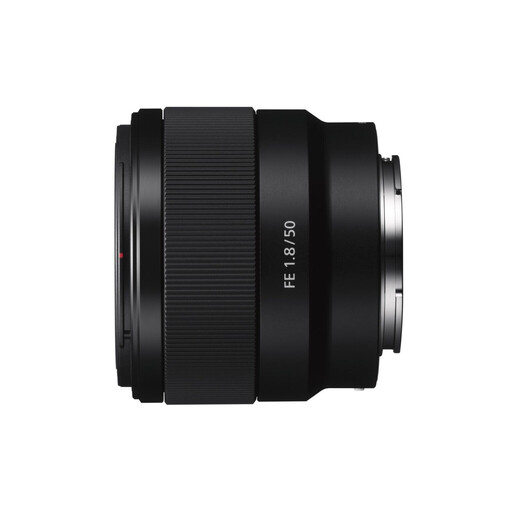
This Joybuy pick is a Sony E lens for product and close-up photography. Its relatively low stated magnification is an important consideration if you want to capture tiny card details.
 No image available
This lens may suit product photography with a Sony E camera when you don’t need high magnification.
Its stated maximum magnification is limited for very small print or condition details, so check whether it will give you the framing you want.
No, not necessarily. First, see whether your existing lens can show the full card large and sharply enough. Magnification of 1:1 or 1.4× is mainly relevant for small details; for repeatable product photos, Canon Netherlands also emphasises the importance of stable framing.
Position the camera steadily, keep the framing the same and set the white balance to suit the lighting you’re using. Check the white background, as well as the card’s colours and corners, in a test shot. Canon Netherlands explains that incorrect white balance can give white a colour cast under artificial lighting.
First, check the card, the background and a test shot. Canon Netherlands notes that dust on the camera sensor can cause visible spots and offers a professional sensor-cleaning service. Follow your camera manufacturer’s instructions for sensor care.
As a consumer, you generally have a 14-day cooling-off period from delivery for online purchases, subject to applicable exceptions; ACM ConsuWijzer explains how this period works. You’re also covered by the statutory guarantee if a product doesn’t meet what you could reasonably expect under normal use. This is separate from any manufacturer’s warranty.