
Online shop photographer capturing full cards
You want to photograph cards consistently, with the text and edges clearly visible. Adobe highlights the importance of details such as size, silhouette and colour in product photography.


Start by choosing a lens with the right camera mount, then check whether your setup lets you frame the entire card. Next, assess how clearly the text and edges show up, and how much room you have left for lighting. A higher maximum magnification may be useful for small condition details, but it does not automatically determine how well the whole card will photograph or eliminate reflections.
You want to photograph cards consistently, with the text and edges clearly visible. Adobe highlights the importance of details such as size, silhouette and colour in product photography.
As well as overview shots, you need close-ups of corners, printing or damage, so magnification and focusing distance matter. Canon, Sony and Nikon publish model specifications that can help you weigh up your options.
You need to fit your camera, card and lighting on a small table, so consider the space in front of the lens and your existing camera mount. Nikon and Tamron publish information about specific versions and using them at close range.
Start with the shot you need most often: a full card for your catalogue or a close-up of a condition detail. Then check that the mount, framing and lighting will work with your setup.
| Buying concern | What to look for | Who cares about this most? |
|---|---|---|
| Clear detail right up to the card edges | Assess a test shot of the entire card, including the text, corners and edges. Tamron mentions flat-field correction for model F072; compare the results with your own setup. | When I photograph complete cards for my online shop, I want the text and edges to stay clear, not just the centre to look sharp. Around 33% of consumers rank clarity right up to the card edges as their main buying concern. |
| Small condition details | Take a separate shot of, for example, a corner or scratch, and check that focusing and framing at the distance you need are practical. | If I want to show small signs of wear separately, I need a close-up that makes the detail easy to assess. Around 27% of consumers prioritise condition details. |
| Reflections and lighting | Test the position of the card and lights. Nikon notes that a polarising filter can reduce unwanted reflections; also check whether the sheen itself shows relevant information. | With glossy cards, I want to control reflections without losing a characteristic of the surface. Around 20% of consumers name lighting control as their main buying concern. |
| Mount and workspace | Check the exact lens version for your camera mount and measure the space available for the camera, card and lighting in your intended setup. | If my table has limited space, the lens needs to suit both my camera and the way I position the card and lighting. Around 20% of consumers prioritise fit and workspace. |
Maximum magnification alone does not tell you whether the text and edges of a full card will be clearly visible, or whether reflections will obscure details.
Take test shots of both the whole card and small details, then assess them using the crop you plan to use for your online shop.
Allow extra time for test shots and adjustments to your lighting setup.
For the Nikon Z MC 50mm f/2.8, Nikon states that when focusing very close, there is approximately 5 cm between the front of the lens and the subject. This matters if you also want to position lighting around the card.
Assess the available space at the magnification you actually want to use, and measure your setup separately for a full-card shot.
You may need a different camera or lighting setup to position the card and lights comfortably.
The RF 100mm F2.8L Macro IS USM is designed for a Canon RF setup where you also want to capture detailed images.
The FE 90mm F2.8 Macro G OSS, model SEL90M28G, is an option for cameras with a Sony E mount.
The NIKKOR Z MC 50mm f/2.8 is designed for Nikon Z cameras and working at a table.
The 90mm F/2.8 Di III MACRO VXD, model F072, is available in versions for Sony E and Nikon Z.
The 105mm F2.8 DG DN MACRO | Art is an option for Sony E or L cameras.
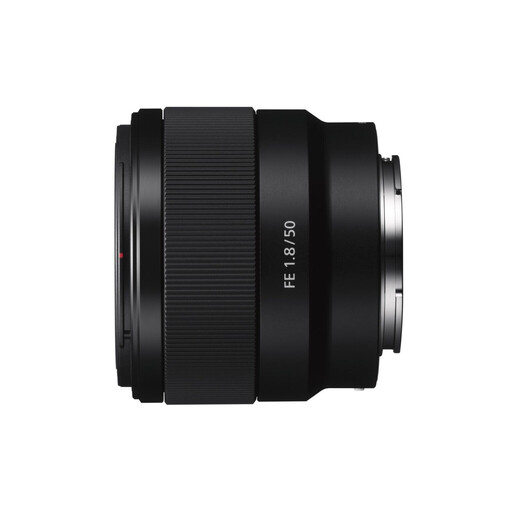
A Joybuy product option to consider for a Sony E camera and trading card photography.
 No image available
An option to consider if you use a Sony E camera; take test shots of both full cards and the condition details you want to show first.
Mount: Sony E.
Check that the focusing distance and crop you need work for your detail shots and card setup.
No, 1:1 magnification is not a general requirement for an overview shot. Choose a shooting distance that lets you fit the whole card in the frame, and take a separate detail shot if you want to show small signs of wear.
Use a fixed camera setup and controlled lighting so you can repeat the framing. Check the edges in every shot, and move the card or lights if reflections obscure any details.
A polarising filter can reduce unwanted reflections; Nikon describes this as one possible use for the filter. Also compare a shot taken without the filter, as the sheen itself may reveal something about the card’s surface.
Not automatically. According to ACM ConsuWijzer, an agreement used mainly or exclusively for business purposes does not come with consumer protection; under certain circumstances, small businesses may have limited protection by analogy. Before placing a business order, check who is entering into the agreement and which warranty and returns terms apply. The assessment may be different if the purchase is mainly for private use.