
Photographers capturing card details
You want to capture small print, texture or wear separately. First check the framing you need and make sure your camera and lens are compatible.


For photos of entire trading cards, first check whether your current lens can capture the framing you want in sharp focus. A macro lens with suitable magnification may be useful for small text, texture or damage. Start by choosing a lens that fits your camera mount, then check how much space you need in front of the lens and above the table. You can also manage reflections by adjusting the position of your lighting, rather than relying on a different lens alone.
You want to capture small print, texture or wear separately. First check the framing you need and make sure your camera and lens are compatible.
You photograph cards where glare and reflections can obscure details. The position of your lighting and a test shot are therefore also important when choosing a lens.
You need to fit your camera, card and lighting into a limited space. Pay attention to the framing and the clearance in front of the lens.
First check the mount, then decide whether you mainly want to photograph an entire card or focus on small details. Also consider the space available for your camera and lighting.
| What to consider | What should you look for? | Who is this most relevant to? |
|---|---|---|
| Compatibility | Check the exact mount and lens version for your camera system. | If I’m looking for a lens for my existing camera, I want to make sure the mount fits first. Around 33% of consumers prioritise compatibility. |
| Magnification | Compare the maximum magnification of the exact model with the size of the detail you want to capture. | When I want to photograph small lettering or surface marks separately, the detail I need to capture is my main consideration. Around 25% of consumers focus primarily on magnification. |
| Reflections and sharpness | Take test shots and assess the lighting and the sharpness of the part of the card you want to show. | With glossy cards, I want to manage reflections and capture the important details in sharp focus. These are the main priorities for around 25% of consumers. |
| Working space | Measure the space for your camera and lighting; distinguish between the focusing distance and the clearance in front of the lens. | If my camera and lighting need to fit above a small table, the practical set-up matters most. Around 17% of consumers name working space as their main concern. |
The figures for each consideration give a general breakdown of the buying concerns mentioned; they are not measured market shares. For a full-card photo, you could first take a test shot with your current lens. Canon Europe notes that specialist equipment is not always needed for flat-lay photography; assess the sharpness and framing for your own cards.
Maximum magnification varies by model. Canon specifies a maximum of 0.5× for the RF 85mm F2 Macro IS STM and 1.4× for the RF 100mm F2.8L Macro IS USM. So compare the specification for the full model name.
Check the maximum magnification and consider how small the detail is that you want to capture separately.
If the lens you choose cannot achieve the detail framing you want, you may need a different lens.
The focusing distance doesn’t tell you how much space there will be between the front of the lens and the card. Nikon specifies around 5 cm of clearance in front of the lens for the Z MC 50mm f/2.8 at its closest focusing distance.
Measure where you’ll need to place your lighting and check the working distance for the exact model at the magnification you need.
You may need to reposition your camera and lighting.
Reflections on a glossy card are also affected by your lighting set-up. Nikon describes using a polarising filter to reduce reflections from glass and water; this doesn’t prove that the filter will have the same effect on every card finish.
First, adjust the position of your lighting and take test shots. If you’re considering a filter, assess it with the specific card you want to photograph.
There are RF macro lenses with different maximum magnifications for compatible EOS R cameras.
The Z MC 50mm f/2.8 and Z MC 105mm f/2.8 VR S are macro options for compatible Nikon Z cameras.
The FE 90mm F2.8 Macro G OSS is a 1:1 macro lens for compatible Sony E-mount cameras.
According to Sigma, the 105mm F2.8 DG DN MACRO | Art is available for Sony E-mount or L-Mount.
The Joybuy products listed below are Sony E-mount lenses. Before choosing one for card details, check the framing you want and the relevant focusing and magnification specifications for each model.
 No image available
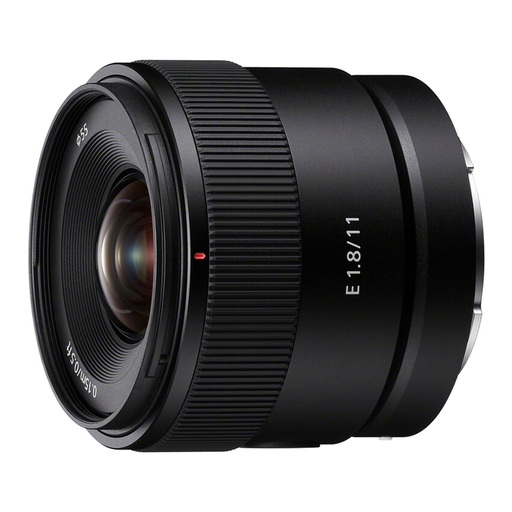
The product name identifies this model as an 11mm wide-angle lens; check whether its field of view suits the card framing you want.
11mm; F1.8; APS-C; Sony E-mount.
 No image available
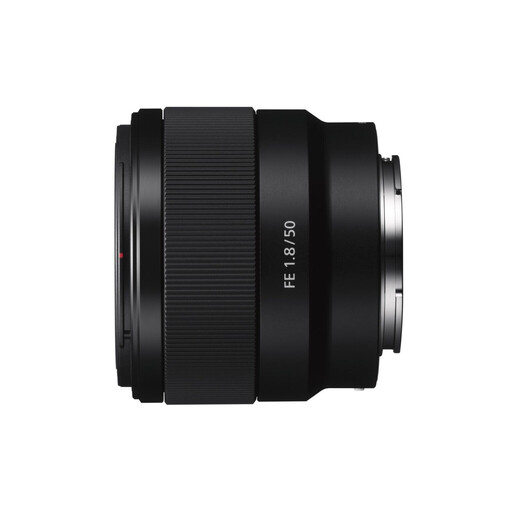
If you’re considering a 50mm lens for a Sony E-mount set-up, check its focusing and magnification specifications against the framing you need.
50mm; f/1.8; OSS; version: Black.
Not necessarily: first try to see whether your current lens can capture the whole card in sharp focus from the distance you want. Greater magnification may be useful for small details on their own.
For a close-up of a stationary subject, mount your camera on a tripod or other support and review some test shots. Also check that the corners of the card you want to show are sufficiently sharp.
Start by taking test shots and adjusting the position of your lighting. Nikon explains that a polarising filter can reduce reflections from glass or water, but that doesn’t tell you how it will work on every card finish; check the result with your own card.
According to the Dutch government, for many qualifying distance sales you have a 14-day cooling-off period; exceptions and the type of seller may be relevant. If a product is faulty, contact the seller about your statutory guarantee. The Netherlands has no fixed statutory guarantee period.