
Detail documentarian
You want to capture tiny teeth, ridges or impressions at a large scale. Compare the maximum magnification, and bear in mind that when shooting close up, only a limited depth of the subject may be in focus.


First, choose a lens that fits your camera’s mount, then compare its maximum magnification with the smallest details you want to capture. In a shared workshop, you also need to consider the working distance at the magnification you’ll use, so there’s room for lighting. For fossils with a lot of relief, a stable setup for a series of focus points may matter more than simply having a higher magnification ratio.
You want to capture tiny teeth, ridges or impressions at a large scale. Compare the maximum magnification, and bear in mind that when shooting close up, only a limited depth of the subject may be in focus.
You want to be able to position the fossil, camera and lighting consistently. That means the working distance and a stable camera position are also important when choosing a lens.
You’re looking for a lens that fits your camera’s mount. Check the mount and the controls on the exact version before comparing magnification or other features.
Best suited to: photographing a larger fossil or surface, particularly if you use a compatible Canon RF camera.
Consider: Canon specifies a maximum magnification of 0.5× for the RF 85mm F2 Macro IS STM. Check whether that’s enough for the smallest detail you want to capture.
Best suited to: capturing small details at life size on the sensor. Look for a 1:1 lens that fits your camera’s mount.
Consider: the working distance varies between models and is not the same as the minimum focusing distance. Sigma lists a working distance of 141 mm at 1:1 for its 105mm F2.8 DG DN MACRO | Art; Nikon gives a distance of approximately 5 cm between the front of the lens and the subject at the minimum focusing distance for the Z MC 50mm.
Best suited to: capturing very fine structures that still look too small at 1:1. Look for a lens with a higher maximum magnification for your camera system.
Consider: Canon specifies 1.4× for the RF 100mm, OM SYSTEM specifies 2× actual magnification for the M.Zuiko 90mm, and Laowa specifies 2:1 for its 100mm. Also check the working distance and controls on the exact version.
| Consideration | What should you check? | Who should give this more weight? |
|---|---|---|
| Magnification for fine details | Compare the maximum magnification of the exact lens with the size of the smallest detail. Also check that you can still frame the whole fossil. | If I want to capture tiny teeth or ridges at a large scale, I prioritise detail magnification; around 31% of consumers have this as their first priority. |
| Compatible mount | Note the exact camera model and mount. Also check that the focusing and aperture controls on the lens version suit the way you work. | If I already have a camera body, I first want to know whether the lens will fit it; around 25% of consumers prioritise compatibility. |
| Room for lighting | Find the working distance at the magnification you want to use; don’t confuse it with the minimum focusing distance. Sigma lists a working distance of 141 mm at 1:1 for its 105mm F2.8 DG DN MACRO | Art. Nikon gives a distance of approximately 5 cm from the front of the lens at the minimum focusing distance for the Z MC 50mm. These figures are for different models and conditions. | At a shared workbench, I want to leave room to light the fossil; around 25% of consumers prioritise this working space. |
| Sharpness across surface relief | Check whether your camera and workflow allow you to take a series of shots at different focus points, and whether you can keep the setup stable throughout. Focus stacking combines images taken at different focusing distances. | For a fossil with varying depths, I want to assess sharpness across several layers; around 19% of consumers see this as their first priority. |
These measurements describe different things. As a result, your setup may leave less room for lighting than you expect.
Check the working distance at the magnification you want to use, and plan where the lighting and fossil will go in advance.
You may need to reposition the lighting to illuminate the fossil properly.
Canon specifies a maximum magnification of 0.5× for the RF 85mm F2 Macro IS STM and 1.4× for the RF 100mm F2.8L Macro IS USM. So judging by the product name alone could give you the wrong idea of how large a small detail will appear on the sensor.
Check the maximum magnification for the full model number and compare it with the smallest fossil detail you want to capture.
When shooting close up, the area in focus can be narrow. Higher magnification doesn’t automatically solve this for fossils with a lot of relief.
Check whether your camera supports focus bracketing or focus stacking, and keep the setup stable throughout the series.
A focus series requires multiple shots and a stable camera and subject setup.
A lens that doesn’t fit your camera’s mount, or whose controls don’t suit your workflow, may not be right for your existing system.
Before buying, check your camera model, the full lens version, its mount and the aperture controls you need.
For a compatible RF camera, there are researched models for close-ups and higher macro magnification.
For a compatible Nikon Z camera, the Z MC 50mm f/2.8 and Z MC 105mm f/2.8 VR S are two researched 1:1 options.
According to Sony, the FE 90 mm F2.8 Macro G OSS, model SEL90M28G, is a 1:1 lens for the E-mount.
The M.Zuiko Digital ED 90mm F3.5 Macro IS PRO is an option for a compatible OM SYSTEM setup when extra magnification is important.
According to Sigma, the 105mm F2.8 DG DN MACRO | Art is available for Sony E and L mounts.
Laowa gives a maximum magnification of 2:1 for the 100mm f/2.8 2x Ultra Macro APO.
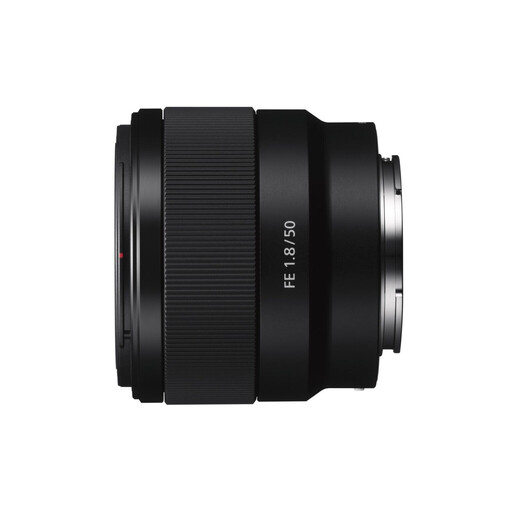
A selection of products at Joybuy for close-up photography with a Sony E camera. The stated magnification is limited for capturing very small fossil details.
 No image available
The Sony E mount makes this lens relevant if you use a compatible Sony E camera, but its stated maximum magnification is limited for very small fossil details.
The product information lists optical stabilisation and a maximum magnification ratio of 0.16×. That’s below the 0.5× close-up option Canon specifies for the RF 85mm.
No, it depends on the framing you want. A larger fossil may fit in the frame at a lower magnification, while a tiny detail may need more than 1:1. For example, Canon lists 0.5× for the RF 85mm and 1.4× for the RF 100mm; these are model specifications, not set buying thresholds.
If your camera and workflow allow it, take a series of shots at different focus points and combine them using focus stacking. Keep the setup stable throughout the series, and check that the feature is available on your exact camera model; the lens alone doesn’t provide this camera function.
Decide where to place the fossil, camera and lighting, and check that you’ll have enough room in front of the lens at your chosen magnification. Canon says a tripod can help you frame successive images consistently; also check that your planned setup will fit on the shared workbench.
According to the Dutch government, when you buy as a consumer, you’re entitled to a product that meets your expectations under the legal guarantee. If there’s a problem, the seller must provide a solution; a manufacturer’s guarantee is an addition, not a replacement. If you’re buying for a business or workshop, check which terms apply to that business transaction.
According to the Dutch government, when you buy remotely as a consumer, you’ll often have a 14-day cooling-off period, but there are exceptions. Check who the seller is and which rules apply to your transaction; buying online from a private individual is not the same as buying remotely from a business.