
Are you photographing the whole invitation?
You’ll want the text and edges to remain usefully sharp. Tamron cites flat-field correction for documents on the 90mm F/2.8 Di III MACRO VXD F072; this is a model-specific claim from the manufacturer.


You don’t automatically need a 1:1 macro lens to photograph the whole invitation: first, see whether your current lens can capture the framing and sharpness you want. A suitable macro lens can be useful for tiny lettering, embossing or paper texture. Check that the mount fits your camera and that you have enough working space, then assess sharpness, lighting and white balance separately.
You’ll want the text and edges to remain usefully sharp. Tamron cites flat-field correction for documents on the 90mm F/2.8 Di III MACRO VXD F072; this is a model-specific claim from the manufacturer.
Compare the magnification of the exact model with the framing you want. Canon lists a maximum magnification of 1.4× for the RF 100mm F2.8L Macro IS USM and 1:2 for the RF 35mm F1.8 MACRO IS STM.
The space between the camera and card, and the distance in front of the lens, both affect whether you can achieve the framing you want. For the Z MC 50mm f/2.8, Nikon gives a distance of around 5 cm between the front of the lens and the subject at the minimum focus distance.
First, check that the lens mount is compatible with your camera. Then decide whether you’ll mainly photograph the whole card or tiny details, and assess window light and colour separately from your lens choice.
| What to consider | What should you check? | Who is this important for? |
|---|---|---|
| Sharpness across the whole card | Assess a photo of your invitation from corner to corner; high magnification alone doesn’t prove that the image will be flat-field. | If I’m photographing the whole card, I want the text and decorations to remain usefully sharp right to the edges. Around 33% of consumers prioritise sharpness across the whole card. |
| Compatible lens mount | Check the lens’s full model name and mount, and compare them with your camera. | I want a lens that fits my existing camera before weighing up other features. Around 27% of consumers give camera compatibility top priority. |
| Framing and working space | Measure the available height above the table and check both the angle of view and the focus distance; the latter isn’t the same as the clear space in front of the lens. | If space by the window is limited, I want to frame the whole card while still being able to position the lens practically above the table. Around 20% of consumers prioritise framing and working space. |
| Light and colour | Check that the light falls evenly across the card, and assess white balance separately from focus. | I want paper and ink colours to look consistent in window light, even when the lighting conditions change. Around 20% of consumers put light and colour first. |
Maximum magnification varies by model. For example, Canon lists a maximum of 1:2 for the RF 35mm F1.8 MACRO IS STM and 1.4× for the RF 100mm F2.8L Macro IS USM.
Compare the stated magnification with the framing you want. You don’t automatically need the highest magnification to photograph the whole invitation.
This distance doesn’t tell you how much space will be left between the front of the lens and the card. At the Nikon Z MC 50mm f/2.8’s minimum focus distance, Nikon gives this as around 5 cm.
Check how much room you’ll need both to frame the whole card and to position the lens for close-up shots.
Stabilisation helps counter camera shake, but it doesn’t determine whether the card is evenly lit or whether the paper and ink colours look right.
Test stability, the distribution of light and white balance separately before deciding that you need a different lens.
The 90mm F/2.8 Di III MACRO VXD F072 is an option for a compatible Sony E or Nikon Z camera.
For Nikon Z cameras, the Z MC 50mm f/2.8 and Z MC 105mm f/2.8 VR S offer different options for close-up photography.
For Canon RF cameras, the RF 100mm F2.8L Macro IS USM and RF 35mm F1.8 MACRO IS STM differ in maximum magnification and angle of view.
The 105mm F2.8 DG DN MACRO | Art is listed for Sony E and L-Mount cameras.
The FE 90mm F2.8 Macro G OSS SEL90M28G is an option with a Sony E mount.
These Sony E lenses are suitable for close-ups, but their stated magnification is limited for very small printed details. Check that their angle of view and magnification suit your invitation and camera.
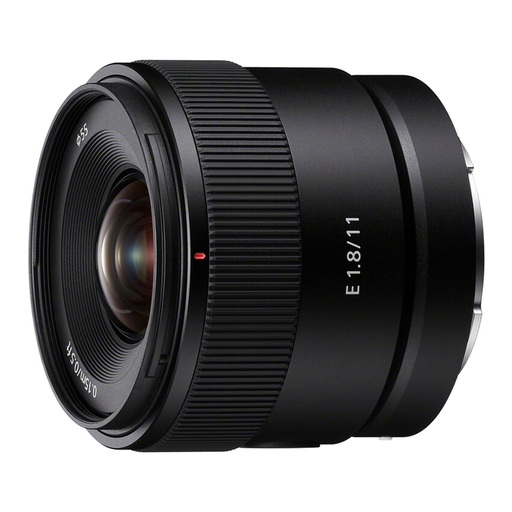 Image unavailable
The product information mentions close-up photography; the stated magnification is limited for very small printed details.
11mm; F1.8; APS-C; angle of view 104°; minimum focus distance 0,15 m; maximum magnification 0,13× with autofocus and 0,20× with manual focus.
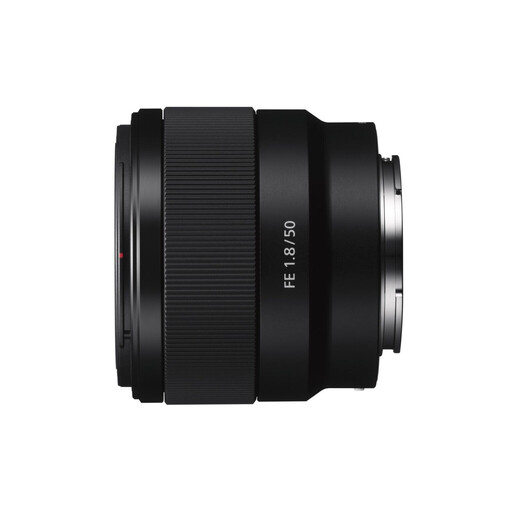 Image unavailable
The product information mentions close-up and macro photography, but the stated magnification is limited for very small printed details.
Fixed focal length 50mm; minimum focus distance 39 cm; weight 202 g; maximum magnification 0,16×.
Not necessarily. First check whether your current lens can capture the whole card with the framing and sharpness you want. Extra magnification can be useful for tiny details; compare the specifications of the exact model, as a lens with ‘macro’ in its name may offer a maximum magnification of 1:2.
Keep the camera steady with a tripod, check that the light falls evenly across the card, and assess the white balance using a neutral reference. This helps address setup and colour issues, not any potential lack of magnification.
For a consumer purchase made at a distance, you generally have a statutory cooling-off period of up to 14 days after delivery, subject to legal exceptions. You also have statutory rights against the seller if a product is faulty; in the Netherlands, this doesn’t simply mean a fixed two-year warranty. ACM ConsuWijzer explains these consumer rights.
Buying a lens doesn’t give you the right to use other people’s protected text or images. The Government of the Netherlands distinguishes between making a private copy for personal use and distributing or making something publicly available; check which rights and permissions apply to the design you want to publish.