Start with your camera’s mount and the smallest fabric detail you want to show. For a fine weave, a compatible lens with a stated magnification of 1:1 is a focused choice. For an overview of larger folds, however, maximum magnification may not be necessary. Canon, Sony and Sigma list 1:1 or higher for specific macro models. Also check the working distance in front of the lens and take test shots in controlled lighting. A dark background or image stabilisation does not guarantee that every layer of a fold will be in focus.
Who is this guide for?
Photographers with an existing camera mount
You’re looking for a lens for your current camera and want to check that the mount is compatible first. Only then should you compare magnification and composition. Canon Netherlands, Sony Netherlands, Sigma and Fujifilm list versions for different camera mounts.
Textile makers who want to show weave details
You want to capture seams, fibres or a small pattern on their own, while leaving enough room to position a light near the fabric. Fujifilm explains how close your subject can be to the lens at the minimum focus distance.
Online shop photographers shooting folded fabrics
You want to photograph a whole fold or stack clearly and consistently. Canon Netherlands discusses using a tripod to keep the composition fixed, while Adobe explains how a dark background can draw attention to product details.
What should you look for when choosing?
First, check that the lens fits your camera. Then decide how much detail you need and whether there’s enough room around your setup for the lens and lighting.
| What to consider |
What should you check? |
Who is this important for? |
| Compatible camera mount |
Check the exact mount and lens version before comparing magnification or dimensions. |
I want a lens that fits my existing camera before weighing up other features. Around 33% of consumers prioritise camera compatibility above all else. |
| Folds and working space |
Compare the framing you want with the space available; minimum focus distance is not the same as the free space in front of the lens. |
I want to photograph a whole fold or stack while still being able to position the light. For around 27% of consumers, framing folds and working space are the top priorities. |
| Fine weave detail and sharpness |
Compare the maximum magnification of the exact model and check with test shots whether you need to focus at multiple points. |
I want to show small fibres, seams or patterns clearly, so I’m looking at both magnification and sharpness across the folds. Around 20% of consumers put fine weave details first. |
| Fabric colour against a dark background |
Take test shots in controlled lighting and assess the fabric and background separately. |
I want the fabric to remain visible without the dark background dominating the image. For around 20% of consumers, how light and colour are rendered comes first. |
Common pitfalls
-
Assuming ‘macro’ in the name guarantees 1:1 magnification
Maximum magnification varies by model. Canon lists a maximum of 1:2 for the RF 35mm F1.8 Macro IS STM and up to 1.4× for the RF 100mm F2.8L Macro IS USM.
Compare the stated maximum magnification of the exact lens version with the smallest detail you want to photograph.
If the chosen magnification doesn’t make a pattern large enough in the image, you may need a different lens.
-
Confusing minimum focus distance with the space in front of the lens
Fujifilm measures minimum focus distance from the sensor plane and notes that, at the closest distance, the subject is almost touching the front of the lens. This can make it harder to position the lighting.
Check how much space will be left between the lens and the fabric at the magnification you want to use.
You may need to adjust your lighting setup or camera position to illuminate the fabric properly.
-
Expecting a dark background or a fast lens to solve all your lighting needs
A dark background won’t automatically make the fabric’s texture and colour visible. Canon Netherlands discusses controlled product lighting, while Adobe describes using a dark background to draw attention to details.
Take test shots of both the lightest and darkest folds, and assess the texture, colour and background separately.
Allow extra time to position the lighting and review test shots.
Brands and macro lenses to compare
Canon
For Canon RF cameras, Canon offers both a macro lens for small details and a close-up lens with a wider angle of view.
- Canon lists up to 1.4× for the RF 100mm F2.8L Macro IS USM and up to 1:2 for the RF 35mm F1.8 Macro IS STM. Canon states that the RF 100mm weighs 685 g.
- These specifications apply to the models listed. Check the camera mount and whether the weight suits your setup.
Sony
According to Sony, the FE 90 mm F2.8 Macro G OSS is a 1:1 option for compatible Sony E-mount cameras, including full-frame and APS-C models.
- Sony lists optical stabilisation and a maximum magnification of 1:1 for this model.
- Stabilisation doesn’t mean every depth layer of folded fabric will be sharp in a single shot.
Sigma
The 105mm F2.8 DG DN MACRO | Art is available in separate versions for Sony E and L-Mount.
- Sigma lists 1:1 magnification and a minimum focus distance of 29,5 cm. The stated weight is 710 g for Sony E and 715 g for L-Mount.
- Check which mount the lens version uses and how much working space your setup offers.
Fujifilm
The XF30mmF2.8 R LM WR Macro is designed for the Fujifilm X system; Fujifilm lists a magnification of 1:1.
- Fujifilm gives a weight of 195 g and a minimum focus distance of 0,1 m, measured from the sensor plane.
- According to Fujifilm, at the minimum focus distance the subject almost touches the front of the lens. Make sure you leave room for lighting.
Panasonic
According to Panasonic, the LUMIX S 100mm F2.8 MACRO S-E100 is a macro lens with an L-Mount.
- Panasonic lists a maximum magnification of 1:1 and a minimum focus distance of 0,204 m.
- Check that the L-Mount version fits your camera and that the focus distance suits the composition you want.
Joybuy product picks for close-ups
These Sony E-mount lenses are suited to close-ups of larger textile structures. Their stated magnifications are below 1:1, so check whether they show enough detail for the smallest pattern you want to photograph.
 No image available
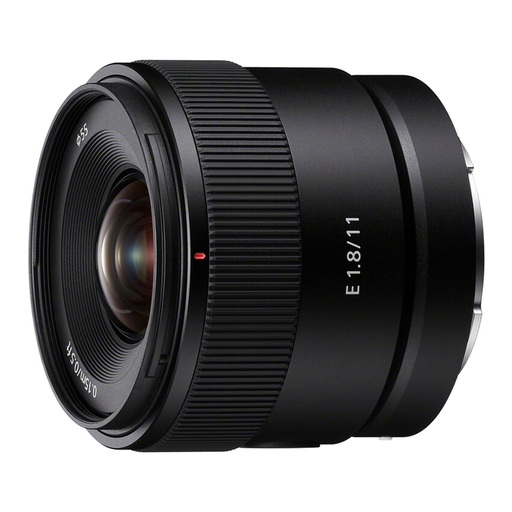
Sony E 11mm F1.8 APS-C (SEL11F18)
An option for close-ups of larger textile structures; its stated magnification is limited for very small weave details.
11 mm, F1.8 and Sony E-mount. Stated magnification: 0,13× with AF and 0,20× with MF; minimum focus distance: 0,15 m.
View at Joybuy
 No image available
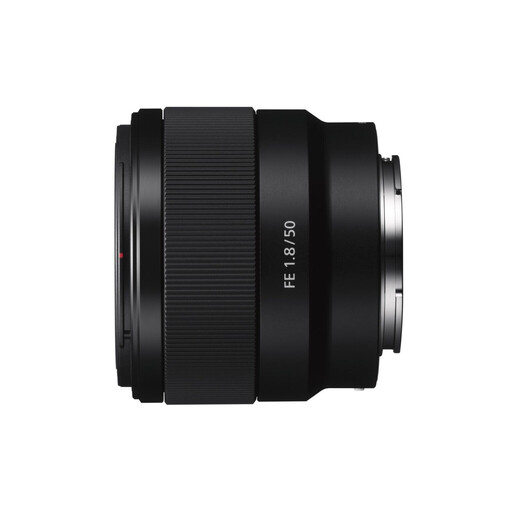
Sony E 50mm f/1.8 OSS Black
An option for product photography and close-ups of larger textile structures; its stated magnification is limited for very small weave details.
50 mm, f/1.8 and Sony E-mount. Stated magnification: 0,16×; minimum focus distance: 39 cm.
View at Joybuy
 No image available
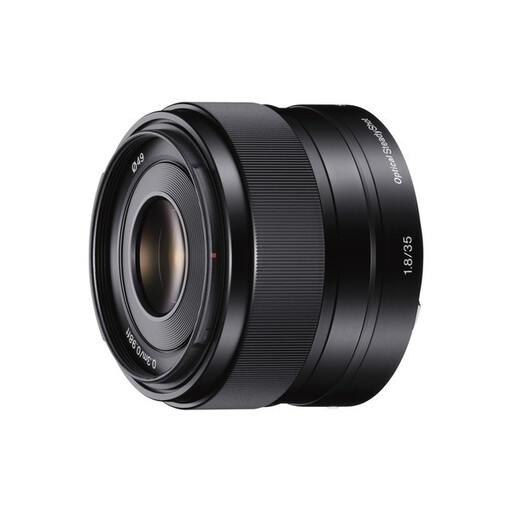
Sony SEL 35mm F1.8 OSS
An option for a range of photography, including close-ups; check with a test shot whether the magnification is sufficient for your fabric detail.
35 mm, F1.8 and Sony E-mount. Stated magnification: 0,15×; minimum focus distance: 30 cm.
View at Joybuy
 No image available
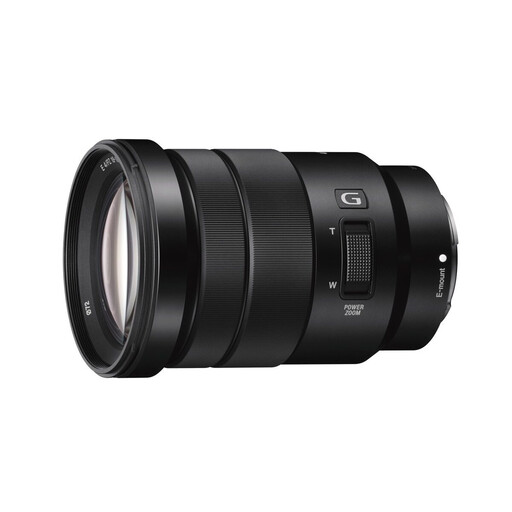
Sony E PZ 18-105mm f/4 G OSS
A zoom option for photography and videography; use test shots to assess whether its close-up performance suits the size of your fabric details.
18–105 mm, f/4 and Sony E-mount. Stated magnification: 0,11×; minimum focus distance: 45 cm.
View at Joybuy
Frequently asked questions
Do I need 1:1 magnification to photograph an entire piece of folded fabric?
No, not necessarily: the magnification you need depends on the smallest detail you want to show. You can also use a 1:1 lens at a lower magnification. For an overview, a suitable lens you already own may be enough, as long as it captures the framing you want and can focus close enough.
How can I keep several layers of folds in focus?
Secure the camera and check focus across the different layers of folds. If a single shot doesn’t give you the depth of field you need, you can combine several images taken with different focus points; Nikon describes this technique as focus stacking.
Will a black background automatically make the texture visible?
No. Check separately whether the lighting makes the fabric details visible and whether the background stays dark. Adobe describes a dark background as a way to draw attention to product details; the final result also depends on your lighting setup.
What are my rights when buying a lens online in the Netherlands?
For online consumer purchases, ACM ConsuWijzer states that you will generally have up to 14 days after delivery to change your mind, subject to applicable exceptions. For a faulty consumer product, the Netherlands Authority for Consumers and Markets states that the seller is responsible for the statutory guarantee; a commercial manufacturer’s warranty does not replace that responsibility.


