
Vandaag of morgen in huis

Kwaliteit gegarandeerd

Welkomstaanbiedingen ontgrendelen: GRATIS bezorging | Tot 80% korting | Gratis 30 dagen JoyPlus-proefperiode
Download de app
The launch of the new Apple MacBook Air M5 (2026) is generating a lot of excitement. The promises of more power, a slimmer design, and smart AI features are tempting. But before you make a purchase, it's crucial to look beyond the marketing hype. Many buyers fall into the same traps, ending up with a laptop that doesn't suit their needs or for which they've overpaid. As a Joybuy Product Recommendation Officer, I'm here to help you avoid these mistakes and make an informed choice.
A premium laptop is a significant investment. Make sure your money is well spent by sidestepping these common mistakes.
lightweight laptop? It's a classic dilemma. Some buy a heavy, powerful machine they never end up taking anywhere, while others choose an ultra-portable model that stutters during demanding tasks. The ideal laptop strikes the perfect balance for your daily workflow.To avoid buyer's remorse, it's helpful to focus on a few concrete specifications. These determine how the laptop will perform in real-world use.
At the heart of the new MacBook Air is the M5 chip. According to Apple, this chip is specifically designed for AI tasks, thanks to its enhanced Neural Engine. This isn't just vague marketing; it's concrete hardware that accelerates tasks like photo editing, text summarisation, and even programming. To take full advantage of this, RAM is crucial. The M5 chip uses a 'unified memory' architecture, which means 16GB RAM is directly available to both the processor and the graphics cores. This ensures a smooth experience, even when working with multiple demanding programs simultaneously.
The choice between a MacBook Air 13 inch 2026 and the larger 15-inch model depends entirely on your use case.
Think carefully about where you'll use the laptop most: at a desk or on the move?
Not everyone has the same needs. Below are a few models that suit different user profiles, based on their objective specifications.
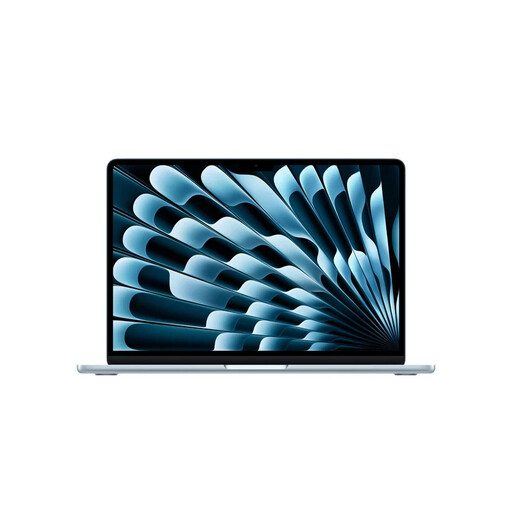
Why This Fits Their Persona: This model strikes the perfect balance for those who are always on the move. It's lightweight (1.23 kg), has a battery life of up to 18 hours according to Apple, and is powerful enough for study, work, and light creative tasks.
With 16GB RAM, this configuration is future-proof, helping you avoid the pitfall of insufficient memory. It offers the perfect balance between portability and power.
The M5 chip with a 10-core GPU and 16GB of unified memory delivers smooth performance for AI functions and multitasking. The 512GB SSD provides ample storage for most users.
Why This Fits Their Persona: For designers, video editors, and programmers who need more screen real estate. The 15.3-inch Liquid Retina display makes multitasking and detailed work much more comfortable.
This model combines a larger screen with the efficiency of the M5 chip, so you don't have to opt for a much heavier and more expensive MacBook Pro just for extra screen space.
The 15.3-inch display with a 2880 x 1864 resolution offers a large workspace. The M5 chip and 16GB of RAM ensure that even demanding applications run smoothly.
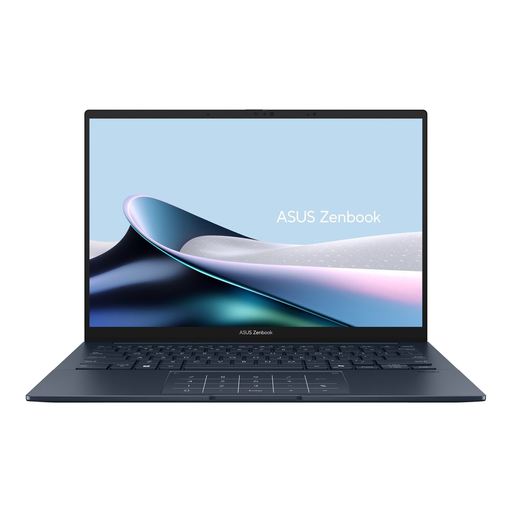
Why This Fits Their Persona: For those who prefer Windows but still want a light, powerful, and premium laptop. At 1.2 kg, this model is highly portable and features an impressive OLED screen.
This Zenbook is equipped with an Intel Core Ultra 7 processor with a built-in NPU for AI tasks and a massive 32GB of RAM, allowing you to easily avoid the pitfall of under-speccing.
The WUXGA OLED screen delivers superior contrast and vibrant colours. With a full set of ports, including Thunderbolt 4 and HDMI, you won't need extra adapters.
We have compiled a complete, real-time list of products that fully satisfy these strict selection criteria and UK safety regulations.
For basic use like browsing and email, 8GB of RAM is still sufficient. However, if you plan to multitask, use creative software, or want to future-proof your laptop for the coming years, 16GB RAM is a wise choice. AI functions and newer software versions will demand more and more memory, and 16GB ensures you're prepared for that.
The MacBook Air M5 is positioned as a more powerful and premium lightweight laptop, aimed at users who need more performance for tasks like creative work and heavier AI applications. The MacBook Neo, with its A18 Pro chip, is designed as a more accessible entry-level model for everyday tasks and students, focusing on long battery life and a lower price point.
Apple claims a battery life of up to 18 hours for video playback. In practice, battery life depends heavily on your usage. With light use, such as browsing and word processing, you can expect a full workday or school day on a single charge. For more intensive tasks, like video editing or gaming, the battery will drain faster. However, the M5 chip is highly efficient, so its battery performance is generally considered to be very good.
