
Vandaag of morgen in huis

Kwaliteit gegarandeerd

Welkomstaanbiedingen ontgrendelen: GRATIS bezorging | Tot 80% korting | Gratis 30 dagen JoyPlus-proefperiode
Download de app
Considering the new MacBook Air with the M5 chip? You're likely looking for a laptop that is both powerful and portable. The introduction of the M5 chip unlocks new capabilities, particularly in AI performance and efficiency. This article is designed to help you make an informed decision. We will highlight the key specifications and present several popular models, so you can find the Apple laptop that perfectly meets your needs.
Before making a decision, it's helpful to consider a few key specifications. These will determine how the laptop performs in your day-to-day use.
The M5 chip is a centerpiece of the new MacBook Air 2026. According to Apple, this chip is specifically designed to execute AI tasks efficiently. This can be highly relevant if you work with photo editing applications, programming tools, or other software that leverages artificial intelligence. For everyday tasks like emailing, word processing, and browsing, the chip delivers a smooth and fast experience. If you're considering a MacBook Air M5 with 16GB of memory, you're investing in extra headroom for multitasking and more demanding applications, which makes the laptop more future-proof.
One of the most defining features of the MacBook Air is its combination of a lightweight design and a long battery life. The 13-inch model is exceptionally compact and easy to carry, ideal for students or professionals who are frequently on the go. According to Apple, the battery life is sufficient for a full day of work or study without needing to recharge. Think about how and where you will use the laptop most. A larger screen might be more comfortable for home use, while a more compact model is more practical for the train or a lecture hall.
The MacBook Air price is largely determined by the chosen configuration. More storage space (SSD) and memory (RAM) result in a higher price. Consider how much storage you realistically need. For basic use and cloud storage, an entry-level model may suffice. However, if you work with large files like videos or extensive photo collections, a model with more storage, such as 1TB, is a wise choice.
Below is a selection of models that are popular among different user groups. We'll explain the specifications and their intended use.
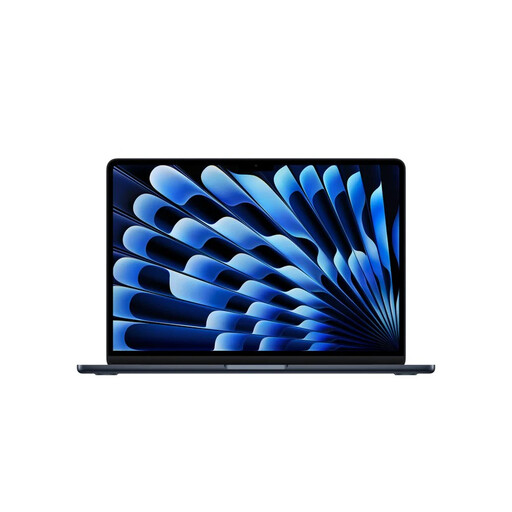
Why This Model Stands Out: This is the core of the new lineup. The combination of the M5 chip, 16GB RAM, and 1TB of storage makes this a highly capable and future-proof machine. It's a lightweight laptop with a long battery life, ideal for those who want to combine performance and portability.
Advantages:
Who is this model for? For the demanding user, such as creative professionals, developers, and students in technical fields, who need a powerful, portable laptop for both daily tasks and more intensive applications.
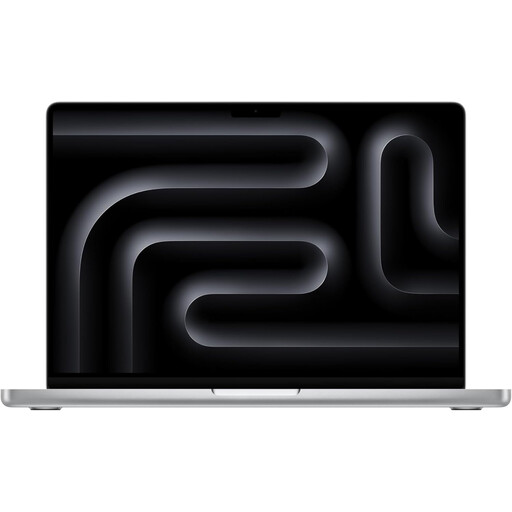
Why This Model Stands Out: For those who need a bit more graphics power and connectivity, the 14-inch MacBook Pro is a strong contender. This model features the same powerful M5 chip but adds a superior Liquid Retina XDR display and extra ports like HDMI and an SD card slot.
Advantages:
Who is this model for? For professionals in the creative industry, such as video editors and graphic designers, who need the extra ports and the advanced display for their work.

Why This Model Stands Out: The MacBook Neo is an interesting option for those seeking an affordable and capable Apple laptop. With the A18 Pro chip, which Apple also designed with AI in mind, this model offers an excellent balance of price and performance for everyday tasks.
Advantages:
Who is this model for? An excellent Apple laptop for students and users who need a Mac for word processing, creating presentations, browsing the web, and consuming media, without requiring the maximum performance of the M5 chip.
Is one of these models not quite what you had in mind? Everyone has different needs when it comes to a new laptop. For a broader overview of models with different specifications and prices, you can browse our full assortment.
? Explore all our laptops and notebooks
Yes, the MacBook Air M5 is an excellent choice for students. Its light weight, long battery life, and powerful performance make it ideal for carrying to lectures, taking notes, and working on projects. For most fields of study, a base configuration will be sufficient, but for technical or creative studies, a model with 16GB of RAM can be a wise investment.
The main difference lies in performance under heavy, sustained loads and the additional features. The MacBook Pro M5 has a more advanced display (Liquid Retina XDR), more ports (HDMI, SD card reader), and a fan system for active cooling. This allows the Pro version to perform at its peak for longer. The MacBook Air is thinner, lighter, and fanless, which makes it quieter and ideal for portability and everyday tasks.
This depends heavily on your usage. For students and users who primarily work in the cloud and use documents, presentations, and light software, 256GB or 512GB is often sufficient. If you plan to store a lot of photos, videos, or large programs on your laptop, it is advisable to opt for 1TB or more to avoid running out of space quickly.
