
Vandaag of morgen in huis

Kwaliteit gegarandeerd

Welkomstaanbiedingen ontgrendelen: GRATIS bezorging | Tot 80% korting | Gratis 30 dagen JoyPlus-proefperiode
Download de app
Choosing a new Apple laptop can be a challenge. With the introduction of the M5 chip and the new MacBook Neo line in 2026, the range of options is more diverse than ever. Are you looking for a laptop for your studies, for professional creative work, or for everyday use? This guide will help you understand the specifications and find a model that meets your needs, without the marketing jargon.
Before you make a choice, it's helpful to consider a few key factors. These will determine which model is best suited for your use case.
The processor is the heart of your laptop. Apple's chips for 2026 fall into two main categories:
The size of your MacBook directly impacts its portability and screen real estate.
Based on specifications and use cases, we've selected some of the most popular MacBook models for this year.
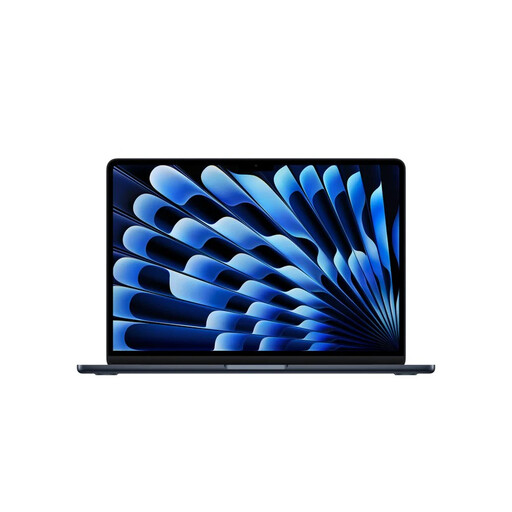
Why this model stands out The MacBook Air M5 is an excellent all-rounder. It combines the power of the M5 chip with an ultra-light design. The fanless design ensures the laptop is completely silent, even during demanding tasks. The battery life is a key advantage, allowing you to work all day without a charger.
Pros
Who is this model for? This is a popular choice for students, writers, and professionals who are often on the move. If you're looking for a powerful, portable, and silent Apple laptop for a wide range of tasks, from creating presentations to light photo editing, the MacBook Air M5 is a logical choice.

Why this model stands out The MacBook Neo is a newcomer to the MacBook 2026 lineup, positioning itself as an accessible entry-level model. It offers the familiar Apple experience with the efficient A18 Pro chip, which provides more than enough power for everyday tasks. It's a practical and affordable way to buy a new MacBook.
Pros
Who is this model for? The MacBook Neo is ideal for users looking for a reliable laptop for browsing, email, social media, and office applications. Think of high school students, home users, or if you need a simple secondary laptop.

Why this model stands out For those who need maximum performance, there's the MacBook Pro. This model is equipped with the most powerful variant of the M5 chip, 32 GB of memory, and a superior Liquid Retina XDR display. The addition of an HDMI port and an SDXC card slot makes it a full-fledged workstation for professionals.
Pros
Who is this model for? This professional laptop is aimed at creatives, developers, and power users. If your work depends on processing power, a color-accurate display, and fast data transfer, the MacBook Pro 14-inch offers the specifications you need.
These MacBooks are designed with a focus on integrated Apple chips. Are you looking for a laptop with a specific, dedicated graphics card (GPU) for activities like gaming or specialized 3D software? There are other powerful options available.
Check out our full range of GPU Computers for more powerful laptops.
The main difference lies in the chip and market positioning. The MacBook Air M5 is more powerful and aimed at users who need more performance for multitasking and creative apps. The MacBook Neo A18 Pro is a more affordable model, designed for efficiency and perfectly suited for everyday tasks like browsing, email, and word processing.
For most users, 16 GB of unified memory is a solid baseline for 2026. It ensures you can smoothly switch between multiple applications and browser tabs. Only if you consistently work with very large files, such as 4K video projects or complex software compilations, is an upgrade to 32 GB or more recommended.
MacBooks are known for their durable build quality and long lifespan. Apple typically provides a minimum of 5 to 7 years of software updates for new models. With normal use and proper care, the hardware itself can often last even longer, making it a long-term investment.
