Start by measuring the space available on your desk and the distance you’ll sit from the screen. Include the monitor stand and allow room for cables before choosing a size. A compact 24-inch Full HD monitor takes up less space as a screen; 27-inch QHD or 4K gives you more pixels if your desk and PC can accommodate it. An ultrawide is only a sensible option if there’s enough width and your simulation supports the aspect ratio you want.
Who might find this choice useful?
Sim player with a narrow desk
This user wants to fit a single monitor without losing space for controls and cables. Be sure to measure the stand’s footprint and allow room behind the ports for connections. Philips Netherlands and LG Netherlands list dimensions for individual models.
Sim player who wants to see the details
This user has room for a 27-inch monitor and prefers more pixels for fine on-screen details, provided their PC can handle the chosen resolution. Philips Netherlands lists the 27M2N3500NF/00 as having a QHD resolution of 2560 × 1440 pixels.
Sim player considering a wider view
This user wants a wider display, but should first check that the monitor fits on the desk and that the simulation supports the desired aspect ratio. Philips Netherlands lists the 34M2C6500/00 as a 34-inch screen with a resolution of 3440 × 1440.
What should you look for in a monitor for a compact sim setup?
Compact 24-inch Full HD
Choose this option: if desk space is your main constraint and you want to use a single screen.
Trade-off: Full HD has fewer pixels than the QHD and 4K options listed here. Philips Netherlands lists the 24M2N3200NF/00 as having a 23.8-inch diagonal and a 144 Hz refresh rate.
27-inch QHD
Choose this option: if a 27-inch screen with its stand will fit and more pixels for small on-screen details matter to you.
Trade-off: this screen needs more space, and your PC must be able to handle the chosen resolution and refresh rate. Philips Netherlands lists the 27M2N3500NF/00 as having 2560 × 1440 pixels and 144 Hz.
27-inch 4K
Choose this option: if you want plenty of pixels on a 27-inch screen and your system can handle your chosen settings through the connection you’ll be using.
Trade-off: a 4K specification doesn’t guarantee that your PC will achieve a particular frame rate in the simulation. Samsung Netherlands lists the LS27DG702EUXEN as having 4K UHD resolution and 144 Hz.
34-inch ultrawide
Choose this option: only if there’s room for the extra screen width and your simulation supports the aspect ratio you want.
Trade-off: the wider casing may be difficult to fit on a small desk. Philips Netherlands lists the 34M2C6500/00 as having a 21:9 aspect ratio and a resolution of 3440 × 1440.
| What to consider |
What to look for when buying |
Who is this important for? |
| Desk space |
Compare the dimensions including the stand with the available width and depth. Leave room behind the ports for cables. |
If my desk has limited space, I want to know whether the screen, stand and cables will all fit. Around 40% of consumers make physical fit their primary requirement. |
| Detail and resolution |
Compare Full HD, QHD and 4K for the size you’ve chosen, and check which resolution your PC can output. |
When small instruments and on-screen details matter to me, I focus on both the pixel count and the space the screen takes up. Around 25% of consumers prioritise detail as their main requirement. |
| Refresh rate |
Check the achievable combination of resolution and Hz for the monitor, connection, cable and PC. Compare response times only when they’re measured using the same method. |
I want a smooth picture, but I also want to know what my own system can actually deliver. Around 17% of consumers make achievable frame rate their main selection priority. |
| Wide aspect ratio |
Measure the available width and check whether the simulation supports the aspect ratio you want. |
If I care more about a wide view than having the most compact screen possible, the extra width still needs to fit and work with my game. Around 18% of consumers make a wide display their primary requirement. |
Which buying mistakes can you avoid?
-
Measuring only the screen diagonal
The diagonal doesn’t tell you how much room the stand and connected cables will take up.
Before buying, compare the exact model’s dimensions, including the stand, with your desk and leave room behind the ports.
If the stand doesn’t fit, you may need a different setup or a suitable mount. Check that the exact model is compatible.
-
Assuming the Hz rating or response time guarantees gaming performance
The monitor’s stated rating doesn’t tell you how many frames your PC can display in the simulation. Response times may also be quoted using different modes or measurement methods.
Check the combination of resolution, connection and PC, and find out under what conditions the monitor’s rating applies.
-
Choosing ultrawide without checking the game and desk
A 34-inch screen with a 21:9 aspect ratio needs more width than a compact monitor. The screen’s specifications don’t confirm that your simulation supports this aspect ratio.
Measure the space available and check the game’s supported aspect ratios and display settings.
-
Confusing an extra warranty plan with your statutory rights
ACM ConsuWijzer distinguishes between an additional warranty plan and your statutory rights. An extra plan doesn’t replace your legal rights.
Before taking out a plan, check what additional cover it provides and who to contact if the product is faulty.
Brands and models to consider
Philips Evnia
According to Philips Netherlands, the models listed range from a compact Full HD monitor to a 27-inch QHD and a 34-inch ultrawide option.
- The individual models offer different sizes and resolutions to compare with the space you have available.
- For the 27M2N3500NF/00, Philips stresses that the graphics card must be able to achieve the maximum resolution and refresh rate.
AOC
According to AOC, the Q27G4XN is a 27-inch QHD Fast VA model with a height-adjustable stand.
- AOC lists a 180 Hz refresh rate and up to 1 ms GtG for this model.
- These model specifications don’t tell you how the monitor will perform in your simulation or how much room the stand takes up.
Samsung Odyssey
The LS27DG702EUXEN is a 27-inch 4K UHD option; Samsung Netherlands lists a 144 Hz refresh rate.
- The specifications combine a 27-inch screen with 4K UHD resolution.
- The stated resolution and refresh rate don’t guarantee that your PC can achieve this combination in your simulation.
Dell Alienware
According to Dell Netherlands, the AW2726DM is a 27-inch QHD QD-OLED model with a 240 Hz refresh rate.
- The model specifications offer a QHD option with a stated refresh rate of 240 Hz.
- Check the dimensions of the exact model and whether it has the connections you need for your setup.
Joybuy monitors for a compact setup
These monitors mainly represent the compact 24-inch Full HD option for a desk with limited space.
 Image unavailable
Acer SA242YH1 24-inch Full HD monitor
The 24-inch Full HD format suits a compact setup. Be sure to measure the stand and allow room for cables too.
Specifications: 100 Hz and 1 ms. The product information states that the charger isn’t included as standard and must be purchased separately.
Joybuy
 Image unavailable
LG UltraGear 24G414B-B 24-inch Full HD
This 24-inch Full HD gaming model is a good fit if you’re looking for a compact screen. Check the dimensions with the stand against your desk space.
The product name describes a 24-inch Full HD gaming monitor.
Joybuy
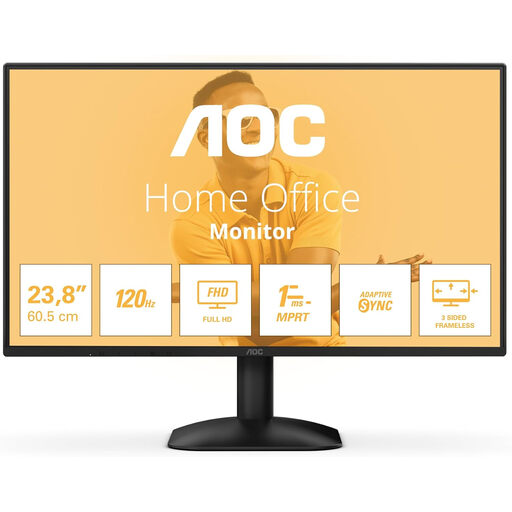 Image unavailable
AOC 24B31H 24-inch Full HD monitor
The 24-inch Full HD model suits a compact screen setup. Compare its full dimensions with the space you have available.
Specifications: 1920 × 1080 pixels, 16:9, HDMI, DisplayPort and a headphone output.
Joybuy
 Image unavailable
KTC H24B9S 24-inch Full HD gaming monitor
The 24-inch Full HD format is a compact option. Check that the settings you want are within your PC’s capabilities.
Specifications: 144 Hz, Adaptive Sync, HDMI and DisplayPort.
Joybuy
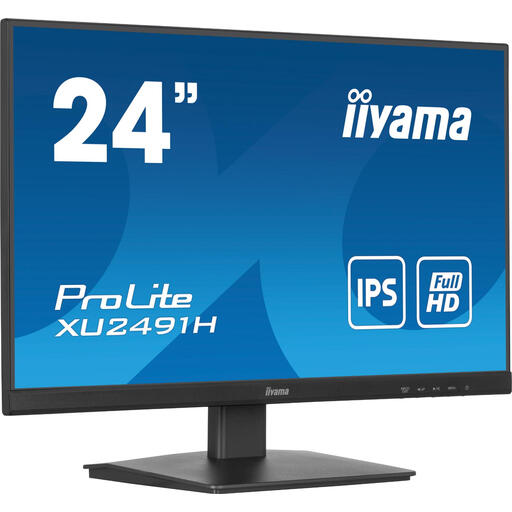 Image unavailable
iiyama ProLite 24-inch IPS monitor
A 24-inch monitor may suit a compact setup. Before buying, measure the stand and allow room for cables too.
Specifications: IPS panel and 100 Hz.
Joybuy
Frequently asked questions
Is 27 inches automatically better for small instruments?
No. It also depends on the resolution, viewing distance and space available on your desk. According to Philips Netherlands, the Philips 27M2N3500NF/00 has a resolution of 2560 × 1440 pixels, but its readability in your game hasn’t been assessed separately.
How can you set up a monitor without wasting space?
Measure the available width and depth in advance, check the dimensions of your chosen model with the stand, and leave room for connection cables. If you’re considering a mount, check the specifications and instructions for that exact model.
How much does it cost to run over time?
Power consumption depends on the model and how long you use the monitor. Compare the chosen model’s EU energy label and product information sheet. The European Commission says the label includes information on energy efficiency and HDR consumption.
What are your rights when buying online in the Netherlands?
For a standard online consumer purchase, ACM ConsuWijzer says you’ll generally have up to 14 days from delivery to change your mind, although exceptions may apply. Your statutory rights are separate from any manufacturer’s or retailer’s warranty. If a product is faulty, contact the seller.


