
Vandaag of morgen in huis

Kwaliteit gegarandeerd

Welkomstaanbiedingen ontgrendelen: GRATIS bezorging | Tot 80% korting | Gratis 30 dagen JoyPlus-proefperiode
Download de app
If you're serious about competitive gaming, you know your gear can make all the difference. A mouse isn't just a pointer; it's your direct link to the game. However, the search for the right wireless gaming mouse can feel like navigating a maze of marketing terms and specifications. Many gamers fall into the trap of overhyped features that add little practical value, or choose a model that becomes uncomfortable after just a few months.
Before you invest in a new mouse, it's important to recognise the common pitfalls:
This article will help you navigate these pitfalls and focus on the specifications that truly matter, with the Logitech G PRO X Superlight 2 as the centrepiece.
To avoid a bad purchase, there are a few non-negotiable specifications you need to look for. These directly determine your performance in fast-paced games like FPS titles.
For an FPS mouse, low weight is crucial. A lightweight gaming mouse under 65 grams allows for faster reactions and less fatigue. The Logitech G PRO X Superlight 2 weighs just 53 grams, enabling you to make quick, fluid movements without sacrificing control. Its symmetrical shape is designed to be comfortable for a wide range of hand sizes and grip styles, a factor that is often overlooked.
The sensor is the heart of your mouse. The HERO 2 sensor in the Superlight 2 is a prime example of what you should look for in a high-end model. Pay attention to the following specifications:
A wireless gaming mouse offers freedom of movement, but the connection must be stable and fast. Logitech's LIGHTSPEED technology is engineered to provide a reliable, lag-free experience comparable to a wired connection. Additionally, long battery life is essential. The Superlight 2 offers up to 95 hours of use on a single charge and is charged via a standard USB-C port, eliminating the inconvenience of constant recharging.
Based on the criteria above, we have selected a few products that suit different user profiles within the serious gaming community.
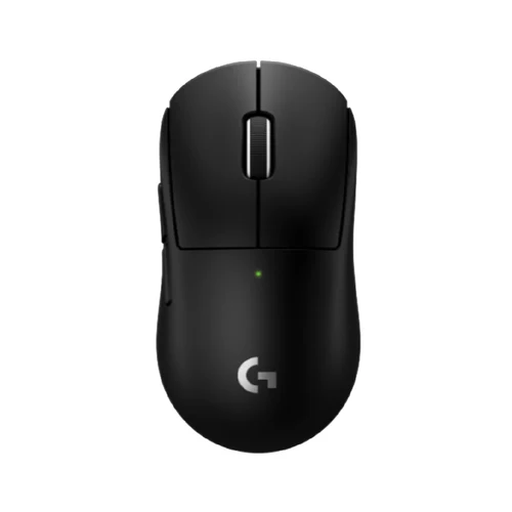
Why This Fits Their Persona: This model is specifically designed for esports athletes and serious gamers who demand maximum performance. Its ultra-lightweight design and precise sensor are ideal for fast-paced, competitive games where every millisecond counts.
This mouse focuses purely on performance. No unnecessary RGB or superfluous buttons, just a focus on low weight, a top-tier sensor, and a reliable wireless connection.
The combination of a 53-gram weight, the HERO 2 sensor, and lag-free LIGHTSPEED technology offers a clear advantage in competitive scenarios.
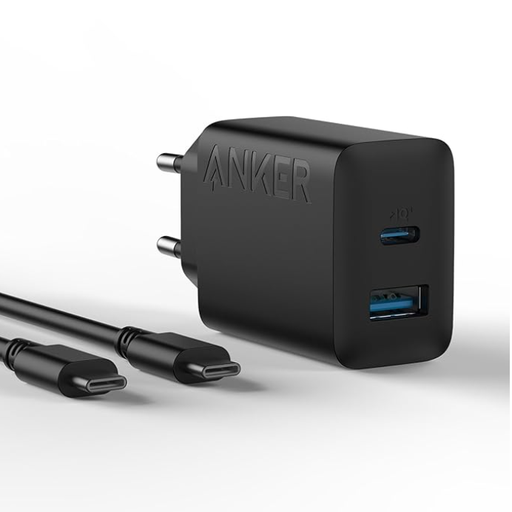
Why This Fits Their Persona: A wireless setup is only complete with a reliable charging solution. This compact charger keeps your Superlight 2 and other devices powered up quickly without taking up unnecessary space on your desk or in your bag.
Avoids the frustration of a slow, unreliable charger. Instead of using a generic charger, you're investing in a product designed for efficiency and safety.
Offers 20W fast charging via the USB-C port, ideal for a quick top-up of your mouse. The dual port (USB-C and USB-A) adds extra versatility.
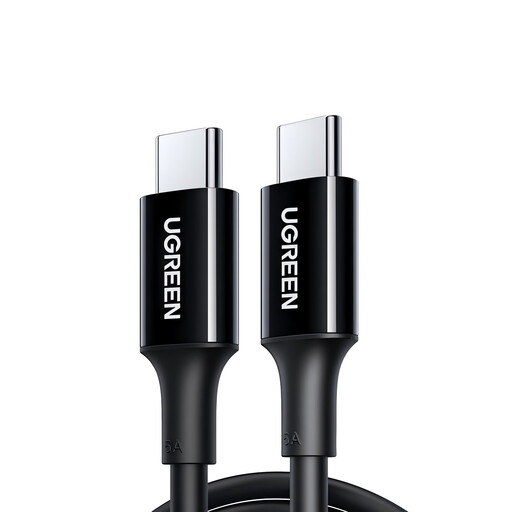
Why This Fits Their Persona: Even with a wireless mouse, you need a charging cable. A high-quality, durable cable ensures you never run out of power and fits seamlessly into a clean, organised setup.
Cheap cables fray quickly and can cause charging issues. This model is made from durable TPE material with a tinned copper core for a long lifespan.
Supports a current of up to 5A for fast charging and is built for reliability. The black finish pairs well with the Logitech gaming mouse black.
We have curated a complete, up-to-date list of products that meet these strict selection criteria and EU safety regulations.
Here are answers to some frequently asked questions about the Logitech G PRO X Superlight 2.
According to Logitech, the mouse provides up to 95 hours of constant motion on a full charge. The actual battery life may vary depending on your usage and computer settings. Charging is done via the included USB-C cable.
Yes, the mouse has a symmetrical design, making it comfortable for both left- and right-handed users. The side buttons are placed on the left side by default (for right-handed use), but they can be disabled or reassigned via the Logitech G HUB software.
The Superlight 2 introduces several key upgrades. The most important are the new HERO 2 sensor for improved tracking precision, a higher maximum polling rate (up to 8 kHz with the LIGHTSPEED receiver), longer battery life (95 hours vs. 70 hours), and the switch to a USB-C charging port instead of micro-USB. The weight has also been further reduced from 63 grams to 53 grams.
