
Vandaag of morgen in huis

Kwaliteit gegarandeerd

Welkomstaanbiedingen ontgrendelen: GRATIS bezorging | Tot 80% korting | Gratis 30 dagen JoyPlus-proefperiode
Download de app
Long days at a desk demand tools that don't just work, but work with you. For professionals, creatives, and anyone who values efficiency, the choice of a mouse can make a noticeable difference in comfort and productivity. This article is intended as a practical guide. We will review the specifications of the Logitech MX Master 4, a popular professional mouse, and offer advice to help you determine if it's the right choice for your workspace.
Before we look at specific products, it's helpful to consider some key aspects that distinguish a good mouse for intensive daily use.
An ergonomic mouse is designed to support the hand in a more natural position. This can help reduce strain on the wrist and arm during long work sessions. Look for features like a contoured design, a thumb rest, and the placement of the buttons. A comfortable grip is not a luxury, but a necessity for sustained productivity.
The sensitivity of a mouse is expressed in DPI (Dots Per Inch). An 8K DPI mouse offers extremely high precision, which is especially useful for tasks that require accuracy, such as graphic design or editing large spreadsheets. The ability to adjust the DPI is a plus, as are programmable buttons that you can set for specific functions in the software you use most.
For a clutter-free desk, a wireless mouse for business use is ideal. The stability of the connection is crucial here. Options like Bluetooth are convenient, but a dedicated receiver, such as a mouse with Logi Bolt, often provides a more robust and secure connection. This is particularly important in office environments with many wireless signals.
Based on functionality and specifications, we have selected a few products that can support a modern, efficient workspace.

Why It Stands Out The Logitech MX Master 4 is designed with the demanding user in mind. It combines a refined ergonomic design with advanced technology. According to Logitech, the MagSpeed scroll wheel can scroll 1,000 lines per second, while also offering the precision to stop on a single line. The addition of Quiet Click technology makes it a quiet mouse, significantly reducing audible distractions in a shared workspace.
Benefits
Who Is This For? This mouse is a strong contender for professionals, developers, and creatives who spend many hours at the computer daily. Users who value precision, customisable features, and a comfortable, ergonomic shape will appreciate the specifications of the MX Master 4.
A good mouse is only half the battle. To further optimise your workflow, the right accessories are indispensable.
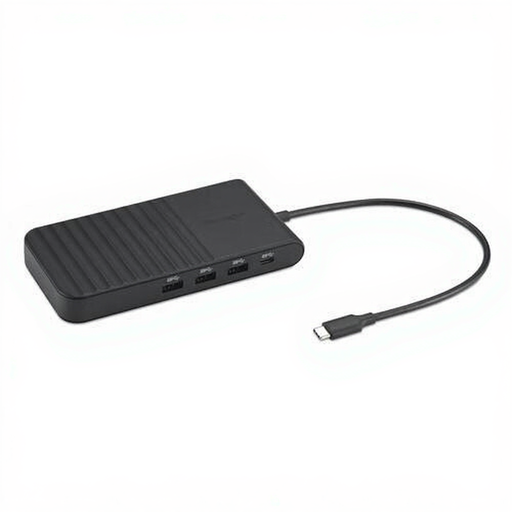
Why It Stands Out A docking station like the Kensington UH1500P centralises your connections. With a single USB-C cable, you can connect your laptop to multiple monitors, USB devices, and a wired network, all while charging the laptop simultaneously. This creates a tidy desk and makes it easy to take your laptop with you.
Benefits
Who Is This For? For professionals who work with multiple screens, hybrid workers who need to connect quickly, and anyone who strives for a minimalist and organised workspace.
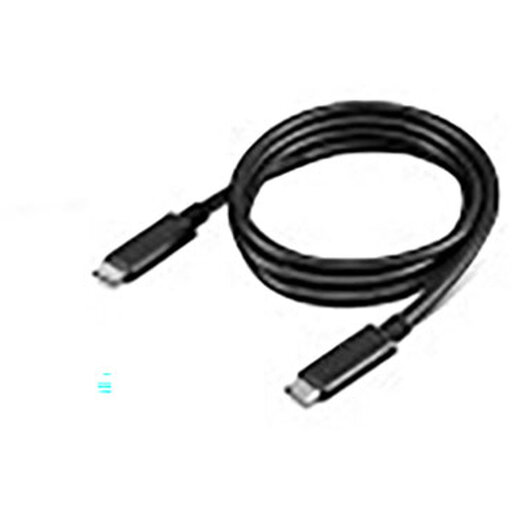
Why It Stands Out Not all cables are created equal. A high-quality USB-C cable is essential to guarantee the performance of your devices. This cable from Lenovo supports high data transfer speeds and sufficient power for charging, making it a reliable link between your laptop, docking station, or the MX Master 4 mouse.
Benefits
Who Is This For? For anyone who needs a reliable, fast, and powerful connection for their USB-C devices. It is a fundamental component of a modern, high-performance setup.
A good setup depends on the right cables. If you are looking for more options or different lengths, check out our selection of Type-C computer cables.
Yes, the mouse is equipped with an 8K DPI Darkfield sensor. According to Logitech, this sensor is specially designed to function on virtually any surface, including glass with a minimum thickness of 4 mm.
A quiet mouse significantly reduces distractions. Logitech claims that its Quiet Click technology reduces click noise by 90%. This is pleasant for your own concentration, but also for colleagues in an open-plan office or for housemates when you work from home.
Both connection methods have their advantages. Bluetooth is universal and does not require a USB port. However, the Logi Bolt receiver, which is based on Bluetooth Low Energy technology, is designed for an extra stable and secure connection with low latency. This is a particular advantage in environments with a lot of wireless interference, such as busy offices. The connection is also FIPS-secured, which is a plus for business use.
