
Vandaag of morgen in huis

Kwaliteit gegarandeerd

Welkomstaanbiedingen ontgrendelen: GRATIS bezorging | Tot 80% korting | Gratis 30 dagen JoyPlus-proefperiode
Download de app
A good computer mouse is essential. Whether you're putting in long days at the office, studying, or navigating spreadsheets at home, the right mouse can significantly improve your productivity and comfort. But with so many choices, from a simple wired mouse to an advanced ergonomic mouse, it can be difficult to determine which model is right for you.
As a Joybuy Product Recommendation Officer, I'm here to help guide you. In this article, I'll filter through the information and provide practical advice so you can make an informed decision on a Logitech mouse that meets your needs.
Before you buy a Logitech mouse, it's helpful to consider a few things. These key points will help you narrow down your options.
How a mouse connects to your computer is a crucial first choice.
Comfort is crucial, especially if you use the mouse for hours every day.
Based on specifications and use cases, we have listed some popular choices for different users.
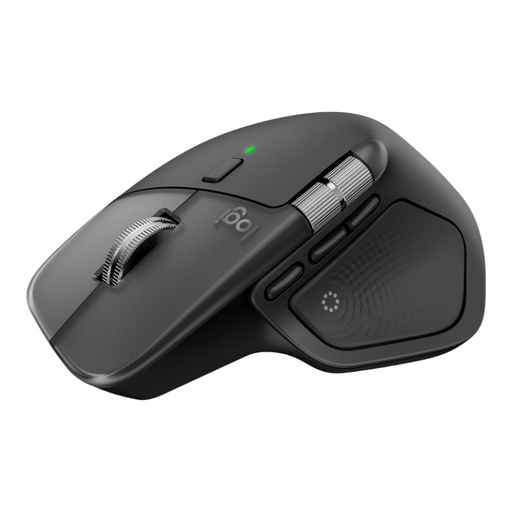
Why It Stands Out The Logitech MX Master 4 is designed for users who demand a lot from their equipment. According to Logitech, the MagSpeed scroll wheel can scroll up to 1,000 lines per second, which is ideal for navigating long documents or code. The mouse offers dual wireless connectivity via the Logi Bolt USB-C receiver or Bluetooth, and you can seamlessly switch between three paired devices.
Advantages
Who Is This Mouse For? This mouse is an excellent choice for professionals, creatives, and programmers who work with Mac systems and need precision, speed, and extensive customisation options.
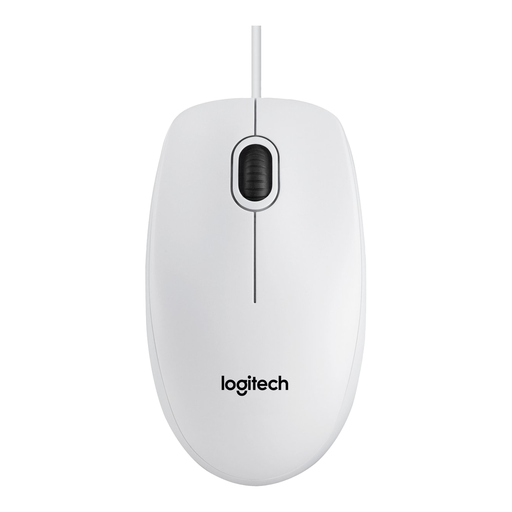
Why It Stands Out Sometimes, simplicity is all you need. The Logitech B100 is a wired mouse that does exactly what it's supposed to do, no frills. Thanks to its plug-and-play design, you just need to connect the USB cable and you can get started right away. Its symmetrical shape makes it suitable for both left- and right-handed users.
Advantages
Who Is This Mouse For? The B100 is a practical and affordable computer mouse for home use, the office, or educational settings. Perfect for anyone looking for a reliable, basic solution that just works.
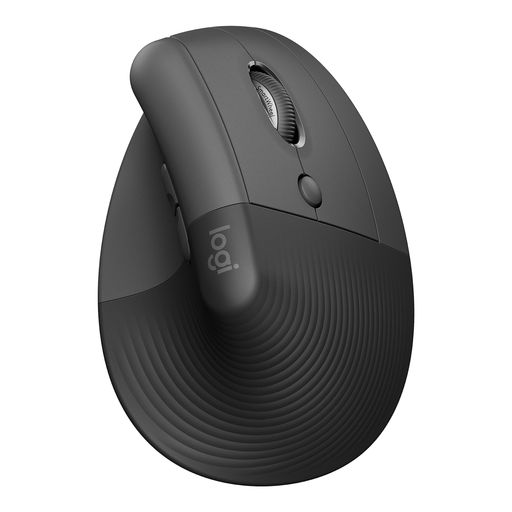
Why It Stands Out The Logitech Lift is a vertical mouse designed with comfort as a priority. Its unique 57-degree angle places your hand in a natural handshake position. According to Logitech, this helps to alleviate pressure on the wrist and promote better upper body posture. The mouse is specifically designed for small to medium-sized hands.
Advantages
Who Is This Mouse For? This ergonomic mouse is a great option for people who spend long days at the computer and are looking for a more comfortable way to work. It is particularly suitable for users with small to medium-sized hands who want to reduce wrist and arm strain.
A good mouse is half the battle, but a comfortable typing experience is just as important. If you want to complete your workstation, a matching keyboard is the logical next step.
Check out our range of USB Computer Keyboards for more options to complete your setup.
1. How do I connect a wireless Logitech mouse? Most wireless Logitech mice can be connected in two ways. Using the included USB receiver (like a Logi Bolt receiver), you plug the receiver into a USB port, and the connection is usually established automatically. For a bluetooth mouse, you activate pairing mode on the mouse and select it in the Bluetooth settings of your computer, laptop, or tablet.
2. What is the advantage of an ergonomic mouse? An ergonomic mouse, and particularly a vertical mouse, is designed to place your hand and wrist in a more neutral, natural posture. This can help reduce muscle strain in your forearm compared to a traditional flat mouse, which can be especially beneficial during prolonged computer use.
3. How long does the battery of a Logitech wireless mouse last? Battery life varies greatly by model. Some models, like the Logitech Lift, use a replaceable AA battery that the manufacturer claims can last up to two years. Other models, like the MX Master 4, have a built-in rechargeable battery that lasts up to 70 days on a full charge. Wired models, such as the B100, obviously do not require a battery.
