
Vandaag of morgen in huis

Kwaliteit gegarandeerd

Welkomstaanbiedingen ontgrendelen: GRATIS bezorging | Tot 80% korting | Gratis 30 dagen JoyPlus-proefperiode
Download de app
If you're serious about competitive gaming, you know that every millisecond and every gram counts. The search for the perfect wireless gaming mouse often leads to the Logitech G Pro X SUPERLIGHT, a go-to option in the esports world. But the market is flooded with marketing claims and technical specs that confuse more than they clarify. Before you invest, it's crucial to know what really matters.
As a Joybuy Product Recommendation Officer, I'm here to help you separate fact from marketing fiction. We'll dive into the common pitfalls that cost gamers money and examine the specs that truly make a difference, ensuring you make an informed decision.
The marketing surrounding gaming gear can be misleading. Many gamers fall into the same traps, leading to a purchase that doesn't improve their performance. Here are the most common ones.
lightweight gaming mouse is the current trend, and for good reason. Less weight can lead to faster reactions and reduced fatigue. However, an ultralight mouse isn't automatically better. The shape, balance, and how the mouse fits your hand are far more important for precision. A mouse that doesn't suit your grip style can actually hinder your performance, no matter how light it is.To find the right esports mouse, you need to look beyond the marketing hype. Pay attention to these three technical aspects that directly impact your gaming experience.
FPS mouse. It's not about maximum DPI, but flawless tracking. A sensor like the Logitech HERO sensor is renowned for its precision and efficiency. This means no unwanted acceleration, angle snapping, or spin-outs during fast movements. The sensor must translate your movement 1:1 to the screen, without any deviation.wireless gaming mouse is a thing of the past. Technologies like Logitech's LIGHTSPEED offer a 1000 Hz polling rate (1ms response), which is as fast as, or even faster than, many wired mice. A stable, interference-free connection is crucial in competitive scenarios.Not every gamer has the same needs. Below are several choices tailored to different profiles and budgets.
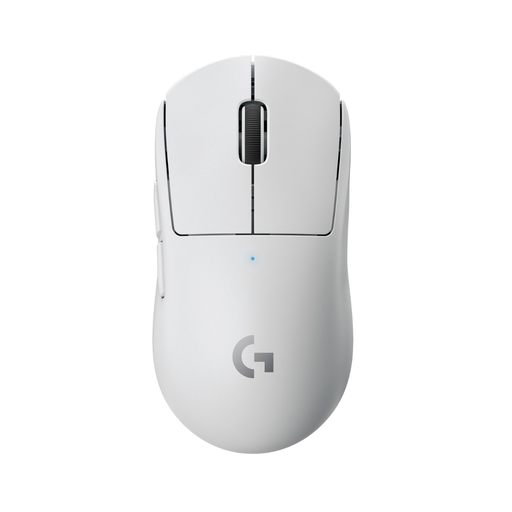
Why it's a match: This is the gold standard for a reason. The mouse is a perfect all-rounder for serious gamers seeking a proven, reliable, and balanced design without the fluff. Ideal for those who want top-tier performance without having to experiment.
This mouse doesn't focus on sky-high DPI, but on the consistent performance of the HERO sensor. Its 63-gram weight is perfectly balanced with its shape, avoiding the 'lighter is always better' pitfall.
Proven professional-level performance with a safe shape and reliable LIGHTSPEED wireless technology.
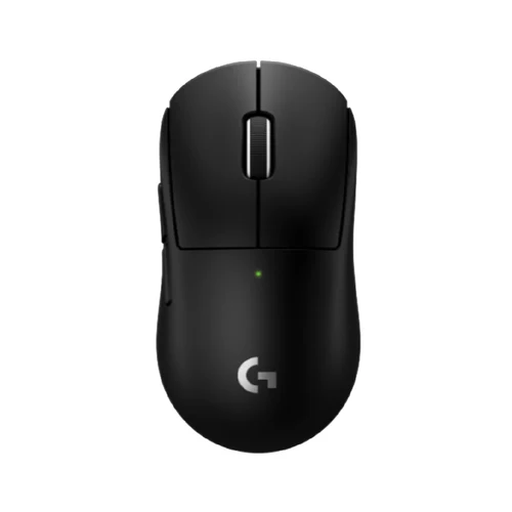
Why it's a match: For the esports athlete who demands the absolute best. This model is even lighter and features the newer HERO 2 sensor. According to Logitech, its LIGHTSPEED technology offers an even higher polling rate for a theoretically faster response.
This model proves that 'lightweight' can be pushed even further (53 grams) without sacrificing build quality or battery life. The focus is on measurable performance improvements, not just marketing numbers.
Extremely low weight (53g), the advanced HERO 2 sensor, and a longer battery life of up to 95 hours, according to the manufacturer.
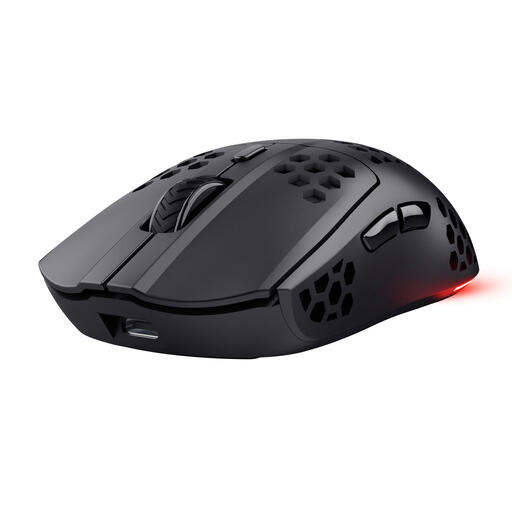
Why it's a match: For gamers who want to experience the benefits of a light, wireless mouse without paying a premium. An excellent entry point into the world of competitive gaming hardware.
This mouse proves you don't have to spend a fortune for core features. It offers a low weight (75g) and low-latency wireless performance, debunking the myth that good gaming gear is always expensive.
A very accessible price for a wireless, lightweight gaming mouse with a battery life of up to 80 hours.
We have curated a complete, up-to-date list of products that fully meet these strict selection criteria.
According to Logitech, the battery of the original G Pro X SUPERLIGHT lasts up to 70 hours with constant use. The newer SUPERLIGHT 2c improves this to approximately 95 hours. The actual duration depends on your usage, but for most gamers, this means you'll only need to charge the mouse once a week or even less.
For many players, yes. A lighter mouse reduces the physical effort required for fast, precise movements ('flicks') and sustained aiming. This can reduce fatigue during long sessions and benefit your reaction speed. However, comfort and grip remain personal. A mouse that doesn't fit your hand well won't improve your performance, no matter how light it is.
The mouse works right out of the box ('plug-and-play') for basic functions. However, to unlock its full functionality—such as customising DPI steps, programming buttons, and checking the battery status—the Logitech G HUB software is recommended. This software is available as a free download from the Logitech website.
