Don’t automatically replace your router if the Wi-Fi is only weak in the loft: a new router won’t necessarily fix signal loss caused by distance and floors. If you have an ethernet cable running to the loft, a wired access point or a mesh node with ethernet backhaul is a sensible option. Without a cable, you could consider wireless mesh or powerline, and test the connection where you plan to use it. If you’re casting to a screen, also check that the devices can find each other on your home network.
Who is this guide for?
Loft user with a weak signal
You want a reliable connection for presentations in the loft and need coverage across several floors, not just a higher router speed on paper. The Consumentenbond points out that walls and ceilings can interfere with Wi-Fi signals.
Homeowner with a cable to the loft
You can extend your existing network with a wired connection and want to know whether an access point or a mesh node in access point mode is suitable. TP-Link describes an access point mode for Deco that supports ethernet backhaul.
Presenter casting to a screen
Your laptop or phone needs to be able to find the screen on your home network. Google Cast Help lists network or device isolation as a possible reason why cast devices can’t find each other.
What should you consider when choosing?
| Consideration |
What should you look for? |
Who is this most important for? |
| Wi-Fi coverage |
Test the connection where you’ll be presenting. Bear distance, floors and walls in mind; as the Consumentenbond explains, the Wi-Fi version alone doesn’t tell you how good the signal will be there. |
If I’m presenting in the converted loft, I want the connection to work there, not just next to the router. Around 36% of consumers prioritise coverage in the loft. |
| Connection to the Wi-Fi point |
Check whether you can use ethernet, where a wireless mesh node will still get a good signal, and whether powerline works with the sockets you plan to use. The options vary depending on the solution and the property. |
If I add another Wi-Fi point, I also want to know how it will stay connected to the router. Around 29% of consumers prioritise a reliable connection between floors. |
| Casting a presentation |
Check that both devices are on the intended home network. With Google Cast, AP or client isolation can prevent communication, according to Google Cast Help. |
If I’m casting from my laptop or phone to a screen, that screen needs to be discoverable. Around 21% of consumers prioritise being able to find a screen when casting. |
| How much of the network to extend |
First, try moving the router to a better position and check whether your existing router can work with an access point. With Deco, some router functions are unavailable in access point mode, according to TP-Link. |
If I only have a problem in the loft, I don’t want to buy a more extensive solution than I need. Around 14% of consumers prioritise keeping their purchase and expansion to a minimum. |
Common buying pitfalls
-
Assuming a faster router means better coverage in the loft
Distance, walls and ceilings can weaken the signal. The Consumentenbond stresses that the Wi-Fi version alone doesn’t tell you how well it will perform where you need it.
Test the connection in the loft before choosing a device or deciding how many Wi-Fi points you need.
You may still need an extra Wi-Fi point or a cable.
-
Assuming that Wi-Fi coverage automatically means casting will work
With Google Cast, AP or client isolation can stop a laptop or phone from reaching the screen, even when both devices have Wi-Fi.
Test the devices together on the intended home network before your presentation. Check any settings that restrict communication between them.
-
Expecting powerline to be a guaranteed replacement for ethernet
The connection over your electrical wiring depends in part on the installation in your home. Devolo also states that Magic adapters aren’t compatible with dLAN adapters.
Check the adapter family and test the kit using the sockets you actually plan to use.
If the connection isn’t reliable there, you may need another way to connect.
Brands to consider
TP-Link
The Deco X50 range is worth considering if you want to expand your mesh network and may want to use ethernet backhaul.
- TP-Link specifies three gigabit ports per Deco X50 unit, as well as optional ethernet backhaul.
- Check the pack size and version. A stated speed or coverage area isn’t a measure of the connection in your loft room.
FRITZ!
The FRITZ!Repeater 1200 AX is an option if you want to keep your existing router, particularly if you have a FRITZ! home network.
- FRITZ! lists one gigabit LAN port and the option to connect the repeater to a FRITZ!Box via LAN.
- It can be used with other routers, but don’t assume it will automatically integrate with a FRITZ! mesh network. A repeater doesn’t replace an internet router.
devolo
The Magic 2 WiFi next Starter Kit is an option if running a network cable is difficult and you want to try a connection over your electrical wiring.
- According to devolo, the starter kit includes two adapters; the Wi-Fi adapter has two extra gigabit LAN ports.
- Performance depends on your home’s network environment. According to devolo, Magic adapters aren’t compatible with dLAN.
ASUS
AiMesh is worth considering if you already have compatible ASUS equipment or want to use ethernet backhaul between mesh devices.
- ASUS documents ethernet backhaul and the option to set the priority for each node.
- Features depend on compatible devices and firmware. The documentation doesn’t guarantee coverage in a specific loft and doesn’t automatically apply to every ASUS router.
Products at Joybuy
This selection includes powerline, Wi-Fi routers, mesh systems and a wired access point, offering different ways to extend your network into the loft.
 No image available
TP-LINK TL-WPA7517 KIT Powerline Adapter Starter Kit
A good fit for a powerline setup if you don’t have a network cable running to the loft and want to extend your connection over your electrical wiring.
Joybuy
 No image available
ASUS RT-AX52 AX1800 AiMesh Wi-Fi Router
A router option if you’re looking for a Wi-Fi router and may want to expand your network later with compatible ASUS equipment.
Dual-band: 2.4 GHz and 5 GHz. The product name specifies AiMesh compatibility.
Joybuy
 No image available
TP-Link Deco X50 3-Pack Dual-Band Wi-Fi 6
A good fit if you want to extend a mesh network across several rooms or floors using multiple units.
The product name specifies Wi-Fi 6 and dual-band. TP-Link specifies three gigabit ports per unit and optional ethernet backhaul.
Joybuy
 No image available
TP-Link Deco XE75 Pro 3-Pack Tri-Band Wi-Fi 6E
A three-unit mesh system for anyone looking to add several Wi-Fi points. Check in advance where the units can go and how they’ll connect to each other.
The product name specifies tri-band, 2.4 GHz, 5 GHz and 6 GHz.
Joybuy
 No image available
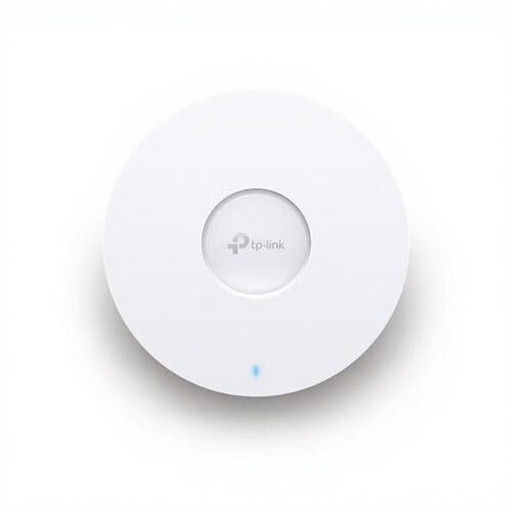
TP-Link Omada EAP670 Wireless Access Point
A good fit for a wired setup if you have a network cable running to the loft and are looking for an access point.
The product name specifies Wi-Fi 6, 5400 Mbit/s and Power over Ethernet (PoE).
Joybuy
Frequently asked questions
Should you replace your router if the Wi-Fi is only weak in the loft?
Not necessarily. First, check the connection in the loft and see whether moving the router to a better position helps. An access point or mesh extension may be a more targeted solution than simply buying a new router.
Can a mesh system work behind your existing router?
It can with Deco, using the access point mode described by TP-Link. Your existing router will continue assigning addresses, and some Deco router functions won’t be available. Check the manual for your exact system.
Why doesn’t your presentation screen appear in Google Cast?
First, check that the devices are on the intended home network. Google Cast Help lists AP or client isolation, for example on a guest network or extender, as a possible cause. This applies specifically to Google Cast and not automatically to every way of presenting.
What should you install and check with Wi-Fi powerline?
A starter kit uses one adapter by the router and another in the room where you want a connection. Test the connection using the sockets you plan to use and check the product family: according to devolo, Magic isn’t compatible with dLAN.
Do you need a permit or registration for ordinary home Wi-Fi in the Netherlands?
According to the Dutch Authority for Digital Infrastructure (RDI), there’s no notification or registration requirement for Wi-Fi on the designated frequencies. The RDI also states that Wi-Fi equipment sold on the Dutch market must carry the required CE marking.


