Who is this relevant to?

Working in the loft with weak Wi-Fi

You share project files from a workspace in the loft and find that the connection is weaker there than near the router. Network advice from Ziggo and Tweakers points to a wired connection to an extra Wi-Fi access point as an option worth considering.

Collaborating on shared files

You want to access project folders from several devices, so you need to assess not only the Wi-Fi but also the storage location, access permissions and compatibility with the computers you use. ASUS documents file sharing for compatible routers with USB storage connected.

Keeping your existing router

Your current router works well for internet access, but its Wi-Fi doesn’t reach the loft properly. TP-Link describes an access point mode for Deco that extends an existing network; make sure you check which features are available in this mode.

What should you consider when choosing?

What to consider What should you check? Who is this important to?
Coverage in the loft Check whether you can run Ethernet to the loft and whether the Wi-Fi access point you choose supports a wired connection. Test the connection where you work. If I work in the loft, I want a stable connection for my project files; around 36% of consumers prioritise coverage in the loft.
Sharing project files Decide where the files will be stored and check the sharing features, storage support and access from your computers for the exact model. If I need the same project folder on different devices, I want to know how files are stored and shared; around 29% of consumers prioritise file sharing.
Access and security Check update support, access permissions and whether guests can access work files. Microsoft Learn states that SMB signing is required by default from Windows 11 version 24H2; this may prevent access to certain shares. If I share work files, I want to control who can access them and avoid an outdated share being insecure or unusable; around 21% of consumers prioritise secure access.
Keeping your existing router Check whether the extra system works in access point mode and which features are no longer available in that mode. TP-Link explains that Deco can extend an existing network in this mode. If my router is otherwise doing the job, I’d rather just extend Wi-Fi to the loft; around 14% of consumers want to keep their existing router.

Common mistakes

  • Replacing only the router downstairs to improve Wi-Fi in the loft

    A faster router won’t automatically solve a weak connection through a floor. Tweakers says a wired connection between mesh nodes is more stable than a wireless backhaul.

    First, find out whether you can run Ethernet to the loft, then test the connection where you work.

  • Assuming the Wi-Fi speed on the box is the same as file transfer speed

    Transfer speeds also depend on the connection between Wi-Fi access points, wired connections, storage and the devices you use. An advertised combined Wi-Fi speed isn’t a measurement of your file transfer speed.

    Assess the entire route between the computers and storage, not just the Wi-Fi specification.

  • Assuming a USB port automatically lets you share files

    A USB port on its own doesn’t confirm that a router supports the file-sharing features or access settings you need. Microsoft Learn also describes Windows settings that can prevent connections to certain shares.

    Check the documentation for the exact model and the file-sharing protocol used by your computers. A router-based solution may also require compatible storage.

Brands to consider

TP-Link

Deco mesh systems are an option if you need an extra Wi-Fi access point in the loft. TP-Link says the Deco BE25 supports wired backhaul.

  • According to TP-Link, the Deco X50-PoE range offers PoE power and mounting options.
  • The X50-PoE and standard X50 are different models. Check the version, power supply and ports; a mesh kit won’t automatically store your project files.

ASUS

The RT-AX88U Pro is a router worth considering if you need wired connections or file sharing with connected USB storage.

  • ASUS’s official specifications list one USB 3.2 Gen 1 port and a 2.5GbE WAN and LAN port.
  • ASUS documents file sharing for compatible routers with USB storage; check the features and firmware for the exact model. A single router downstairs doesn’t guarantee coverage in the loft.

FRITZ!

The FRITZ!Box 7690 is a router option with a DSL connection and mesh expansion. The documentation also mentions using it behind a cable or fibre modem.

  • According to FRITZ!, the FRITZ!Box 7690 has a USB port.
  • FRITZ! specifies USB 2.0 for this model. Assess storage and file transfer separately, and check that the connection type suits your internet service.

NETGEAR

The Orbi 770 series is a mesh option for multiple rooms; NETGEAR lists tri-band Wi-Fi and 2.5GbE connections.

  • These connections give you the option to explore a wired connection between Orbi units.
  • These are manufacturer specifications, not a measurement of performance in your loft. Check the version, how many nodes you need and whether the system is suitable for a wired connection.

Product options at Joybuy

These product options focus on extending Wi-Fi to the loft: mesh kits for multiple rooms and wired access points. You’ll need to arrange storage and access to your project files separately.

TP-Link Deco X50 mesh kit, 3-pack

TP-Link Deco X50 (3-pack)

A mesh kit that spreads Wi-Fi across multiple rooms if you need extra access points.

Dual-band Wi-Fi 6 (2.4 GHz and 5 GHz); three Gigabit Ethernet ports per unit. The product description mentions optional Ethernet backhaul.

View at Joybuy

TP-Link Deco XE75 Pro mesh kit, 3-pack

TP-Link Deco XE75 Pro (3-pack)

A mesh option if you want to extend Wi-Fi across multiple rooms and need wired connections too.

Tri-band Wi-Fi 6E (2.4 GHz, 5 GHz and 6 GHz); the product description lists Ethernet ports per unit.

View at Joybuy
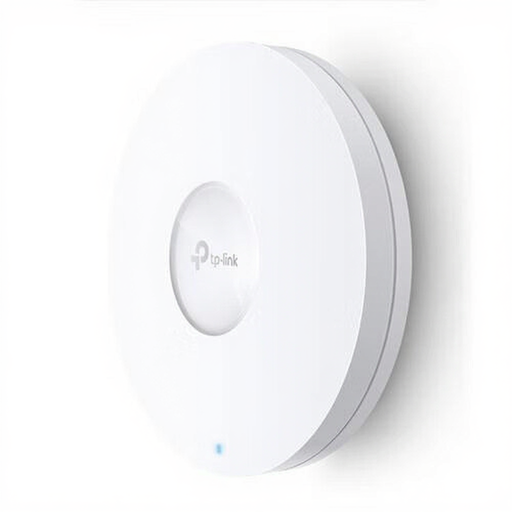
TP-Link Omada EAP620 HD access point

TP-Link Omada EAP620 HD

An access point to connect as an extra Wi-Fi access point if you can run Ethernet to the loft.

Wi-Fi 6, Ethernet connection and PoE. The product description mentions wall and ceiling mounting.

View at Joybuy
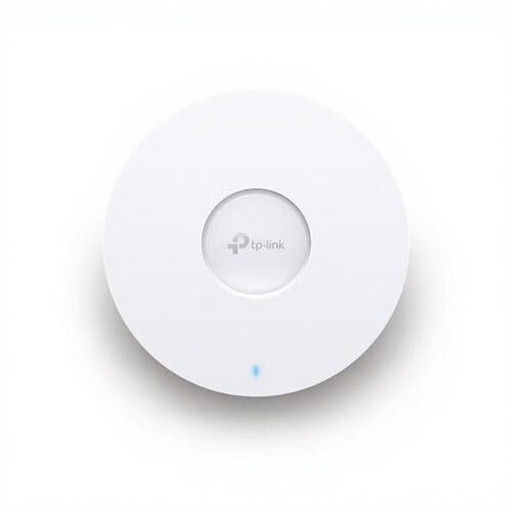
TP-Link Omada EAP670 access point

TP-Link Omada EAP670

An access point to consider if you want to connect a separate Wi-Fi access point via Ethernet.

Wi-Fi 6, PoE and a 2.5GbE connection. The product description mentions wall and ceiling mounting.

View at Joybuy

TP-Link Deco XE75 mesh kit

TP-Link Deco XE75

A mesh option if you want to extend Wi-Fi across different rooms.

Tri-band Wi-Fi 6E (2.4 GHz, 5 GHz and 6 GHz); the product description lists Ethernet ports per unit.

View at Joybuy

Frequently asked questions

Do you need to replace your ISP’s router to improve Wi-Fi in the loft?

Not necessarily. If your router is otherwise doing the job, you can connect a compatible Wi-Fi access point via Ethernet. TP-Link also describes an access point mode for Deco that extends your existing network; check which features are no longer available in this mode.

Where should you place a mesh node if you can’t run a cable to the loft?

Place the node somewhere it can still get a usable wireless connection to the main node, then test it at your loft workspace. Without wired backhaul, placement and the wireless connection between the nodes are key.

Can any router with USB share project files with Windows computers?

No. Check whether the exact model supports file sharing, and look at the protocol used and account settings too. Microsoft Learn states that the default requirement for SMB signing in Windows 11 version 24H2 can prevent connections to certain shares.

Is an access point the same as storage for your project files?

No. An access point improves your wireless network connection, but it doesn’t determine where files are stored. Choose your storage location and access permissions separately, and check that your computers support the solution.

What maintenance should you carry out after installation?

Check regularly for router and mesh updates. VeiligInternetten recommends keeping routers secure with the latest updates; how updates are made available varies by device and supplier.
