
Someone with weak Wi-Fi in the loft
You want a usable connection upstairs and are working out whether a cable with an access point or wireless mesh is right for your home.


First, check whether the problem is a weak Wi-Fi signal in the loft or that your shared screen cannot be found. If you have an Ethernet connection to the loft, a wired access point or mesh system with Ethernet backhaul may be suitable. If there is no cable, wireless mesh is an option, provided the mesh unit itself still has a good connection. With Google Cast, you should also check that both devices are on the same home network and are not isolated from each other by a guest network or client isolation.
You want a usable connection upstairs and are working out whether a cable with an access point or wireless mesh is right for your home.
You may have internet in both places, but want to check that the screen can be found from the loft on the same home network.
You want to keep using the screen in the living room while getting a suitable connection in the loft, without overlooking your existing router and connections.
First, establish whether you need to improve the signal or simply fix screen discovery. Only then choose between a wired connection, wireless mesh or keeping your existing router.
| What to consider | What to look for | Who is this important for? |
|---|---|---|
| Signal between floors | Check whether there is an Ethernet connection to the loft. Without a cable, a wireless mesh unit still needs a usable connection to the previous unit. | If your Wi-Fi is weak in the loft, you’ll want to know whether a cable or a well-placed mesh unit could improve the connection. Around 36% of consumers prioritise signal between floors. |
| Finding your screen | Check which screen technology you use. With Google Cast, devices must be on the same home network, and AP or client isolation must not block communication between them. | If the internet works in both places but you can’t see the Cast screen, check network discovery first. Around 29% of consumers give finding their screen top priority. |
| Streaming on your screen | Check the connection at the screen and compare it with the requirements of the service you use. Netflix recommends at least 15 Mbps for one 4K stream; this is not a general guarantee for other services or simultaneous streams. | If you want to stream on a shared screen, what matters is the connection the playback device actually receives. Around 21% of consumers prioritise a usable streaming connection. |
| Purchase and setup | Check whether an additional unit will be enough, how many connections you need and which features are unavailable when the system is in access point mode. | If you want to keep your existing router and avoid more equipment or setup than necessary, compare the features and connections of the exact version first. Around 14% of consumers prioritise a suitable purchase and straightforward setup. |
With Google Cast, an isolated guest network or AP isolation can prevent device discovery, even when both devices have internet access.
First, check which screen technology you use, whether both devices are on the same home network and whether isolation settings are blocking communication between them.
The unit needs a connection to the rest of the network. Walls and ceilings can weaken the wireless signal.
Try a location where the mesh unit can still connect to the previous unit, or use Ethernet backhaul where possible.
If a wireless setup doesn’t work, you may still need an extra unit or cabling.
The Wi-Fi specification alone doesn’t tell you the wired speed offered by a unit’s ports. The Joybuy product description for the three-unit Deco E4 version lists ports of up to 100 Mbps per unit.
For the exact set, check both the port speed and the connections you need.
According to TP-Link, in access point mode a Deco can leave network management to your existing router, although some Deco router features are unavailable.
Before installation, decide whether your provider’s router will remain the main router and check that the features you want are available in that mode.
The Deco range includes mesh products such as the X50 and E4; features vary by model and version.
The FRITZ!Repeater 1200 AX may be a suitable extension if you already have a compatible FRITZ!Box.
The ZenWiFi XD5 is a Wi-Fi 6 mesh system for which ASUS describes Ethernet backhaul between units.
Orbi may be worth considering if the connection between mesh units needs to be wireless.
These products are designed to extend Wi-Fi using mesh or a wired access point. Before buying, check that the connection, ports and power supply are suitable for your home and existing router.
 No image available
May suit you if you want to connect two mesh units using wired or wireless backhaul.
Wi-Fi 7; according to the product description, each unit has 10, 2.5 and 1 Gbps ports.
 No image available
May suit you if you’re looking for a two-unit mesh set and want to use Ethernet backhaul.
Wi-Fi 6; the product description lists three gigabit ports per unit and Ethernet backhaul.
 No image available
May suit you if you’re looking for a mesh set and can power the units using a compatible PoE supply.
Wi-Fi 6; the product description lists PoE and two Ethernet ports per unit. Suitable equipment is required for PoE.
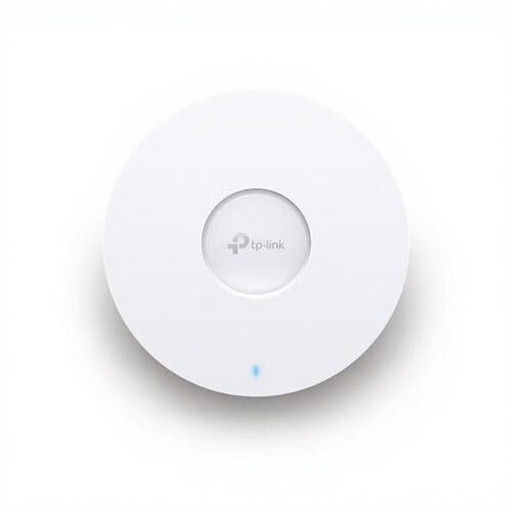 No image available
May suit you if you have Ethernet in the loft and want to install a wired access point there.
Wi-Fi 6; the product description lists a 2.5 Gbps Ethernet port and PoE. The access point must be connected to the network via Ethernet.
 No image available
May suit you if you’re looking for two mesh units and may want to connect them using Ethernet.
Wi-Fi 6; the product description lists optional Ethernet backhaul and three gigabit ports per unit.
Not necessarily. If the internet works in both places, first check with Google Cast that both devices are on the same home network and that guest network or AP isolation isn’t blocking communication between them. TP-Link says a Deco system can also work as an access point behind an existing router.
The Consumers’ Association recommends first checking your internet connection using a network cable, then checking the wireless signal in the problem area. This can help you work out whether the connection in the loft needs attention before you consider a more expensive broadband package.
Yes, if the system you choose supports access point mode and its connections are suitable for your network. According to TP-Link, in Deco access point mode your existing router can continue assigning IP addresses, and Ethernet backhaul may remain available; some Deco features will no longer be available. Check the manual for the exact model and keep its firmware up to date.
Allow for any extra units or cabling you may need, and check whether features depend on a service or subscription. According to ACM ConsuWijzer, online purchases in the Netherlands are generally covered by a statutory 14-day cooling-off period after delivery. Your statutory guarantee depends on what you could reasonably expect from the product and is separate from any manufacturer’s guarantee.
According to the Dutch Authority for Digital Infrastructure, Wi-Fi can be used in the Netherlands without a licence, notification or registration, subject to the applicable conditions. Use the correct country settings and check that the equipment and settings are suitable for the version sold in the Netherlands.