Who is this advice for?

Home worker with weak Wi-Fi in the loft

Your connection works downstairs, but doesn’t reach your converted loft well enough. First, look at where you could run a cable or add another Wi-Fi point. Odido and the Dutch Authority for Digital Infrastructure explain why Wi-Fi coverage in lofts can be a challenge.

Home worker with video calls that keep dropping out

You’re mainly looking for a stable connection at your desk, so you’re also considering a wired connection for your computer or a wired Wi-Fi point. Ubiquiti’s specifications and Which?’s buying advice can help you make your choice.

User who wants to keep their provider’s router

You’re looking for extra coverage without replacing your existing router and settings straight away. Check whether access point mode suits your network and which features will still be managed by the main router. TP-Link and ACM ConsuWijzer outline some key points to consider.

What should you consider when choosing?

Wired access point

Choose this if: you can run an Ethernet cable to the loft and want to install a separate Wi-Fi point there.

The trade-off: you’ll still need your existing router, and the cable, power supply and installation all need planning.

Mesh with Ethernet backhaul

Choose this if: you want Wi-Fi in several areas and can connect the mesh points using a network cable. TP-Link and ASUS explain how Ethernet backhaul works with their systems.

The trade-off: you’ll need to install several devices. Also check which features remain available when the system is used behind your existing router.

Wireless mesh extension

Choose this if: running a cable isn’t practical and you can find a spot where the mesh point itself still gets a usable connection.

The trade-off: placement and obstacles still matter. The Dutch Authority for Digital Infrastructure says that 5 GHz has a shorter range than 2.4 GHz.

Extend your FRITZ!Box network

Choose this if: you already have a compatible FRITZ!Box and want to manage settings through that network. FRITZ! explains how to integrate devices over LAN with a FRITZ!Box running FRITZ!OS 7 or later.

The trade-off: the repeater extends your network; it doesn’t replace your modem. The integration described depends on the FRITZ!Box and software requirements.

What to consider What to look for when buying Who should consider this?
Coverage between floors Look at where you could run a cable, and test the signal at the intermediate point and in the loft. If Wi-Fi works well downstairs but drops out in the loft, usable coverage there is your main priority. Around 36% of consumers put loft coverage first.
Stability while you work Check the Ethernet ports, the connection between Wi-Fi points and the connection at your desk. If video calls keep dropping out in your home office, the connection there matters more than the theoretical Wi-Fi speed alone. Around 29% of consumers prioritise a stable connection for work.
Compatibility with your provider’s router Check for access point mode, DHCP on the main router and which features remain available in that mode. If you want to keep your existing router, look for an extension that works with it. Around 21% of consumers put keeping their router first.
Management and overall cost Check how many points you’ll need, firmware support, which features are available in each mode and the warranty terms. If you want to keep extra management to a minimum and make setup straightforward, power supply and maintenance are also worth considering. Around 14% of consumers prioritise ease of management and overall cost.

Common mistakes when choosing

  • Looking only at maximum speed or advertised coverage

    An advertised speed or coverage area doesn’t tell you how well the signal will travel through the floors of your home. The Dutch Authority for Digital Infrastructure points out that 5 GHz has a shorter range than 2.4 GHz.

    First, consider the route to the loft and test the connection where you plan to put the device before deciding how many Wi-Fi points you need.

    If the placement doesn’t work out, you may still need another Wi-Fi point or to run a cable.

  • Setting up a mesh system behind your provider’s router without comparing modes

    According to TP-Link, some router features aren’t available in the Deco app when you use access point mode.

    Decide in advance which device will remain your main router, and check what features are available in the mode you choose.

  • Treating an access point as a complete router system

    According to its official specifications, the Ubiquiti UniFi U6+ is a PoE-powered access point with an Ethernet uplink, not a replacement modem or complete router.

    Before installation, check which router, Ethernet connection, power supply and mounting equipment you’ll need.

Brands offering these solutions

TP-Link

The Deco X50 is a Wi-Fi 6 mesh range for anyone looking to install several points and, if needed, connect them over Ethernet.

  • TP-Link says each Deco X50 has three gigabit ports and that the range supports optional Ethernet backhaul.
  • TP-Link says some router features aren’t available in the Deco app when the system is used as an access point behind an existing router. Advertised coverage areas aren’t a measure of coverage in your loft.

ASUS

The ZenWiFi XD5 is a mesh option for covering several rooms. ASUS explains how to connect the points using a cable.

  • ASUS lists Ethernet backhaul and support for Wi-Fi 6 devices.
  • According to ASUS, 160 MHz on 5 GHz may be restricted in some regions, and you’ll need a compatible device to use Wi-Fi 6 features.

FRITZ!

The FRITZ!Repeater 3000 AX is designed to extend an existing FRITZ!Box network, not replace your modem.

  • According to FRITZ!, the repeater can be connected over LAN and integrated as an additional Wi-Fi point.
  • The transfer of settings described depends on the FRITZ!Box and FRITZ!OS requirements listed. Check that your setup meets them before relying on this integration.

Ubiquiti

The UniFi U6+ is a wired Wi-Fi 6 access point for anyone who wants to keep their router and install a separate Wi-Fi point.

  • The official specifications list a gigabit uplink, PoE power and ceiling or wall mounting.
  • The access point doesn’t replace a router. Remember to factor in the power supply you’ll need and how you plan to manage it.

Joybuy products

These products include mesh systems for Wi-Fi in several areas and wired access points for extending an existing router’s coverage. Before buying, check that the specific version on offer has the required CE marking. The Dutch Authority for Digital Infrastructure explains that this is a requirement for radio equipment sold in the Netherlands.

TP-Link Deco BE68 mesh system, 2-pack

TP-Link Deco BE68, 2-pack

A mesh system with two units to extend Wi-Fi coverage in several areas. The product information lists both wired and wireless backhaul.

Joybuy

TP-Link Omada EAP653 Wi-Fi access point with PoE

TP-Link Omada EAP653

A wired access point for extending an existing network, not a complete router. You’ll need an Ethernet connection and a compatible PoE power supply.

Wi-Fi access point; 2976 Mbit/s; PoE.

Joybuy

TP-Link Deco X50-POE mesh system, 2-pack

TP-Link Deco X50-POE, 2-pack

A mesh system with two units to extend Wi-Fi coverage. The product name indicates PoE support.

Dual-band: 2.4 GHz and 5 GHz; Wi-Fi 6.

Joybuy

TP-Link Deco XE75 Pro mesh system, 3-pack

TP-Link Deco XE75 Pro, 3-pack

A mesh system with three units for Wi-Fi in several areas. The product name indicates Ethernet ports on each unit.

Tri-band: 2.4 GHz, 5 GHz and 6 GHz; Wi-Fi 6E.

Joybuy
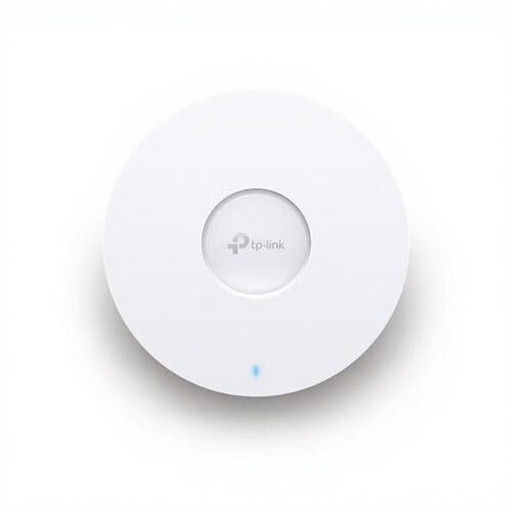
TP-Link Omada EAP670 Wi-Fi access point with PoE

TP-Link Omada EAP670

A wired access point for extending an existing network, not a complete router. Installation requires an Ethernet connection and a PoE power supply.

Wi-Fi access point; 5400 Mbit/s; PoE.

Joybuy

Frequently asked questions

Do I need to replace my provider’s router to get Wi-Fi in the loft?

No, not necessarily. An extra access point or mesh system in access point mode can extend your existing network. If you want to use your own router or modem, ACM ConsuWijzer explains your right to choose a router and the circumstances in which a provider may refuse an insecure device.

Where should I put a wireless mesh point?

Put it somewhere in between where the point itself can still connect to your existing network, then check the coverage in the loft. The Dutch Authority for Digital Infrastructure says that 5 GHz has a shorter range than 2.4 GHz, so a higher frequency won’t necessarily work better across floors.

What changes when I use Deco in access point mode?

Your existing main router will manage the clients and needs to provide DHCP. TP-Link says features such as antivirus, parental controls and port forwarding aren’t available as Deco router features in this mode. According to TP-Link, Ethernet backhaul is still supported.

How can I keep my router or Wi-Fi points secure?

Install firmware updates as they become available. ACM ConsuWijzer says keeping your own network equipment up to date is important for protecting your network and personal data.

Does my statutory guarantee end when the manufacturer’s warranty expires?

No. According to ACM ConsuWijzer, your statutory guarantee is separate from any manufacturer’s or seller’s warranty and depends on what you could reasonably expect from the product with normal use. There isn’t one fixed statutory time limit for every router.
