
USB viewer with their own recording
Wants to play a performance from a local drive and needs to know whether the picture, sound and subtitles work on the exact TV model. LG Netherlands and TCL Netherlands explain why file and codec support matter.


First, choose a playback method that supports your recording’s video and audio codecs, storage medium and any subtitles; a USB port or 4K screen alone is no guarantee. Then compare viewing angles and dark scenes with the lighting in your room, and decide whether the built-in sound is enough or you want to connect external audio. It has not been established whether the TV models mentioned will play a specific theatre recording in full.
Wants to play a performance from a local drive and needs to know whether the picture, sound and subtitles work on the exact TV model. LG Netherlands and TCL Netherlands explain why file and codec support matter.
Watches dark scenes with others and compares viewing angles, black levels and the lighting in the room. The Consumers’ Association discusses these picture differences when comparing screen technologies.
Prioritises clear speech and wants to check before buying that the audio track works and the built-in sound is good enough. For example, TCL lists a built-in sound system for the 55C6K.
For a local theatre recording, first check that the files will play. Then weigh up picture, sound and screen size against the room and seating.
| What to consider | What should you check? | Who should give this greater priority? |
|---|---|---|
| Playing local files | Check whether the USB port supports multimedia and whether the file system, video, audio and subtitle formats are compatible. LG Netherlands and TCL Netherlands warn that codec support can be decisive. | If I want to play my own recording directly, I want to know in advance whether the picture, sound and subtitles will work; around 36% of consumers prioritise local playback. |
| Dark scenes and seating | Compare the picture in lighting conditions similar to your room, and view it from seats to the side too. The Consumers’ Association describes OLED in general as a technology with deeper blacks and wider viewing angles. | When watching a performance with an audience, I want dark scenes to be clear from a side seat too; around 29% of consumers prioritise picture quality and visibility from different seats. |
| Dialogue and music | Check whether the recording’s audio codec is supported and assess the sound on the exact model. Also check which connection you need if you want to use external audio. | If dialogue and music matter, I want to check that the audio track works and that speech is easy to follow; around 21% of consumers prioritise sound and dialogue. |
| Screen size and energy consumption | Measure your viewing distance and compare the consumption per 1,000 hours of models with a suitable screen size. Milieu Centraal recommends using the energy label to compare screen energy consumption. | When weighing up viewing distance and energy consumption, I look for a suitable size without unnecessarily high power use; around 14% of consumers prioritise screen size and energy consumption. |
A TV may recognise a connection or file container but still not support the codec used or the subtitles.
Before choosing a TV because it can play files directly from USB, compare your file’s video, audio and subtitle requirements with the manual for the exact model.
If direct playback does not work, you may need extra equipment or steps, such as a separate media player or converting the file.
The right choice depends on whether you have a dark room with seats to the side or a bright room. Choosing a screen does not solve compatibility issues with local files.
Consider viewing angles, reflections and ambient light together, and assess the picture in conditions similar to your room.
The right screen size depends on the distance to your seats; larger screens can use more power.
Measure your viewing distance and compare the consumption per 1,000 hours of models with a suitable screen size.
According to ACM ConsuWijzer, your legal guarantee is separate from any manufacturer’s or retailer’s guarantee. If a product develops a fault sooner than you could reasonably expect, the retailer is responsible for providing an appropriate solution; the applicable period depends on the circumstances.
Check what additional cover offers, while keeping your existing legal rights in mind.
The Dutch OLED55C55LA is a 55-inch C5 OLED model to consider for theatre viewing and multiple seats.
According to Philips, the Philips 55OLED760/12 combines a 55-inch OLED screen with Ambilight and Dolby Atmos.
The Dutch QE55QN90FATXXN is a 55-inch Neo QLED Mini LED model to consider if you watch TV in a bright room.
The Dutch TCL 55C6K is a Mini LED model with a built-in 2.1 sound system, according to TCL.
BRAVIA models could be an option for playing local media via USB, provided the exact model supports the formats you use.
This Joybuy selection mainly includes TVs with HDMI connections for an external media player, as well as a Hisense model whose product description mentions a built-in media player. For your own recording, check separately that your chosen playback method supports the picture, sound and any subtitles.
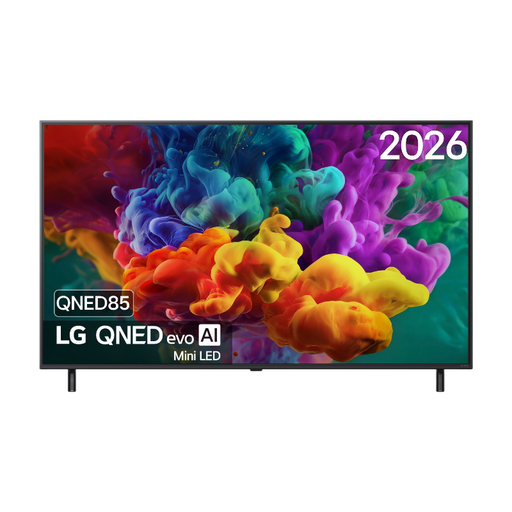 Image unavailable
The listed HDMI connections provide a way to connect an external media player; check whether that player can play your recording.
55-inch, 4K Ultra HD and QNED Mini LED.
 Image unavailable
The listed HDMI 2.1 connection provides a way to connect an external media player; check file compatibility with that player.
85-inch, 4K QD-Mini LED and HDMI 2.1.
 Image unavailable
The listed HDMI 2.1 connection provides a way to connect an external media player; check whether that player can process the recording.
50-inch, 4K and QD-Mini LED.
 Image unavailable
The listed HDMI connections provide a way to connect an external media player; check that it supports the picture, sound and subtitles.
55-inch, OLED and 4K; the product description lists four HDMI connections.
 Image unavailable
The product description mentions a built-in media player and supported video formats; check that these match your recording and any subtitles.
43-inch, 4K UHD and 60 Hz. The description lists MP4, MKV, H.264 and H.265; this does not confirm that every file with these labels will work.
No. Also check whether the port supports multimedia and whether the exact TV model recognises the file system and video and audio codecs. Check any subtitles separately.
Check the manual for the exact model to see which subtitle formats and codecs it supports. LG’s general USB help also lists the file name and subtitle file as possible causes; this advice does not automatically apply to every LG model.
Measure the distance between your seat and the TV and use this as a starting point. Based on its own research, the Consumers’ Association suggests a comfortable viewing distance of around 2.4 times the screen diagonal; also take your seating and preferences into account.
Compare the consumption per 1,000 hours on the energy label and look for models with a suitable screen size. According to the European Commission, the EU energy label for TVs also includes a separate efficiency rating for HDR; actual consumption also depends on use and settings.
No. According to ACM ConsuWijzer, your legal guarantee is separate from any manufacturer’s or retailer’s guarantee. If a product used normally develops a fault sooner than you could reasonably expect, the retailer is responsible for providing an appropriate solution; the applicable period depends on the circumstances.