
Switch group sharing one screen
You want to play with a changing group of people and check whether a single Joy-Con is enough as a standalone controller for each game.


Start with a controller that works with both your console and the local game mode. Then check how many individual player slots the game supports and compare separate Joy-Con, full-size gamepads and wired controllers for controls, charging, adapters and distance from the screen.
You want to play with a changing group of people and check whether a single Joy-Con is enough as a standalone controller for each game.
You often play on the same system and want a full button layout that suits your play style – perhaps a GameCube-style controller for Smash.
You’re looking for an extra gamepad for your existing setup and want to check that the game supports local multiplayer and that controller.
Start with your console and the local game mode. Then check how many players can join in at once and which connection and controls suit your setup.
| What to consider | What should you check? | Who is this important for? |
|---|---|---|
| Console and game compatibility | Check the controller’s full model name and whether the game supports the controls you want; also check any system or firmware requirements. | If I’m looking for a controller for a specific console and game, I want to know that both support the controls I’ve chosen. Around 36% of consumers make compatibility their top priority. |
| Individual player slots | Check the maximum number of players in the local game mode and how many separate controllers are needed. | When playing with a group around one screen, I want to know in advance how many players can join in at once and whether individual Joy-Con count as separate controllers. Around 29% of consumers prioritise the number of usable player slots. |
| Controls and seating arrangement | Choose between individual Joy-Con and a full-size gamepad; for a wired controller, measure the distance between the dock and your seat. | If I’m playing for longer periods, I want a layout that feels comfortable for my game and suits the distance from the screen. Around 21% of consumers prioritise controls and setup. |
| Charging and connections | Check which charging option, adapter and compatible USB port you need, and what you already have at home. | Before buying controllers for a group, I want to know whether I’ll also need chargers or adapters. Around 14% of consumers first consider the full connection setup and everything needed to use it. |
Controllers with similar names may be designed for different systems. For example, 8BitDo specifies the Ultimate 2C Bluetooth for Switch, while the Ultimate 2C Wireless is a different version.
Check the full model name against your console, and look for any firmware and system version requirements.
The local game mode determines how many players can join in. A GameCube controller may also require an adapter, while older Joy-Con cannot be attached to or charged with Switch 2.
Before buying, work out how many players there are, which controllers are supported, and what connections, adapters and charging options are available.
For the Switch model reviewed, PowerA lists a 3 m cable and says it must be used with the console in the dock. This means the distance and placement may be important.
Measure the cable route and check which features the specific model does and doesn’t have.
A relevant choice for Switch players deciding between individual Joy-Con and a full-size controller.
DualSense is the full-size controller option for a PS5 setup and may also suit PC games that support it.
The Xbox Wireless Controller is a platform-focused option for Xbox consoles and Windows PCs.
Offers wired controllers, among other options, for a docked Switch setup.
The Ultimate 2C range includes different versions; the Bluetooth version is one possible option for Switch.
The Joybuy products shown are full-size controllers or a pair of controllers for Nintendo Switch systems. Check that each game supports the controls you want.
 No image available
An option if you’re looking for a full-size wireless gamepad for Switch 2, Switch, Switch Lite or Switch OLED; also check that your game supports it.
Bluetooth; battery life of up to 40 hours; stated range of up to 9 m; two programmable rear buttons.
 No image available
A wired gamepad for a fixed setup; check that your game supports it.
The product name lists Switch and Switch 2. The controller uses USB and has programmable rear buttons and a turbo function. The USB cable is not included.
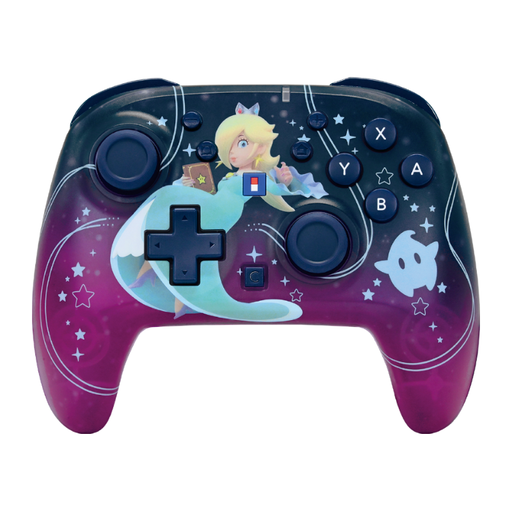 No image available
A good fit if you’re looking for a wireless gamepad for Switch or Switch 2; check which controller features your game uses.
The product name lists Switch and Switch 2. The description mentions a gyroscope, motion sensor, adjustable turbo, assignable and profile buttons, and battery life of up to 10 hours.
 No image available
A wireless gamepad for Switch 2 or Switch OLED; check that your chosen game supports it.
The product name lists a TMR joystick, a C button for GameChat and 40-hour battery life. The description mentions two programmable rear buttons.
 No image available
A pair of controllers for anyone who wants to give two players separate controls; check that the local game mode and your chosen console support them.
The description lists Bluetooth, Switch, Switch OLED and Switch 2, with battery life of up to 8 hours.
Nintendo lists a maximum of eight players for Super Smash Bros. Ultimate. Also check the game mode you’ve chosen and how many controllers are connected; Nintendo lists a maximum of four GameCube controllers per GameCube adapter. This maximum doesn’t automatically apply to other games.
According to Nintendo, original Joy-Con can be used wirelessly with Switch 2, but cannot be attached to or charged with that system. You’ll need an original Switch system or a compatible charging accessory for that.
For the PowerA Wired Controller for Nintendo Switch model reviewed, you do: PowerA says this model only works when the Switch is in the dock and lists a 3 m cable. Check the requirements for the specific model you choose.