What should you look for?
First, check that your system and game support the controller. Then count how many you need and decide which connection is practical for the space you have available.
| What to consider |
What should you check? |
Who should prioritise this? |
| Compatibility |
Check the full model name, the platform and whether the game supports the controller. |
If I want to play on my existing system, my game needs to support the controller too. Around 25% of consumers put compatibility with their system and game first. |
| Number of players |
Count the controllers available and check whether a single Joy-Con is enough for each game. |
When playing in a group, I want to know in advance how many individual controllers we need so everyone can join in. Around 25% of consumers start by working out how many player slots they need. |
| Cables and playing space |
Think about where players will sit and whether you can run a cable safely through the room. |
In a small room, I want to leave enough space to walk past the seating. Clear floor space is the top priority for around 19% of consumers. |
| Controls |
Compare the sticks and buttons you need with the layout of the exact model. |
If my game needs specific buttons or a full controller layout, I don’t want to find out halfway through playing that the controls aren’t right. Around 19% of consumers choose primarily based on the controls they need. |
| Charging and power |
Check how the controller is powered and how you can charge any controllers you already own. |
I don’t want to be caught out by a flat controller or no way to charge it during a gaming session. Around 12% of consumers prioritise power and charging. |
Controllers at Joybuy
This selection includes wireless controllers for PS5, Xbox and Switch systems, plus a wired GameSir controller for Xbox.
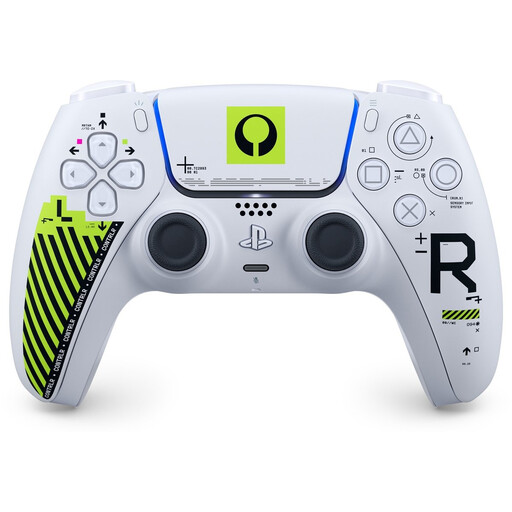 Image unavailable
Sony DualSense Wireless Controller - Marathon Limited Edition
A wireless DualSense option if you’re looking for an extra controller for PS5.
Check that the specific game supports the controller features you want to use.
View at Joybuy
 Image unavailable
Xbox Wireless Controller - Robot White
A wireless Xbox controller for local gaming on a compatible Xbox system.
Check that your game supports it and confirm the exact platform before choosing.
View at Joybuy
 Image unavailable
Nintendo Switch Joy-Con Controller Pair - Neon Red/Neon Blue
A Joy-Con pair can be used by two players when the game supports one Joy-Con per player.
Check the required play style and compatibility with your Switch generation.
View at Joybuy
 Image unavailable
Nintendo Switch 2 Official Pro Controller - Black
A full-size wireless controller for Switch 2 players who don’t want to use one Joy-Con per player.
Nintendo says this controller is designed exclusively for Nintendo Switch 2.
View at Joybuy
 Image unavailable
GameSir T7 Wired Xbox Controller (Blue)
A wired Xbox controller for players using a compatible Xbox system who don’t need a wireless connection.
Plan the cable route in your small playing space and check that your game supports it.
View at Joybuy
Frequently asked questions
Can two people play against each other with one Joy-Con pair?
Yes, if the Switch game supports each player using one Joy-Con held horizontally. Nintendo describes this play style; the game determines which controller layouts are available.
Why can’t I sometimes connect a third wireless player to Switch 2?
Nintendo says you can’t connect more than two players when a Bluetooth audio device is connected. Disconnect the audio device before trying to connect a third wireless controller, and check the game’s player limit too.
How do you add a second DualSense to your PS5?
Sony describes pairing it through Settings > Accessories > General > Bluetooth Accessories, using a controller that’s already paired to select the second one. According to Sony, you can use up to four controllers at once on a PS5.
Who is responsible if a controller breaks too soon?
According to ACM ConsuWijzer, the seller is responsible for the legal guarantee. In the Netherlands, not every product automatically comes with exactly two years’ cover; what you can reasonably expect from the product is what matters.
Can I try a controller I bought online and return it after delivery?
According to ACM ConsuWijzer, online purchases generally come with a statutory cooling-off period of up to 14 days after delivery. Check the applicable terms and handle the controller carefully when trying it out.


