What should you look for when choosing?
First check that your system and game work together, then decide how many players you need to cater for. After that, compare the connection, space and controls.
| What to consider |
What should you check? |
Who is this important for? |
| System and game |
Check that the controller works with your exact system and that the specific game supports local multiplayer with that controller. |
If I play on a PC or console, I want to know first whether both my device and the game support the controller; around 31% of consumers prioritise this compatibility. |
| Number of players |
Check the player limit for your chosen game mode and count Joy-Con according to the rules for your Switch generation. Nintendo makes it clear that connected controllers do not automatically equate to player slots. |
If you want friends to join in, what matters is how many suitable controls the game requires per player; around 25% of consumers prioritise connecting enough local players. |
| Space and controls |
If you’re using a wired controller, check the cable route to where you’ll be sitting. Also compare individual Joy-Con with a full gamepad if the game supports both. |
In a small bedroom, the cable route and a comfortable way to hold the controller can determine your set-up; around 19% of consumers pay particular attention to this. |
| Complete set-up |
Count how many controllers you need and which suitable ones you already own. Also check whether you need any receivers, cables or charging equipment. |
If several friends are joining in, I want to know what the complete set-up will cost, not just the price of one controller; around 13% of consumers prioritise the total cost of buying for all players. |
| Buttons and features |
Check which buttons the game requires and whether any extra features work in that game. For example, Sony specifies certain requirements for haptics on PC: the game must support them and the controller must be connected via USB. |
If I want to use specific buttons or extra controls, the key thing is whether my arena game supports them; around 12% of consumers prioritise controls and features they can actually use. |
Controllers for Nintendo systems
These Joybuy products are controllers for Nintendo Switch systems. Before you buy, check that the specific game supports the controller and the game mode you want to play.
 No image available
Turtle Beach Afterglow Wave Wireless Controller, transparent
A wireless controller for a Switch set-up; check that your game supports it.
Bluetooth; built-in battery with up to 40 hours of use, according to the product information.
View at Joybuy
 No image available
HORI Wired Controller Horipad Turbo for Switch and Switch 2, Pokémon Eevee Cottage Core Edition
A wired option for a Switch or Switch 2 set-up, provided the cable can reach where you’ll be sitting.
Wired connection; the cable is not included, according to the product information.
View at Joybuy
 No image available
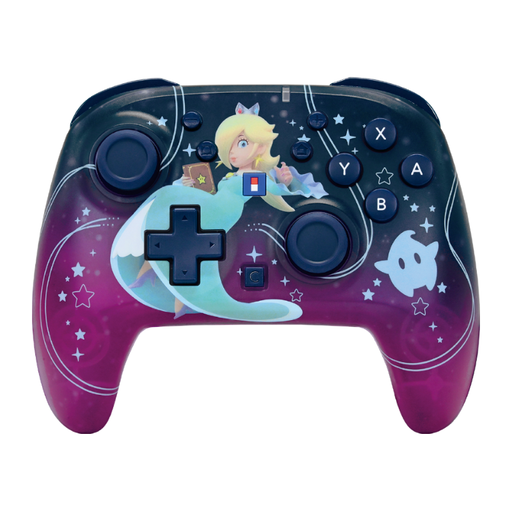
HORI Super Mario Galaxy Horipad Turbo, wireless
A wireless option for Switch and Switch 2; check that the game supports the controller and the controls you want to use.
According to the product information, the controller has configurable features, a C button and a battery life of up to 10 hours.
View at Joybuy
 No image available
Turtle Beach Rematch Super Mario Jump Wireless Controller
A wireless controller for the Switch 2 and Switch OLED systems named in the product title; check that your game supports it.
According to the product information: TMR joystick, C button for GameChat, two programmable buttons and up to 40 hours of battery life.
View at Joybuy
 No image available
KONIX Nintendo Switch JoyPad controller pair, blue and red
A pair of controllers for a Switch set-up; the product title also lists Switch 2 as compatible. Check that your game supports them.
Bluetooth; up to 8 hours of battery life per controller, according to the product information.
View at Joybuy
Frequently asked questions
Do eight connected Switch controllers always mean eight players?
No. Nintendo says the number of connected controllers depends on the type of controller and the features being used; two Joy-Con connected wirelessly count separately, even when attached to a grip. Also check how many players your game’s local mode supports. On the original Switch, Nintendo says Bluetooth audio limits the number of wirelessly connected controllers to two.
How do you connect a DualSense to a Windows PC?
According to Sony, you can connect via USB-C or Bluetooth on supported Windows versions. Then check that your game supports the controller; for haptics on PC, Sony specifies that both game support and a USB connection are required.
Can I use a wired Switch controller without the dock?
Not the PowerA Wired Controller model mentioned here: PowerA describes it as designed for use while the Switch or Switch 2 is docked. Check the instructions for the specific model if you’re considering a different version.
What if a controller bought online isn’t suitable or develops a fault?
For online purchases from a business, the Dutch government says you generally have a 14-day cooling-off period. You’re also entitled to a product of satisfactory quality in the Netherlands; if there’s a fault, contact the seller. The Dutch government states that there is no fixed two-year statutory guarantee period in the Netherlands.
Is the CE mark on a wireless controller a certification from an independent tester?
No. For products covered by the relevant harmonised EU rules, the manufacturer uses the CE mark to declare that the product complies with those rules. The European Union does not describe the CE mark as a general certificate issued by a central EU body; the rules that apply depend on the product.


