What should you look out for?
First, check the game and platform, then make sure the connections and space around your desk are suitable. Finally, consider which power source and features your players really need.
| What to consider |
What should you check? |
Who is this important for? |
| Game and platform support |
Check the local play mode, player limit and supported controllers for the exact game and device. |
If I want to play a particular game on my PC or console, I first want to know whether local multiplayer and my controllers are supported. Around 40% of consumers prioritise game and platform compatibility. |
| Connection and desk space |
Count the free USB ports, check for Bluetooth or the required receiver, and measure the cable route. |
With several players around a small desk, I want to know in advance where the cables will go and which connections are free. Around 30% of consumers give connection and desk space top priority. |
| Power and accessories |
Check which power source and any required cables or receivers are needed for each version. |
When I add controllers for guests, I want to know what each extra controller will require in practice. Around 20% of consumers prioritise what’s needed for extra player positions. |
| Controls and extra features |
Check whether the game supports features such as haptics, motion controls or extra buttons. |
Once the basic connection is sorted, I want the controls and extra features to suit the games we play. Around 10% of consumers prioritise controls and game-specific features. |
Controllers at Joybuy
These controllers are intended for setups with Nintendo Switch models, PS5, or Xbox and Windows PCs. The selection includes wired and wireless versions. Before buying, check that your exact game and device support the controller you want.
 No image available
Turtle Beach Afterglow Wave Wireless Controller for Nintendo Switch
Worth considering for a Switch, Switch Lite, Switch OLED or Switch 2 setup. Check support for your exact game.
The product name describes a wireless Bluetooth controller with TMR sticks and two programmable buttons. The USB-C charging cable isn’t included.
Joybuy
 No image available
PlayStation 5 DualSense Controller, Starlight Blue
Worth considering for a PS5 setup. For PC use, check support for the specific game and features.
Joybuy
 No image available
Xbox Wireless Controller, Robot White
Worth considering for Xbox or Windows PC gaming when the game supports the controller and your chosen connection.
For wireless use, Microsoft lists AA batteries as the power source.
Joybuy
 No image available
BEITONG KP70 Elite Wireless Gaming Controller
Worth considering for a PC, Nintendo Switch or Switch 2 setup. Check the connection method and support in your chosen game.
The product name lists PC, Nintendo Switch and Switch 2. The connection options described include wired, 2.4 GHz and Bluetooth.
Joybuy
 No image available
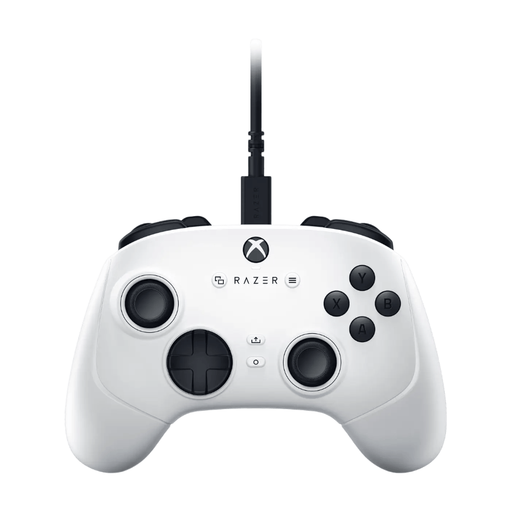
Razer Wolverine V3 Tournament Edition White
Worth considering for a wired Xbox or Windows PC setup. Bear the cable in mind when deciding where players will sit.
The product name describes a USB gamepad for PC and Xbox Series S/X.
Joybuy
Frequently asked questions
Are two connected controllers enough to play together on one PC?
Not always: the exact game must support local co-op or split-screen play, as well as your chosen controllers. The Steam page for It Takes Two lists local co-op and mentions USB for DualSense.
How can I avoid connection problems just before a gaming session?
Check the connection method and available ports for each controller in advance. For the 8BitDo Ultimate 2C Wireless on Windows, the manufacturer lists a 2.4GHz receiver or cable. On Switch, also check whether connected Bluetooth audio affects the limit for wireless controllers.
Do I need to buy an extra controller for every guest?
That depends on the game’s input method. According to the Dutch PlayStation page, The Jackbox Party Pack 6 uses phones, tablets or computers, so no controllers are needed.
What can I do in the Netherlands if I’m unhappy with a controller bought online, or it breaks?
ACM ConsuWijzer states that online purchases generally come with a cancellation period of up to 14 days after delivery, subject to legal exceptions. You’re also covered by the legal guarantee if a product doesn’t do what you could reasonably expect under normal use; the retailer is responsible for dealing with this. This is different from a fixed manufacturer’s warranty period.
What should I look out for regarding product compliance in the Netherlands?
The Dutch Authority for Digital Infrastructure outlines the applicable European requirements for electrical, electronic and radio equipment, along with the associated CE marking. Check the information and marking on the specific controller; a product listing alone doesn’t confirm that it meets the requirements.


