What should you look for in a controller for local gaming in the dark?
Start with your console or PC, the specific game and the number of players you want to accommodate. Then consider lighting, the distance between players and the system, and what you’ll need to power multiple controllers.
| What to consider |
What should you check? |
Who is this important for? |
| Compatibility and players |
Check support for your system, game and preferred controller setup. |
I want to make sure everyone can join in with the game we’ve chosen. Compatibility is the top concern for around 36% of consumers. |
| Lighting and buttons |
Check where the LEDs are positioned and whether you can adjust or switch off the brightness, colour or lighting. |
In a dark room, I want to adjust the lighting effects without assuming the button labels will light up. Visibility comes first for around 29% of consumers. |
| Playing distance and cables |
Measure the cable route to the furthest seat and keep cables out of walkways. |
When we’re spread across the sofa, I want enough room to move without a cable running across the floor. Having room to play is the main priority for around 21% of consumers. |
| Power |
Check whether each model needs batteries, charging or a cable, and what’s included. |
With several controllers, I want to know what’s involved in powering them and what I’ll need. Running costs matter most to around 14% of consumers. |
Joybuy products for local multiplayer
This Joybuy selection includes wireless models with lighting effects for Switch and multi-platform use, as well as a wired Xbox controller. Check whether the systems listed for each product are compatible with your console or PC.
 No image available
Turtle Beach Afterglow Wave Wireless Controller
For anyone who wants to play wirelessly on the Switch systems listed in the product title and is looking for adjustable lighting effects.
The product information lists four RGB modes and a rechargeable battery. RGB effects don’t prove that the button labels light up.
View at Joybuy
 No image available
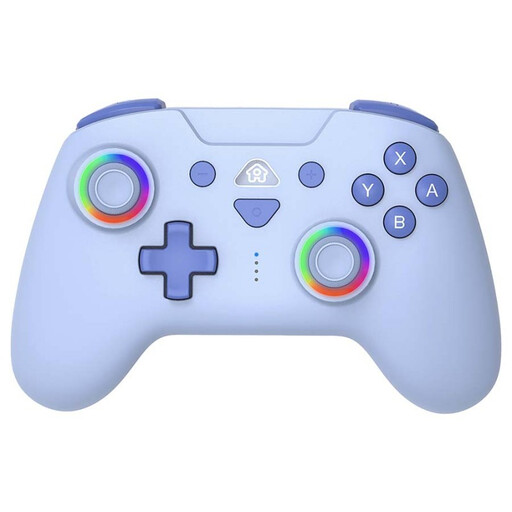
SUBSONIC Wireless Controller for Switch & Switch Lite with LED, Blue
A wireless option for Switch and Switch Lite if you’re looking for a controller with LED lighting.
The product description lists customisable LED lighting, Bluetooth and a rechargeable battery. LED lighting doesn’t prove that the button labels are backlit.
View at Joybuy
 No image available
GameSir Cyclone 2 Multiplatform Controller (Black-Bundle Edition)
A good fit if you’re looking for an RGB-lit controller for the PC, Switch, iOS and Android platforms listed in the product title.
The product information lists wireless, Bluetooth and wired connections, along with a charging dock in this bundle.
View at Joybuy
 No image available
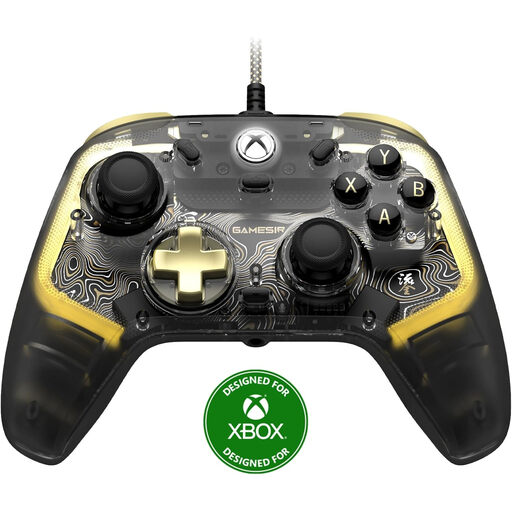
GameSir Kaleid Flux Smoke Transparent RGB Wired Controller
A wired RGB controller for the Xbox systems and Windows versions listed in the product title.
The product title specifies RGB lighting and a wired connection, so take the cable route to your seats into account.
View at Joybuy
 No image available
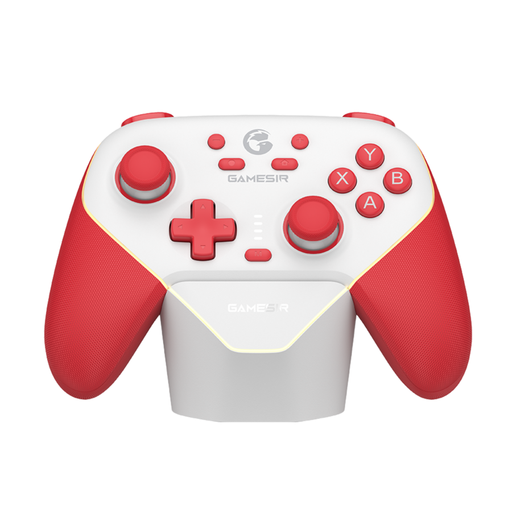
GameSir Super Nova Switch Tri-Mode Connectivity Controller - Red & White
For anyone looking for a Switch controller with RGB lighting and multiple connection options.
The product description lists Bluetooth, wired use and a wireless dongle; check which connection suits your set-up.
View at Joybuy
Frequently asked questions
Can I always use two Joy-Cons as two controllers for two players?
Not automatically: the game must support the play style and number of players you want. Nintendo explains how to set up each Joy-Con as a separate horizontal controller; also check the game’s multiplayer options.
How do I pair Joy-Cons before everyone starts playing?
On Switch, Nintendo says to select ‘CHANGE GRIP/ORDER’ in the controller menu. Hold down the SYNC button and confirm with SL and SR if you’re using a Joy-Con separately in horizontal mode; once synchronised, the player light stays on.
Can I switch off the PowerA Spectra Infinity’s lighting?
Yes. According to the PowerA manual, pressing the LED programming button once switches off the Spectra lighting completely; press it again to turn it back on.
What should I know about powering multiple wireless controllers?
Check the power requirements for each model. Turtle Beach lists a rechargeable battery for the Afterglow Wave discussed here; Microsoft refers to tests using standard AA batteries for its Xbox controller. Don’t assume a separate charging solution is included unless the product information says so.
What warranty rights do I have in the Netherlands if a controller breaks too soon during normal use?
According to ACM ConsuWijzer, you have a statutory warranty in addition to any manufacturer’s or retailer’s warranty. If the product doesn’t do what you could reasonably expect, the retailer must put things right free of charge under the applicable conditions, for example by repairing or replacing it. This doesn’t mean every controller has a fixed warranty period.


