
Players sharing one console
Want to know whether the Joy-Cons you already have will do, or which extra controller works with your Switch, Switch 2, PS5 or Xbox? Nintendo, PlayStation and Xbox outline the options for each system.


Start by checking your console or PC, then make sure the specific game supports local multiplayer and check how many players it allows. On a Switch or Switch 2, Joy-Cons may be all you need for supported games. For a PS5 or Xbox, you’ll need a controller that works with the system, while on PC you’ll also need to check the connection. Wireless gaming gives you more room to move, but remember to consider the power supply. If you use a cable, make sure your setup and cable routing will work.
Want to know whether the Joy-Cons you already have will do, or which extra controller works with your Switch, Switch 2, PS5 or Xbox? Nintendo, PlayStation and Xbox outline the options for each system.
Check how many players can join in at once on each game and system, and what type of controller you’ll need. Nintendo and PlayStation explain how to connect controllers to their systems.
Choosing between a wireless connection and a cable depends on your setup and whether your PC game supports it. PlayStation, Xbox and 8BitDo outline the connection options for their models.
First, check your system and whether the game supports local multiplayer. Then work out how many separate controllers you’ll need and whether a cable will be practical in your room.
| What to consider | What should you check? | Who is this important for? |
|---|---|---|
| System and game | Check that the exact controller model is compatible and that the game supports local multiplayer. Note the difference between Joy-Con and Joy-Con 2. | If I want to be sure the controller works with both my console or PC and the game, compatibility comes first. Around 36% of consumers would make this their top priority. |
| Number of players | Check the game’s maximum player count and how many separate controllers your preferred way of playing requires. | When playing with a group of housemates, I want to know whether everyone can play at once and whether Joy-Cons can be used separately. Around 29% of consumers put the number of usable controllers at the top of their list. |
| Cables and room to move | Check the connection method and whether a cable or receiver, if needed, will work with your seating arrangement. | If the screen or console is close to where you’re sitting, a cable may be practical. Otherwise, having more room to move wirelessly matters more. An estimated 21% of consumers put that freedom of movement first. |
| Power and extra purchases | Check which controllers you already own, what comes with the version you’re choosing, and how it’s powered or charged. | I don’t want to buy more than I need, so I take any missing controllers and power requirements into account. Around 14% of consumers put these additional costs first. |
The number of players who can join in at once also depends on the game, the controllers being used and system features.
Before buying extra controllers, check the local player limit and the required way of playing in the information for the specific game.
Nintendo states that Joy-Con 2 can only be used with Nintendo Switch 2.
Check the product page or packaging to see whether you’re buying Joy-Con or Joy-Con 2, and make sure it matches your system.
PowerA states that the wired model reviewed does not include motion controls, IR or amiibo support, and does not support games that require Joy-Con only.
Compare the controls required by your game with the specifications of the exact controller version.
A relevant choice for Joy-Con on Switch, or Joy-Con 2 and the Switch 2 Pro Controller on Switch 2, depending on the way of playing supported by the game.
A DualSense is an option for an extra player on PS5. Supported PCs can connect via USB-C or Bluetooth.
Microsoft lists the Xbox Wireless Controller for Xbox consoles and Windows PCs.
The Ultimate 2C Wireless is an option for Windows via a 2.4 GHz receiver or a wired connection.
The Enhanced Wired Controller is designed for a docked Switch or Switch 2 when a wired setup works for you.
This selection includes extra controllers for PS5, Switch and Switch 2, as well as models listed for PS4 or PC. Before buying, check that your game supports local multiplayer and works with your chosen controller.
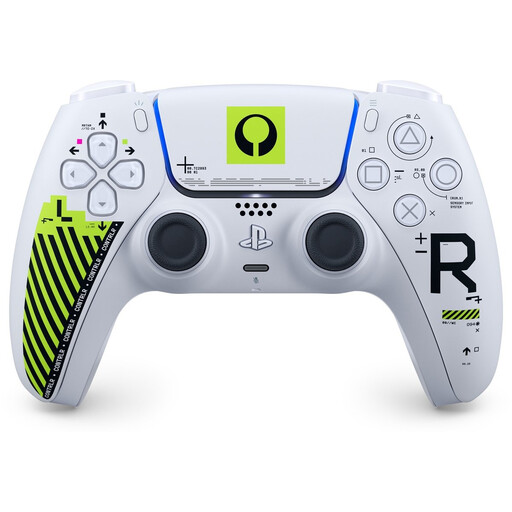 No image available
An extra DualSense for a supported local multiplayer game on PS5.
The description lists Bluetooth and charging via USB-C.
 No image available
A wired option for a supported Switch or Switch 2 game, if a cable works with your setup.
The description lists programmable rear buttons and a turbo function. The USB cable is not included. This model does not support HD Rumble, NFC/amiibo or motion controls, and is not suitable for games that only support Joy-Cons.
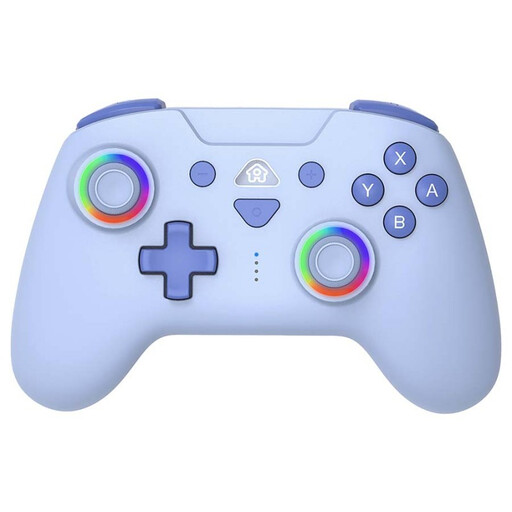 No image available
A wireless option for a supported local game on the systems listed for this model.
The description mentions Bluetooth, a rechargeable battery via USB-C and motion sensors. Switch 2 is also listed.
 No image available
An extra controller for a local multiplayer game that supports this controller and the system you’re using.
The title lists PS4 and PC; the description mentions wireless use and an included charging cable.
 No image available
An extra controller for a local multiplayer game that supports this controller and the system you’re using.
The product description lists a wireless connection, a gyroscope sensor and dual vibration motors.
No, it depends on the game. On Switch and Switch 2, each Joy-Con can be used separately in supported games. Check the required play style before buying an extra set.
Nintendo states that when Bluetooth audio is connected on Switch and Switch 2, no more than two players can be connected. Also check which other features are in use and the limits for the specific game.
The connection method varies by controller and system. PlayStation explains how to pair a DualSense with a PS5 for the first time; 8BitDo lists a 2.4 GHz connection or cable for the Ultimate 2C on Windows. Follow the instructions for the exact model.
According to the Netherlands Government, you’re entitled to a legal guarantee when you buy a product, and the seller must provide a solution if there’s a problem. An additional warranty is only relevant if its terms give you extra rights.
According to the Netherlands Government, a 14-day cooling-off period applies in many cases to consumer purchases made at a distance. Check the applicable terms before buying. This is separate from your legal guarantee if the product is faulty.