Who is this buying guide for?

Organiser with a back row

You want to know whether visitors at the back can follow photos and captions. Measure the viewing distance to get an initial idea of the screen size you need; the Consumers’ Association identifies it as an important starting point.

Organiser of a bright community hall

You’ll be showing the archive in daylight or to visitors sitting at an angle to the screen. Compare the picture in similar lighting conditions and from the seats in your hall.

Archive screening manager

You want to play existing photos and videos, possibly for extended periods. Check which files the exact TV model supports, and bear the screen technology in mind when showing still images.

What should you look for?

Large LCD or LED TV

Choose this option: if screen size for the back row is your priority and you regularly show still photos.

The trade-off: a larger screen doesn’t automatically make small text legible; test your own content from the intended viewing distance.

Large Mini LED or QLED LCD TV

Choose this option: if there’s a lot of ambient light and you want to compare brightness and contrast as well as screen size.

The trade-off: QLED is an LCD technology; the technology alone doesn’t tell you how well a particular model can be seen from side seats.

Large OLED TV

Choose this option: if visitors will also be sitting to the side and viewing angles and deep blacks matter.

The trade-off: check the brightness in your own hall and be aware of image retention when displaying unchanged images for long periods. An older Consumers’ Association test cannot predict the results for a current model.

What to consider What to check before buying Who is this important for?
Visibility from the back row Measure the distance to the back row and compare it with the screen sizes available. View your own photos and small captions from a similar distance. If people in the back row need to follow the text, I want to match the screen size to the actual viewing distance. Around 36% of consumers put legibility first.
Light and side seating Compare light and dark archive images in similar lighting, and view them from the seats at the edges of the room. If there’s daylight or people are sitting at an angle to the screen, I want to see whether details are easy to follow from those seats. Around 29% of consumers prioritise visibility in bright conditions and from side seats.
Playing existing files Check which file systems and photo and video formats the exact model supports. Test your own files or check whether you can connect a laptop via HDMI. If the screening relies on existing photos and videos, I want to know in advance whether the files will work. Around 21% of consumers put playback of existing files first.
Extended display and use Factor in prolonged display of still images when choosing between OLED and LCD. Compare the energy labels of specific models on a like-for-like basis. For regular or extended use, I want to consider image retention and power consumption. Around 14% of consumers prioritise long viewing periods and running costs.

Buying pitfalls

  • Choosing based on inches alone

    The viewing distance and available space both help determine whether a screen size will work in your hall. Small captions also need to be tested from a distance.

    Measure the distance from the back row and check the available wall or furniture space in advance.

  • Assuming USB will play every archive file

    Supported file systems and photo and video formats vary by model. A USB port on its own doesn’t guarantee that your files will work.

    Check the specifications for the exact model and test representative files before using the TV at an event.

  • Treating long periods of still images like regular TV viewing

    Image retention is a separate consideration with OLED when displaying static images for long periods. An older Consumers’ Association test found image retention under prolonged, unusual test conditions; it doesn’t establish a limit for current models.

    Consider how long you expect to display images when choosing a TV, and switch between still images where possible.

  • Assuming the manufacturer’s warranty covers all your legal rights

    Your legal rights under the statutory guarantee and a commercial warranty are different things. According to ACM ConsuWijzer, you have statutory rights in addition to any guarantee from the retailer or manufacturer.

    Read the commercial warranty terms and, if something goes wrong, remember your rights in relation to the retailer too.

Brands to compare

TCL

TCL describes the 75C6K as a 75-inch QD Mini LED TV with an HVA panel.

  • The model specifications offer an LCD option to compare for a well-lit hall.
  • The manufacturer’s information doesn’t show how easy archive photos are to see from the back row. Check the full model code: the 75C6K is not the same model as the Q6C, Q7C or V6C.

Sony

Sony lists the K-75XR5 as a 75-inch Mini LED LCD TV, with details of USB file systems, playback formats and HDMI inputs.

  • The file specifications give you specific points to check against your own content.
  • These specifications don’t indicate any anti-reflection benefit.

Samsung

Samsung lists the QE75QN82HAUXXN as a 75-inch Neo QLED TV with Mini LED technology.

  • This model gives you a 75-inch Mini LED LCD option to include in your comparison.
  • The manufacturer’s information doesn’t prove that archive text will be legible from the back row or the seats at the edges of the room. Check the full model code.

LG

LG lists the OLED77C5ELB as a 77-inch OLED TV to consider when comparing viewing angles and black levels.

  • This model gives you an OLED option if you want to compare viewing angles and black levels.
  • Bear image retention in mind when showing still images for long periods. The older Consumers’ Association test did not assess this model.

Philips

Philips describes the 75PML9009/12 as a 75-inch QD Mini LED TV with Ambilight and Titan OS.

  • The manufacturer’s information gives you a model to compare by size and the features you need.
  • Ambilight doesn’t prove that photos or captions will be easier to read from a long distance. Check that the features suit the way you plan to play content.

TVs for long viewing distances

These TVs with large screen sizes are options to compare for a local history archive with viewers sitting at a distance. Measure your hall and test your own images before choosing a screen size.

TCL T8D 85-inch 4K QD Mini LED TV

TCL T8D 85-inch 4K QD Mini LED TV

The 85-inch screen is an option to assess from the actual distance to the back row.

The product name lists 4K, Google TV, 144 Hz, FreeSync Premium, VRR and HDMI 2.1.

View at Joybuy

TCL 85Q7D PRO 85-inch 4K SQD Mini LED TV

TCL 85Q7D PRO 85-inch 4K SQD Mini LED TV

The 85-inch screen is an option to assess from the actual distance to the back row.

The product name lists 4K, anti-reflection, 2,000 nits HDR brightness, 144 Hz and Google TV.

View at Joybuy

METZ 86MQE8000Z 86-inch QLED TV

METZ 86MQE8000Z 86-inch QLED TV

The 86-inch screen is an option to assess from the actual distance to the back row.

The product name lists 144 Hz, 4K HDR10+, Dolby Vision Atmos, HDMI 2.1 and Google TV.

View at Joybuy

Hisense 85E7S 85-inch QLED TV

Hisense 85E7S 85-inch QLED TV

The 85-inch screen is an option to assess from the actual distance to the back row.

The product name lists 3840 × 2160 pixels, HDR10+ and energy rating E.

View at Joybuy
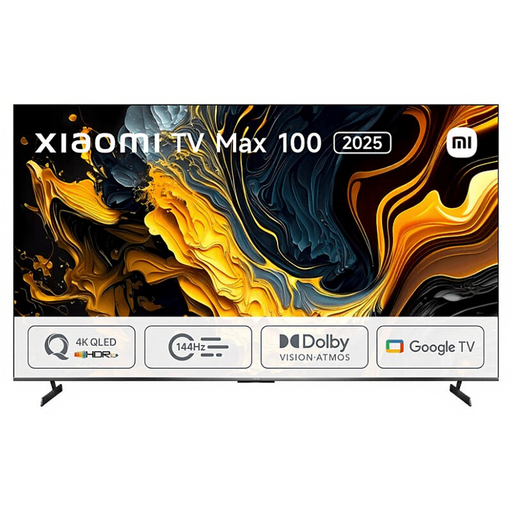
Xiaomi TV Max 2025 100 NGZEU1N

Xiaomi TV Max 2025 100 NGZEU1N

The model name includes 100; check that this screen size suits your room and viewing distance.

View at Joybuy

Frequently asked questions

How do you choose an initial screen size when the back row is a long way away?

Measure from the eyes of the viewer at the back to where you plan to put the screen. The Consumers’ Association suggests using around 2.4 times the screen diagonal as a starting point, and gives a range of 65–85 inches for a distance of 450 cm. Then test small archive captions using your own content.

Can you show your archive directly from a USB stick?

It depends on the exact TV model, the file system and the photo or video formats. Sony, for example, lists these details for the K-75XR5. Test representative files and, if needed, have a laptop connected via HDMI ready as an alternative.

What should you do if an OLED TV displays the same archive image for a long time?

Switch between fixed images where possible, and follow the manufacturer’s instructions for the exact model. In an older test, the Consumers’ Association observed image retention after prolonged, unusual use; this doesn’t predict a specific time limit for new models. LG describes pixel cleaning for its OLED TVs.

Does a two-year manufacturer’s warranty cover all your rights?

No. For a consumer purchase in the Netherlands, your statutory rights are separate from any commercial warranty. According to ACM ConsuWijzer, the retailer is responsible if a product doesn’t meet what you could reasonably expect under normal use; there isn’t one fixed two-year statutory warranty period for every TV.

Can you show all the photos in your local archive at an event?

Not automatically. According to the Dutch government, you can’t make other people’s copyrighted photos public without the creator’s permission; making a private copy for your own use is different. If people can be identified in the photos, an organisation must also consider which privacy rules and legal basis apply to the specific screening.
