What should you look for when choosing?
Start with the game version and local match mode, then work out how many controllers you need and what type of games you want to play. Consider how clearly you can see your TV separately from your choice of console.
| What to consider |
What should you check? |
Who is this important for? |
| Playing together |
Check the platform version, local match mode, player limit and the controllers required. |
If you want to play football with friends on one TV, the local mode determines who can join in. Around 36% of consumers make local multiplayer their top priority. |
| Screen visibility |
Check your TV at the time you usually play and from every seat; look for reflections and check whether a game mode is available. |
If daylight falls on the screen, you’ll want to follow the action clearly from the sofa. Around 21% of consumers put visibility in a bright room first. |
| Complete set-up |
Factor in the console, the right game version and any extra controllers you need; distinguish what’s needed for local play from optional online features. |
If you want to plan your entire gaming set-up around your budget, add up the cost of the console, game and controllers. Around 21% of consumers put the total cost of their set-up first. |
| Discs and existing games |
Check whether the exact model has a disc drive and whether the games you own are made for that platform. |
If you have compatible game discs you want to keep using, a fully digital console won’t be a suitable replacement. Around 15% of consumers prioritise using games they already own or physical games. |
| Playing away from the TV |
For Switch or Switch 2, check which TV, tabletop or handheld play styles are available and whether the game works on that exact platform. |
If you want to play when the living-room TV is in use, a way to play away from the TV may be useful. Around 7% of consumers put playing without the living-room TV first. |
Joybuy products
These Joybuy products are Nintendo Switch 2 consoles and bundles for anyone who wants to play local football on the TV and have the option of other ways to play too. EA describes local controls for FC 26 on Switch 2; check separately whether FC 26 is included with each bundle.
 No image available
Nintendo Switch 2 console (EU)
An option if you want to play local football on the TV and also play away from it; EA describes local controls for FC 26 on Switch 2.
Nintendo describes TV, tabletop and handheld play styles for Switch 2. Check the game’s platform version and the local match mode you want.
View at Joybuy
 No image available
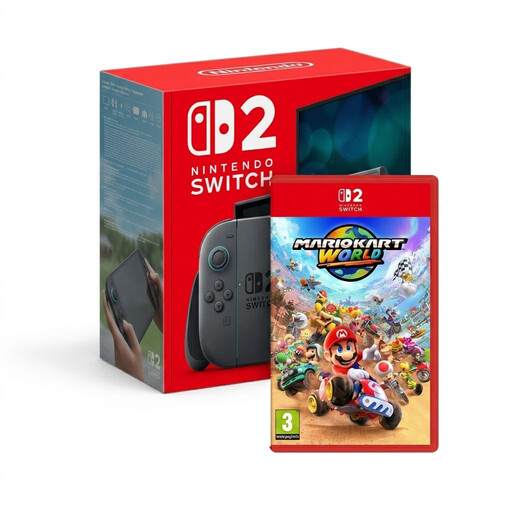
Nintendo Switch 2 + Mario Kart World
This bundle is a good fit if you want to use Switch 2 for local football on the TV and also have the game listed; EA describes local controls for FC 26 on this platform.
Nintendo describes TV, tabletop and handheld play styles for Switch 2. Mario Kart World is listed as an included game; FC 26 isn’t listed as part of the bundle.
View at Joybuy
 No image available
Nintendo Switch 2 bundle with Nintendo Switch Sports Resort
An option if you want the listed bundle contents as well as local football on the TV; EA describes local multiplayer in FC 26 on Switch 2.
Nintendo describes TV, tabletop and handheld play styles for Switch 2. The bundle lists Nintendo Switch Sports Resort and an online subscription; FC 26 isn’t listed as an included game.
View at Joybuy
Frequently asked questions
Do you need an online subscription to play a football match with friends on the same console?
The subscriptions mentioned are for online play, not local match mode. The PlayStation Store Netherlands lists PS Plus for online play, and Xbox Netherlands lists a subscription for online multiplayer on console. Make sure you check the local mode for the game version you choose.
How do you set things up for two or more players?
Check the local match mode and make sure you have the controllers it requires. EA also describes using separate Joy-Con 2 controllers for FC 26 on Switch 2; consider whether this type of control will suit the players.
Which memory card works with a Switch 2?
Nintendo lists support for microSD Express cards to expand storage on Switch 2. According to Nintendo, other microSD standards can only be used to copy screenshots and videos, so check the standard before choosing a card.
What can you do if a console bought online turns out to be faulty?
According to the Dutch government, there’s no fixed statutory guarantee period in the Netherlands; if a product is faulty, the seller is responsible for putting things right. For online purchases from a business, you’ll also usually have a 14-day cooling-off period. A manufacturer’s warranty doesn’t replace your statutory rights.


