First, choose a controller that suits your device and game. Then check whether the game supports local multiplayer with individual controllers. The right connection also depends on your available USB ports, seating distance and whether you prefer a cable, Bluetooth or a receiver. Connecting to a device does not guarantee that every game will support the controller.
Who is this relevant to?
PC players sharing one screen
You want to connect several controllers to a compact Windows set-up. Check whether each player is recognised separately in each game. Valve describes local support for four players in TowerFall Ascension and notes that games can handle input in different ways.
Switch players having guests over
You want to know whether your existing Joy-Con are enough to use individually, or whether full-size controllers are a better fit for the way you play. Nintendo explains that using a Joy-Con on its own is one possible play style, depending on the software.
Players with limited connection space
Choose between wired and wireless connections based on your seating distance, available USB ports and how you power the controllers. Check, for example, whether a receiver is needed and how the cable will run.
What should you look for when choosing?
Start with your exact device and game. Then check the number of players and choose a connection that suits your set-up.
| What to consider |
What to look for |
Who it matters to |
| Compatibility |
Compare your exact device and operating system with the connection supported by the full controller model. Also check that the game recognises the controller. |
If I play on a PC or console, I want to know in advance whether both the device and game support my controller. Around 33% of consumers put compatibility first. |
| Controls for each player |
Check the game's local multiplayer mode, and whether it supports individual Joy-Con if you're playing on Switch. |
If I want friends to join in on the same screen, I want to know whether each player has their own supported controller. Around 27% of consumers consider this first. |
| Ports and cables |
Count your available USB ports and check whether a cable or receiver will work from where you sit. Check the type of port used by the receiver. |
With a compact set-up, I don't want to use up a port or choose a cable route that gets in the way. Around 20% of consumers focus mainly on connection space. |
| Power for each controller |
Check how each version of the controller is powered, and what cable, receiver or adapter it needs. |
If I use several controllers, I want to know what I need to keep them ready for a gaming session. Around 20% of consumers prioritise power and accessories for each controller. |
Avoiding common buying mistakes
-
‘Wireless’ doesn’t automatically mean Bluetooth on every device
For the 8BitDo Ultimate 2C Wireless, the manufacturer lists Bluetooth for Android and a 2.4 GHz receiver or cable for Windows. The connection method therefore varies by device.
Check which connections are supported for the full model and your device.
-
The number of players in a game doesn’t tell you everything about connected controllers
A local multiplayer mode and recognition of individual controllers are two separate things. Games can also handle different types of input in different ways.
Check both the number of local players and the game's controller settings or input support.
-
You don’t always need extra full-size controllers for Switch
Nintendo explains that a Joy-Con can be used on its own when supported by the software and play style.
Check the requirements for the specific game before choosing extra controllers.
-
Paid extended cover is not the same as your statutory rights
ACM ConsuWijzer explains that statutory guarantees apply alongside any seller or manufacturer’s guarantee.
Compare the cover offered by an additional service with your statutory rights before paying for it.
Brands to consider
Xbox
Controllers for Xbox and Windows set-ups, among others.
- Xbox Support describes USB, Bluetooth and Xbox Wireless as connection options for Windows.
- Xbox Wireless may require a separate adapter on a PC. Check that the game supports the controller too.
8BitDo
According to 8BitDo, the Ultimate 2C Wireless is designed for Windows via a 2.4 GHz receiver or cable, and for Android via Bluetooth.
- 8BitDo lists Hall Effect sticks and an included USB-A receiver.
- These specifications do not confirm support for other platforms or every game.
Nintendo
Joy-Con and Switch Pro Controllers for gaming on Nintendo Switch.
- Nintendo explains that using Joy-Con individually is one possible play style, depending on the software, and provides instructions for syncing a Pro Controller.
- Check that your chosen game supports the controls you want to use.
PlayStation
DualSense for PS5 players looking for an extra controller. Use with a PC may depend on the game or application.
- PlayStation documents USB and Bluetooth connections with supported devices.
- A working connection does not confirm that the game or every controller feature is supported.
PowerA
The Enhanced Wired Controller is a wired option for Xbox Series X|S, Xbox One and Windows if a cable works for your set-up.
- PowerA lists a detachable 3-metre USB cable and two programmable buttons.
- The controller is wired, so check that the cable will reach your seat without getting in the way.
Controllers for different set-ups
This selection includes controllers for Nintendo Switch, PS5 and Windows or Xbox set-ups. Check that your device and chosen connection method are supported for each game.
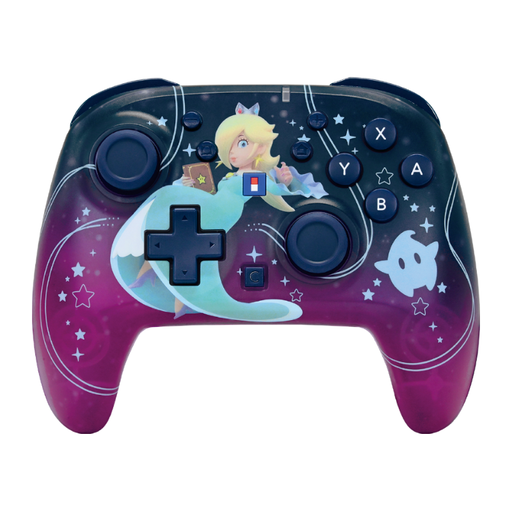 Image unavailable
HORI Super Mario Galaxy Horipad Turbo Wireless Controller, Harmony Pattern
For a wireless controller set-up with Nintendo Switch or Switch 2.
Product information lists Bluetooth, up to 10 hours of battery life and a range of up to 10 metres.
View at Joybuy
 Image unavailable
PS5 DualSense Wireless Controller V3, Cosmic Red
For a PS5 set-up. If you plan to use it with a PC, check that the game is compatible.
Product information lists Bluetooth and USB as connection options.
View at Joybuy
 Image unavailable
GameSir Cyclone 2 Multiplatform Controller, Black-Bundle Edition
For a Windows PC or Switch set-up. Check that the game supports it.
Product information lists wired, 2.4 GHz and Bluetooth connections, as well as TMR sticks.
View at Joybuy
 Image unavailable
GameSir T7 Wired Xbox Controller, Blue
For a wired Xbox, Windows or Steam set-up, provided the game supports the controller.
Product information lists Hall Effect sticks and triggers, plus a detachable 3-metre USB-C cable. The controller is wired.
View at Joybuy
 Image unavailable
GameSir G7 Pro Tri-Mode Xbox Wired, PC & Mobile Wireless Controller, Shadow Ember
For Xbox or PC gaming. The listed connection options vary by device.
Product information lists wired and 2.4 GHz connections for PC, Bluetooth for Android, and wired use with Xbox and PC.
View at Joybuy
Frequently asked questions
Can I connect four controllers just because my arena game says it supports four players?
Not necessarily. Also check how your game and system recognise individual controllers. Valve describes TowerFall Ascension as a local four-player game and notes in Steam Support that games can handle input types differently.
Can two players each use one Joy-Con?
Yes, on Nintendo Switch, if the software allows it and supports that play style. Check the requirements for the specific game before assuming one Joy-Con per player will be enough.
How do I pair a Switch Pro Controller?
Nintendo explains how to sync it via USB to the dock, or by pressing the SYNC button from ‘Controllers’ and ‘Change Grip/Order’. Follow the instructions for your Switch system.
Am I always entitled to just a two-year guarantee in the Netherlands?
No. ACM ConsuWijzer explains that statutory guarantees apply alongside any seller or manufacturer’s guarantee. The appropriate solution depends, among other things, on what you could reasonably expect from the product under normal use.
Can I return a controller bought online in the Netherlands?
Online purchases generally come with a statutory cooling-off period of up to 14 days after delivery; ACM ConsuWijzer also lists some exceptions. Check the applicable terms and returns information for your purchase.


