
Co-op night host
You want to know how many guests can actually play, and whether your chosen game supports shared or full-size controllers.


Start with your console or PC and check how many players your chosen game supports locally; not every player needs their own controller. On Switch 2, Joy-Con 2 can allow a different player setup in supported games than full-size controllers. On Xbox, PlayStation and PC, the right controller depends on both the system and the game.
You want to know how many guests can actually play, and whether your chosen game supports shared or full-size controllers.
You’re looking for extra controls that work with both your system and the game, so you don’t end up with a controller that isn’t the right version.
You want to play together using buttons or controls tailored to your needs.
First, check that the controller works with your system and game. Then work out how many active players there’ll be and which controls will suit them.
| What to consider | What to check | Who is this important for? |
|---|---|---|
| System and game compatibility | Check the exact console or PC operating system, as well as the game’s controller support. On PC, also check which connection you need for the features you want. | I don’t want to find out during a game that my controller or a feature doesn’t work with my system and game; around 36% of consumers name compatibility as their top buying priority. |
| Player numbers and controller setup | Compare the number of active players with the game’s local player limit. Check whether one Joy-Con per player is enough or whether everyone needs a full-size controller. | When I’m getting a group together to play, I want to know how many people can actually join in and how to share out the controllers; around 29% of consumers prioritise this player setup. |
| Power and connection | Check whether the controller is wired or wireless and how it’s powered. Make sure a cable and any charging solution will work with your setup, too. | I don’t want to rely on a cable that doesn’t suit my setup or find myself with flat batteries during a gaming session; around 21% of consumers put power and connection first. |
| Adapted controls | Consider whether you need configurable buttons, a different layout or external switches, and whether your chosen console supports the solution. | If standard controls don’t suit a player, I want to know whether the buttons and inputs can be adapted; around 14% of consumers name adapted controls as their main reason for buying. |
A system’s limit doesn’t determine how many people a particular game lets play locally at the same time. Nintendo also notes a restriction when using Bluetooth audio.
Check the game’s local mode and player limit, then count only the people who’ll be playing.
Joy-Con 2 don’t work with the original Switch. The 8BitDo Ultimate 2C Wireless and Ultimate 2C Bluetooth also have different stated compatibility.
Compare the full model name and stated system compatibility with your own device.
PowerA says the Advantage Wired for Switch 2 only works when the system is docked. According to the manufacturer, the controller also lacks features including motion controls and amiibo NFC.
Choose this version only if your setup and the game’s features suit these requirements.
ACM ConsuWijzer distinguishes between the legal guarantee and additional manufacturer or seller guarantees; your legal guarantee doesn’t automatically end after a fixed two-year period.
Compare any additional cover with your legal rights before paying for it.
The Joy-Con and Pro Controller ranges are designed for their respective Switch generations.
The Xbox Wireless Controller is an option for compatible Xbox consoles and Windows PCs.
DualSense is designed for PS5 and certain PC games; Access is an option for a player who needs adapted controls.
The different Ultimate 2C versions are designed for different systems.
The wired Advantage Wired Controller is a possible option for a docked Switch 2 setup.
This selection includes wireless controllers for Xbox, PS5 and Switch 2, as well as wired or paired options for compatible Switch systems.
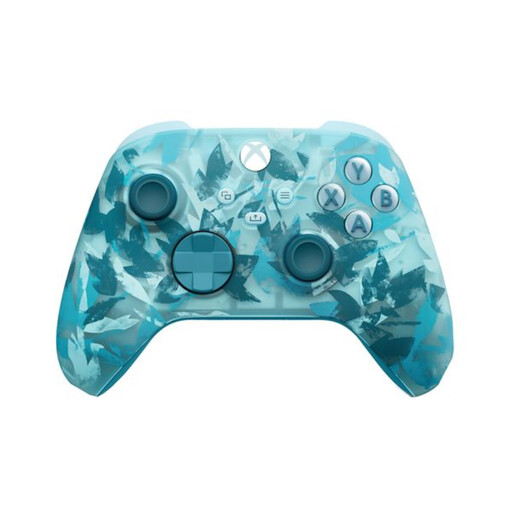 Image unavailable
An option for a compatible Xbox or Windows PC setup when you want to play wirelessly.
The product information lists Xbox Wireless, Bluetooth and USB-C. The controller uses two AA batteries; a rechargeable battery isn’t listed as included.
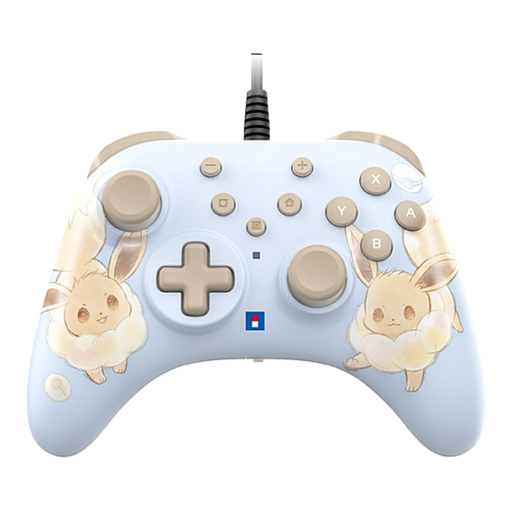 Image unavailable
A wired option for a fixed Switch or Switch 2 setup where you want to use programmable buttons.
The product information lists a USB connection and programmable buttons on the back. The controller is wired; according to the description, the USB cable isn’t included. HD Rumble, NFC and motion controls aren’t listed as supported.
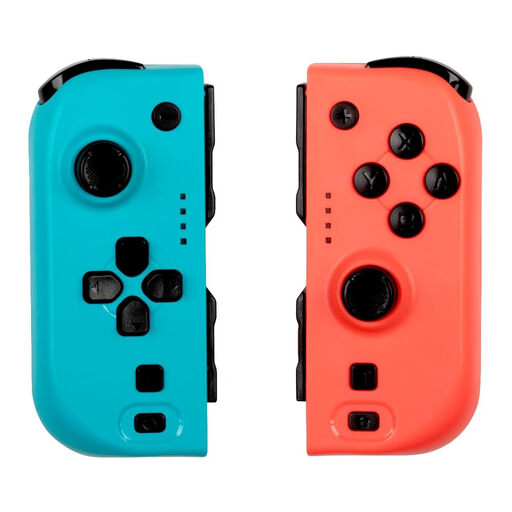 Image unavailable
A pair of controllers to consider when several players are joining in on a compatible Switch system.
The product information lists Bluetooth, Switch 2 compatibility and a battery life of up to 8 hours.
 Image unavailable
An option for a PS5 setup; check which controller features each game supports.
The product information lists haptic feedback, adaptive triggers, a motion sensor and a rechargeable battery. A USB connection is also listed.
 Image unavailable
A full-size controller for a Switch 2 setup where each player uses their own controller.
The product information lists Bluetooth, HD Rumble, motion controls and a rechargeable battery.
No, only people who are playing need controls. Check how many players the local mode of your chosen game supports and whether it allows players to share a controller.
Nintendo says that when a Bluetooth audio device is connected, no more than two wireless controllers can be connected. Also check the controller pairing and the game’s local player limit.
Yes. Nintendo says original Joy-Con can be paired wirelessly with Switch 2, but can’t be attached to the console. To charge them, you’ll need an original Switch or a suitable licensed charging accessory.
Microsoft lists AA battery power for the standard controller. A rechargeable Xbox battery pack is sold separately; check the contents of the version you choose.
No. Sony describes Access as adapted controls for one player. Combining it with other controllers can adapt the controls for that player, but it doesn’t change the game’s player limit.