
Switch players who want to play together
You want to know whether two players can use separate Joy-Con controllers before buying extra gamepads. Supported play styles vary from game to game and between Switch generations.


Start by checking your console or PC, the specific game and the number of players: a wireless connection doesn’t automatically mean a controller will work with every system or game. On Switch 2, two Joy-Con 2 controllers can each be used by a separate player in supported games; if you’d rather hold a full gamepad, you’ll need a compatible controller for each player. In a small living room, also think about where the cable will run when playing wired, and how you’ll power the controller when playing wirelessly.
You want to know whether two players can use separate Joy-Con controllers before buying extra gamepads. Supported play styles vary from game to game and between Switch generations.
You’re looking for an extra controller to hold in both hands that works with your system and the game you want to play.
You want to play together on the sofa and are weighing up keeping the walkway clear against charging or another power option for wireless use.
First, check that the controller and game are right for your system and number of players. Then consider the connection, the space around the sofa and what you already have at home.
| What to consider | What should you look for? | Who is this important for? |
|---|---|---|
| System and game compatibility | Check the console or PC generation, the exact model name and the game’s controller support. | If I play on a particular system, I want to know in advance whether both the controller and my game will work with it. Around 36% of consumers put compatibility first. |
| Controllers for every player | Check the local player limit, the supported controller layout and what’s already included with the console. | If I want someone else to join in, I want to know whether a pair of detachable controllers will do or if each player needs a full gamepad. Around 29% of consumers say the number of players is the deciding factor. |
| Connection and clear walkways | Check which connection your device supports and whether you can keep a cable out of the way. | With limited space, I want to avoid a cable getting in the way without overlooking how to power the controller when playing wirelessly. Around 21% of consumers prioritise keeping walkways clear. |
| What you already have and what you need | Count the controllers you have available, then check the exact version, included accessories and power requirements. | If my console already comes with controllers, I don’t want to buy extra ones unnecessarily, and I want to know how to power the version I choose. Around 14% of consumers say this is their main concern when buying. |
Nintendo says that Switch 2 comes with a left and right Joy-Con 2. Each Joy-Con 2 can be used separately in supported games, but the game determines whether this play style is possible. A full gamepad, by contrast, is one controller for one player.
Switch 2 already comes with two Joy-Con 2 controllers, but whether two players can use them depends on the game.
Check what’s included in the console box and the platform game’s controller layout before choosing an extra set.
Nintendo says that Joy-Con 2 only works with Switch 2. Original Joy-Con can be synced wirelessly with Switch 2, but can’t be attached to it.
Check which Switch generation you have and how you plan to use and charge any original Joy-Con with Switch 2.
8BitDo lists Windows and Android for the Ultimate 2C Wireless, but Switch for the Ultimate 2C Bluetooth. For Switch 2, the brand lists system version and firmware requirements for the Bluetooth version.
Before choosing a version, compare its full model name and platform and firmware requirements with your device.
According to PowerA, the Enhanced Wireless Controller Rechargeable reviewed here doesn’t have HD Rumble, IR, amiibo NFC or a C Button. Nintendo warns that some older Switch games require specific features of the original Joy-Con.
Check which features the game requires for the exact controller version.
Nintendo offers detachable Joy-Con 2 controllers for Switch 2 and full gamepads for supported Switch games.
DualSense is a full controller for PS5; using it with other devices depends on the game and the device.
The Xbox Wireless Controller is designed for supported Xbox consoles and Windows PCs.
The Enhanced Wireless Controller Rechargeable reviewed here is a full controller for Switch and, according to PowerA, Switch 2 too.
The Ultimate 2C Wireless and Ultimate 2C Bluetooth are different versions with different platform compatibility listings.
This selection includes controllers for Switch, Switch 2, PS5 and Xbox or PC. Check that your system and game are supported for each version.
 No image available
An option for players using a supported Xbox console or Windows PC. Check that the controller and game are compatible with your device.
Version: Robot White. The product name describes it as a wireless controller.
 No image available
A full gamepad to consider if you’d rather hold one controller in both hands while playing a supported Switch game.
Nintendo lists a directional pad and HD Rumble for the Switch Pro Controller. Colour: Black.
 No image available
An extra controller for another player on PS5, provided the game supports the number of local players you want.
Sony lists up to four controllers being used at the same time on PS5. Colour: White.
 No image available
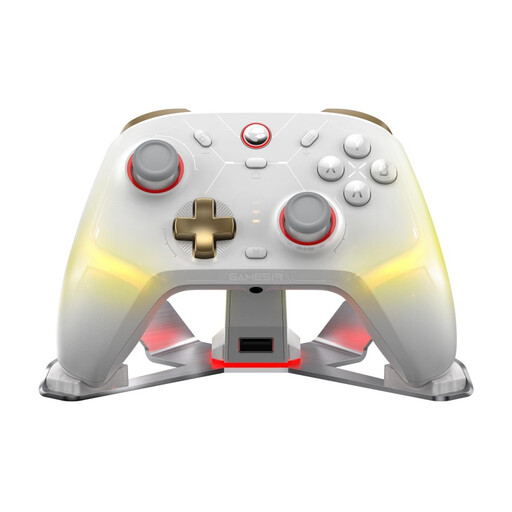
An option to compare if you’re looking for a multi-platform controller. Check that it’s supported by your device and the specific game.
The product name lists PC, Switch, iOS and Android. Version: White-Bundle Edition.
 No image available
A pair of detachable controllers for two players on Switch 2 when the game supports using Joy-Con 2 separately.
Nintendo confirms that each Joy-Con 2 can be used separately in supported games. Joy-Con 2 doesn’t work with the original Switch. Colour: Light Blue/Light Red.
No. On Switch 2, each Joy-Con 2 can be used as a separate controller in supported games, but whether this play style works depends on the game. Check the controller layout for the specific game.
No. Nintendo says that Joy-Con 2 only works with Switch 2. Original Joy-Con can be synced wirelessly with Switch 2.
Connect the controller to your switched-on PS5 using the USB cable supplied the first time you use it. Sony says you can then disconnect the cable and play wirelessly, as long as the controller has enough charge.
Not just because you’re playing together on one console. Nintendo lists an account, an internet connection and a Nintendo Switch Online membership as requirements for online features. Check the requirements for the game and the mode you want to play.
According to the Dutch government, when you buy from a business at a distance, you generally have 14 days to change your mind. You’re also entitled to a product that is of satisfactory quality; if there’s a problem, contact the seller. The cooling-off period and your legal rights if a product is faulty are separate matters.