
Player inviting an extra guest
You want to know whether each player needs a separate controller, or whether Switch also accepts a single Joy-Con. For example, Nintendo describes this option for Super Mario Bros. Wonder.


First, choose a controller that works with your console or PC and with the game’s local play mode. Playing wirelessly is practical from the side of the sofa if you don’t want a cable running across the seating area. A single Joy-Con can let an extra player join in games that support this setup, while a wired controller is only suitable if the cable route and your setup work for you.
You want to know whether each player needs a separate controller, or whether Switch also accepts a single Joy-Con. For example, Nintendo describes this option for Super Mario Bros. Wonder.
You’re not sitting directly in front of the console, so you’re weighing up wireless play against a cable that actually reaches where you’re sitting. Xbox, Sony and PowerA describe different connection options and requirements for each model.
You’re comparing the shape of the directional controls and the grip of a full-size controller, without assuming that one layout is better for every game. Nintendo and 8BitDo describe the features of specific models.
Choose this if: you want an extra player to join in a Switch game that supports one Joy-Con held horizontally per player.
Bear in mind: controller setups vary by game, and Joy-Con 2 doesn’t work with the original Switch.
Choose this if: you want to play from the side without a cable and your game supports a full-size controller.
Bear in mind: compatibility and extra features vary by platform, model and game. Some DualSense features on PC may require a USB connection.
Choose this if: your Switch is in its dock and the cable reaches where you’re sitting without getting in the way.
Bear in mind: PowerA says the Enhanced Wired Controller is only intended for use with a docked Switch and doesn’t work with games that require Joy-Con only.
Choose this if: you want to compare the directional controls or extra bumpers on the Ultimate 2C Bluetooth, and that version is suitable for your platform.
Bear in mind: the Ultimate 2C Bluetooth and Ultimate 2C Wireless are different versions for different platforms.
| What to consider | What should you look for? | Who is this important for? |
|---|---|---|
| Compatibility | Check your platform, the local play mode and the controller setup for each player. Don’t confuse Joy-Con 2 with Joy-Con for the original Switch. | If I want to make sure the game and my device allow us to play together, I check the exact combination first. Around 28% of consumers prioritise compatibility. |
| Connection from the side of the sofa | Check the cable route in your room, or find out which USB or wireless connections your device supports. | If I want to play from where I’m sitting without running a cable across the seating area, the connection matters more. Around 22% of consumers focus on connecting from the side of the sofa. |
| One controller per player | Count the controllers you have available and check which combinations the game’s local mode supports. | If another player joins us, I want to know how many usable controllers we’ll need. Around 22% of consumers make the number of player controllers their main consideration. |
| Directional controls and grip | Compare the shape of the directional controls and how the full-size controller feels in your hands. | If the way I enter directional commands is a deciding factor, I compare the layout itself rather than assuming there’s one general preference. Around 17% of consumers focus on controls and grip. |
| Power and accessories | Check how the exact model is charged or powered and which accessories are included. | If I want to avoid sorting out extra charging equipment or batteries as well as the controller, I check this in advance. Around 11% of consumers prioritise this. |
Joy-Con 2 doesn’t work with the original Switch. Original Joy-Con can be used wirelessly with Switch 2, but can’t be attached to the console.
Check which generation of Switch you have and how you can charge the controllers before choosing a set.
PowerA says the Enhanced Wired Controller has a 3 m cable, but it’s intended for use with a docked Switch and doesn’t work with games that support Joy-Con only.
Check both the cable route to where you’re sitting and the game’s controller requirements.
8BitDo lists Switch and Switch 2 for the Bluetooth version, with a stated minimum system version for Switch 2. The Wireless version is designed for Windows and Android.
Compare the full model name with the compatibility information for your platform.
ACM ConsuWijzer explains that the statutory guarantee in the Netherlands does not automatically last exactly two years. What you can reasonably expect from a product also matters, and the retailer is your point of contact.
Consider any additional warranty separately from your statutory rights.
For Switch and Switch 2 players who want to choose between shareable Joy-Con and a full-size controller, depending on the game.
For a full-size Xbox controller on Xbox or a supported Windows PC.
DualSense is designed for PS5 and for supported games and applications on compatible PCs.
The Ultimate 2C Bluetooth and Ultimate 2C Wireless are separate versions for different platforms.
The Enhanced Wired Controller reviewed here is a wired option for a docked Switch.
These Joybuy products are suitable for wireless play with a full-size controller, or for supported Switch games played with individual Joy-Con.
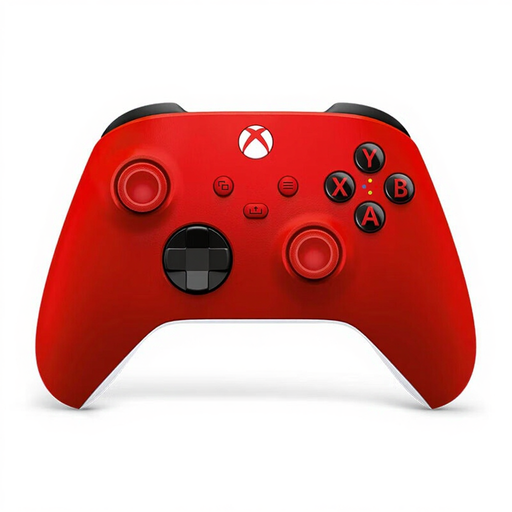 Image unavailable
A wireless option to consider for Xbox or a Windows PC. Check that your device supports the connection you choose.
The product name lists Xbox, PC and cloud gaming.
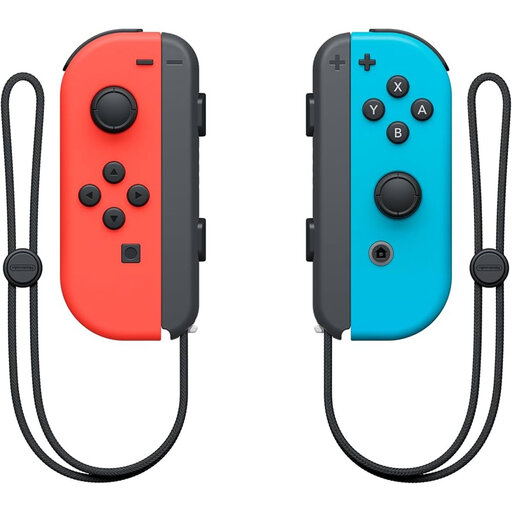 Image unavailable
An option for an extra player when the game’s local play mode supports individual Joy-Con as controllers.
Check which controller setups are available for each game.
 Image unavailable
A wireless option for a PS5 player who wants to join in from the side of the sofa.
On PC, features may vary by game and connection. According to Sony, haptic feedback requires USB and support from the game.
 Image unavailable
A full-size controller to consider for a Switch 2 setup. Check that the game supports it.
The product name identifies this model as a Pro Controller for Nintendo Switch 2.
 Image unavailable
An option for an extra player if the Switch 2 game supports individual Joy-Con 2. Nintendo says a Joy-Con 2 can be used horizontally as a separate controller.
You can charge them using the Switch 2 console or a separate charging grip.
Yes. Nintendo describes individual Joy-Con or Joy-Con 2 held horizontally as controller options for local play. Choose the number of players and controller type in the game. Check separately whether this is possible in other games.
Pair the original Joy-Con wirelessly. Nintendo says you can’t attach it to Switch 2. You can charge it using an original Switch or a suitable licensed charging accessory.
No. Sony says that features may vary by device and supported game. On PC, haptic feedback requires a USB connection and support from the game.
Not necessarily. Xbox also describes connecting with a suitable USB cable or via Bluetooth. Check which connection options your PC and controller support.
For a faulty product, the statutory guarantee in the Netherlands depends on what you can reasonably expect from the product under normal use, according to ACM ConsuWijzer. The retailer is your point of contact. For online purchases from a business, the Dutch government says you will often have a 14-day cooling-off period, subject to applicable exceptions. This cooling-off period is separate from your rights if a product is faulty.