
Switch players who want to share controllers
You want to play together without lots of separate equipment. Nintendo says that using a Joy-Con on its own depends on the game and the supported play style.


Start with your gaming system, then check whether the game supports local co-op and what controls each player needs. A pair of Joy-Con that can be used separately may suit supported Switch games. Other systems or games may require a full controller for each player, while a wired controller is only convenient if the cable can be routed neatly in your setup.
You want to play together without lots of separate equipment. Nintendo says that using a Joy-Con on its own depends on the game and the supported play style.
You’re looking for a full controller for each player and want to check that both your system and the game support it.
You’re weighing up wireless play against the space needed for receivers, USB ports, chargers and any cables.
| What to consider | What should you check? | Who is this important for? |
|---|---|---|
| Compatibility | Check the exact controller model, the connection mode for your system and whether the game supports the controller. | If I want to play on my own system without any hassle, I also check that the specific game supports the controller. Around 36% of consumers put this combination first. |
| Controls for each player | Check the number of local players and whether the game requires one Joy-Con or a full controller per player. | If we want to play together, I want to know whether everyone has enough buttons and controls for the game. Around 29% of consumers prioritise the number of players and the controls required. |
| Connection and space | Check which USB ports are available, what type of receiver is used and whether a cable can reach your seat. | If I have limited space where I play, I want to position cables and receivers so they’re out of the way. Around 21% of consumers prioritise a compact setup. |
| Power and charging | Check how the exact version is powered, what’s included in the box and where you’ll charge the controllers. | If I want to have several controllers ready for a gaming session, I want to know how they’re powered and charged. Around 14% of consumers make this their top priority. |
A controller may use a different connection mode with each device. For example, Microsoft says that audio through the Xbox Wireless Controller on Windows isn’t supported over Bluetooth.
Check the connection mode of the exact model against your device and the features you want to use.
Depending on your system, you may need a USB receiver or a different controller for the connection you want.
Whether players can use a Joy-Con on its own depends on the game and the supported play style.
Before buying, check how many local players the game supports and what controls each player needs.
Nintendo says original Joy-Con can work wirelessly with Switch 2, but can’t be attached to the console.
Plan how you’ll charge the controllers if you’re using them with Switch 2.
If you don’t have an original Switch, you may need a suitable licensed accessory to charge them.
Worth considering for Joy-Con that can be shared on Switch and Joy-Con 2 on Switch 2. The game and console generation determine which version is right for you.
A full wireless controller for Xbox systems and supported PC or mobile applications.
DualSense is an option for PS5 players looking for an additional full controller. Use with other compatible devices is another possibility.
The Ultimate 2C Wireless is designed for Windows via 2.4 GHz or USB, and Android via Bluetooth. The Ultimate 2C Bluetooth is a separate version for Switch.
A wired option for Xbox and Windows if you have room for a USB connection and a suitable cable route.
This selection includes controllers for local co-op on Switch, Switch 2, Xbox and PS5, plus a multi-platform option for Xbox and PC. Check how many players each game supports and what controls are needed.
 No image available
An option for local co-op on Xbox or a compatible Windows PC when each player needs a full controller.
The product description lists Xbox Wireless, Bluetooth and USB-C wired connectivity.
This is one controller. If two players each need their own full controller, you’ll need a second one as well.
 No image available
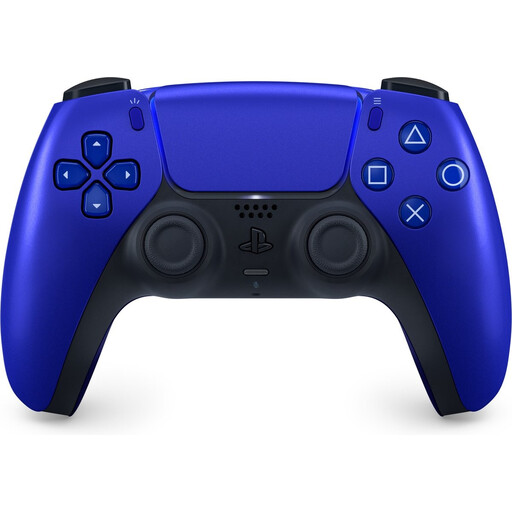
Suitable for local co-op on PS5 when each player needs a full controller.
The product description lists Bluetooth, USB-C, haptic feedback, adaptive triggers and a built-in rechargeable battery.
This is one controller. If two players each need their own full controller, you’ll need a second one as well.
 No image available
An option for an Xbox or PC setup. Check which connection mode works with your system on each platform.
The product title specifies wired use for Xbox and wireless use for PC and mobile.
This is one controller. If two players each need their own full controller, you’ll need a second one as well.
 No image available
Could suit two players who each want to use one Joy-Con on Switch, provided the game supports that play style.
This is a pair of Joy-Con for Nintendo Switch. Using them individually depends on the game and the controls it supports.
 No image available
A pair for Switch 2 players who want to share Joy-Con 2 or use them as separate controllers when the game supports it.
Nintendo says the two Joy-Con 2 halves count as separate wireless controllers. Check which play style the game supports.
No, it depends on the game and the supported play style. Nintendo says that using Joy-Con separately in horizontal mode can vary by game, so check the number of local players and the controls required.
According to Nintendo, you can wirelessly pair original Joy-Con with Switch 2, but you can’t attach them to the console. To charge them, you’ll need an original Switch or a suitable licensed charging accessory.
For the Ultimate 2C Wireless, 8BitDo specifies 2.4 GHz with a receiver or USB for Windows, and Bluetooth for Android. Don’t confuse it with the separate Ultimate 2C Bluetooth for Switch.
According to ACM ConsuWijzer, if a product breaks sooner than you could reasonably expect under normal use, the seller must repair or replace it free of charge, or refund your purchase. There’s no fixed statutory warranty period for every controller; what you can expect depends, among other things, on the product and how it’s used.
For a consumer purchase made at a distance, the Dutch government says you’ll generally have a 14-day cooling-off period, subject to applicable conditions and exceptions. This is separate from your rights if a product is faulty.