
Console co-op players
You want to add a second player and check whether your specific Switch, Switch 2, PS5 or Xbox game requires individual controllers or full gamepads.


First, choose a controller layout that suits both your system and your local co-op game. Some Switch games let each player use a single Joy-Con, while others require a pair of Joy-Cons or a full gamepad per player. Then decide between wireless play and a wired connection with a cable route that works in your bedroom. Nintendo and EA explain that Joy-Con options vary by game, while PowerA lists a 3 m cable for the wired controller mentioned here.
You want to add a second player and check whether your specific Switch, Switch 2, PS5 or Xbox game requires individual controllers or full gamepads.
You want to play with two people on one Windows PC and compare a supported wireless connection with USB or a wired controller.
You’re looking for a setup where two players can sit comfortably, without a cable running across the bedroom or a wireless connection that isn’t suitable for your device.
First, check your system and the controls required for each player. Then consider which connection and setup will work best in your bedroom.
| What to consider | What should you check? | Who is this important for? |
|---|---|---|
| System compatibility | Check the exact console and generation, or your PC’s operating system, as well as the connection the controller supports on that device. | I want a controller that works with the console or PC I already own, not a different generation. Around 36% of consumers say system compatibility is their main concern when buying. |
| Controls for each player | Check how many local players the game supports and which controller layout each player needs. | I want to know whether two individual Joy-Cons will work for our game or whether each player needs a full set or gamepad. Around 29% of consumers prioritise the controls required by each player and game. |
| Connection and space | For a wired controller, measure the route to your device. For wireless play, check the connection with two controllers. | I want to play together without a cable getting in the way of where we sit, or relying on a wireless connection that may be less reliable on my PC. Around 21% of consumers prioritise connection and available space. |
| Power and accessories | Check how the controller is powered and whether the set includes the charging option or accessories you need. | I want to know in advance whether an extra controller needs a charging accessory, or whether a wired option would work better for my setup. Around 14% of consumers focus mainly on power and additional essentials. |
Controller support varies by game. For It Takes Two on the original Switch, EA specifies either a separate pair of Joy-Cons or one controller per player.
Before buying, check the controller requirements and local play mode for the specific game.
Nintendo states that Joy-Con 2 only works with Nintendo Switch 2.
Before ordering, compare the full name of your console with the name of the controller.
Xbox Support notes that reliability partly depends on the PC device, and performance may decrease when using multiple Bluetooth controllers.
Test the combination of PC, game and two controllers you plan to use. If needed, check whether a supported USB or wired connection is suitable.
PowerA says the detachable USB cable supplied with the Enhanced Wired Controller mentioned here is 3 m long. The route around furniture may be longer than the straight-line distance.
Measure from the USB port to both seats, and keep walkways clear.
The features and compatibility listed apply to the product lines and models described. Always check that they’re suitable for your system and game.
Joy-Con and Joy-Con 2 can be used individually for supported play styles; the Switch 2 Pro Controller is a full gamepad for Switch 2.
An extra DualSense is an option for supported local PS5 games where both players need a full controller.
The wireless controller is designed for supported Xbox consoles and Windows PCs.
The Enhanced Wired Controller is a wired option for supported Xbox consoles and Windows.
The Ultimate 2C Wireless Controller can be used with Windows via the 2.4GHz receiver or a USB cable.
These controller options are intended for local co-op on PS5, Nintendo Switch or Switch 2, and on supported Xbox and Windows setups. Always check the requirements of the specific game.
 No image available
Suitable for a local PS5 game where both players need a full gamepad. Check the layout for the specific game.
The product description lists Bluetooth, USB-C and a built-in battery. Haptic feedback and adaptive triggers are only available in compatible games.
 No image available
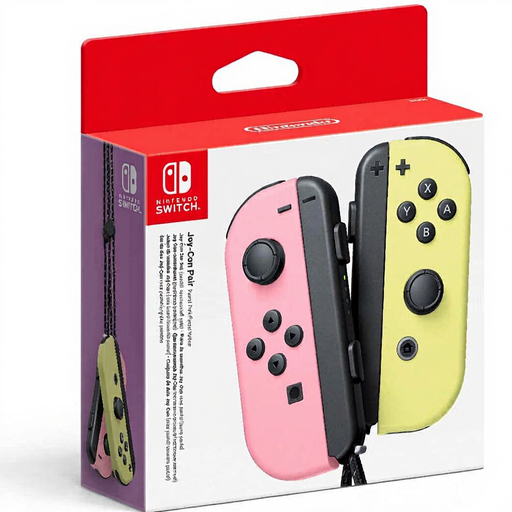
A pair of Joy-Cons for Switch games that support each player using one Joy-Con horizontally.
Nintendo says individual use depends on software support, so check the game’s controller requirements.
 No image available
A wired option for a supported Xbox or Windows setup, provided the cable route to your playing area works for you.
The product description lists Xbox Series X|S, Xbox One, Windows 10/11 and Steam, along with Hall effect sticks and triggers. The detachable USB-C cable is 3 m long.
 No image available
A pair of Joy-Con 2 controllers for Switch 2 games that support individual horizontal use.
The set includes left and right controllers and wrist straps. Joy-Con 2 doesn’t work with the original Nintendo Switch; Nintendo recommends attaching the wrist straps when using the controllers wirelessly.
 No image available
A wireless option for supported Xbox and Windows setups when you don’t want a controller cable running across the bedroom.
The product description lists Xbox Wireless, Bluetooth and USB-C, with support for Xbox Series X|S, Xbox One and Windows PCs. Xbox Support warns that Bluetooth performance with multiple controllers on a PC may decrease and partly depends on the device.
No, it depends on the game. Nintendo says each Joy-Con can be used horizontally on its own when supported by the software. For It Takes Two on the original Switch, EA specifies a separate pair of Joy-Cons or one controller per player.
On Switch 2, open CONTROLLERS from the HOME menu and select CHANGE GRIP/ORDER. Nintendo says to press SL and SR on each Joy-Con 2 you want to use horizontally as an individual controller.
Nintendo says you can charge the controllers while attached to a powered Switch 2, or using a separately available Joy-Con 2 charging grip. Nintendo also recommends always attaching the wrist straps when using Joy-Con 2 wirelessly.
No. According to the Dutch government, the Netherlands doesn’t have a fixed statutory guarantee period: you’re entitled to a product that meets what you can reasonably expect from it. If a product is faulty, contact the seller; paid-for extra cover doesn’t replace these rights.
For many eligible distance purchases, the Dutch government says you have a 14-day cooling-off period. Before ordering, check the seller, terms and any exceptions. This is separate from your statutory rights if the product is faulty.