
Players with different consoles
You need an extra controller for a specific Xbox, PS5, Switch generation or PC. Check that the exact model is compatible: Nintendo, for example, states that the Switch 2 Pro Controller only works with Switch 2.


First, choose a controller that works with your console or PC and the local co-op game. Going wireless gives players more freedom to move around when they aren't sitting directly in front of the screen. Then check that the game supports the controller setup you have in mind, and look out for power requirements and features that may vary by platform or connection.
You need an extra controller for a specific Xbox, PS5, Switch generation or PC. Check that the exact model is compatible: Nintendo, for example, states that the Switch 2 Pro Controller only works with Switch 2.
You play beside the screen or at an angle to it, and don't want to be restricted by a cable running to the system. Check which wireless connections your console or PC supports. Xbox Support warns that using several controllers over Bluetooth can affect performance on a device.
You want to know whether a controller or Joy-Con can be used on its own as a player's controller. Nintendo says the game determines which Joy-Con positions and play styles are supported.
| What to consider | What should you check? | Who should pay particular attention? |
|---|---|---|
| Compatibility with your system and game | Check the console generation, full model name and the game's controller requirements. Also check which features are available with your connection. | When I buy an extra controller, I want to know whether it will work with my system and the game I've chosen. Around 36% of consumers prioritise compatibility. |
| Freedom to move around from where you're sitting | Check that your device supports the wireless connection you want to use. On PC, test the Bluetooth adapter with all players connected at the same time, if needed. | When I'm sitting at an angle or further from the system, I want to play without a cable dictating where I sit. Around 29% of consumers prioritise the freedom of a wireless connection. |
| Enough usable player controllers | Check the number of local players and the controller mode required by the specific game before counting a pair of Joy-Con as two controllers. | For a co-op group, I want each player to have controls that the game supports. Around 21% of consumers prioritise the number of usable player controllers. |
| Power and extra accessories | Check what's included in the exact package and find out how the controller is powered, whether a charging cable is included and whether you need a separate battery pack. | When I'm using several controllers, I want to know in advance how they'll be powered and what accessories I'll need. Around 14% of consumers put power and accessories at the top of their list. |
A wireless connection alone doesn't prove that a controller will work with your console or game. Nintendo says the Switch 2 Pro Controller is only for Switch 2; features on other models can vary by system too.
Check the exact console generation and full model variant, not just the connection symbol.
Nintendo says the game determines which Joy-Con positions and multiplayer options are available. So a pair won't necessarily provide two usable player controllers for every game.
Check the controller and play-style information for the game you want to play together.
PlayStation says DualSense features depend on the game and connection; haptic feedback on PC requires USB. For the Switch model in question, PowerA says it doesn't have HD Rumble, IR or amiibo NFC, and notes that the C button isn't available when using it with Switch 2.
Before factoring a particular feature into your choice, check that it's supported by your game, system and connection.
Xbox describes several power options. The Netherlands Authority for Consumers and Markets says that a manufacturer's warranty is in addition to your statutory rights, so report a fault to the retailer.
Check the power options and what's included in the package, and contact the retailer first if there's a fault.
An Xbox controller may need batteries or a suitable rechargeable battery pack, sold separately.
Wireless system controllers for supported Xbox consoles and Windows PCs, with Bluetooth for compatible devices.
DualSense is designed for PS5 and compatible games on supported PCs and other devices.
Joy-Con are designed for the play styles supported by the game; the Switch 2 Pro Controller is a traditional gamepad for Switch 2.
The manufacturer describes the Ultimate 2 Bluetooth as a controller for Switch and Windows, with a dock and customisable controls.
PowerA describes the Enhanced Wireless as a licensed wireless controller for supported Switch systems.
These Joybuy picks focus on wireless local co-op, with controllers for the Xbox, PlayStation and Switch systems listed, including Joy-Con for games that support them as separate controls.
 No image available
A wireless extra gamepad for the Nintendo Switch systems listed, if you're looking for a traditional controller.
The product information lists compatibility with Nintendo Switch 2, Switch, Switch Lite and Switch OLED, TMR sticks, two programmable buttons and a rechargeable battery.
The product title lists a 40-hour battery life and four RGB modes.
 No image available
An extra wireless controller for anyone playing on one of the Xbox systems listed or a Windows PC.
The product description lists Xbox Series X|S, Xbox One and Windows PCs as compatible platforms, and Xbox Wireless and Bluetooth as connection options.
The description lists a hybrid D-pad and customisable button mapping.
 No image available
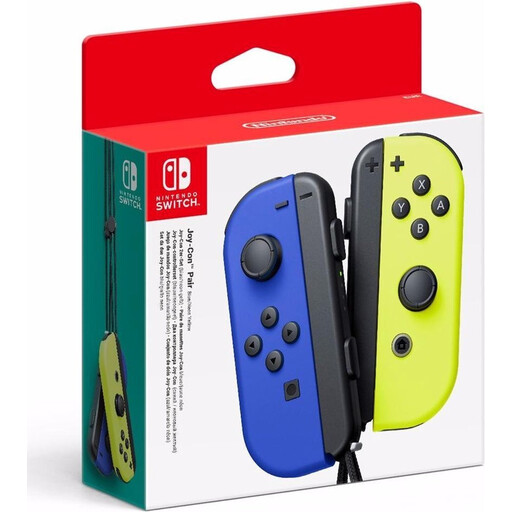
A pair of Joy-Con for local co-op when the game supports using individual Joy-Con as controllers.
Nintendo says the Joy-Con position you can use depends on the game. Check the multiplayer options before counting the pair as two separate player controllers.
The product description lists HD Rumble and motion sensors.
 No image available
An extra wireless controller for PS5. If you want to use it with another device, check separately which features your game supports.
The product description lists Bluetooth, haptic feedback and adaptive triggers. According to PlayStation, features on devices other than PS5 depend on the game and connection; haptic feedback on PC requires USB.
 No image available
A Joy-Con 2 pair for wireless play on Nintendo Switch 2. The game determines which controller modes and co-op controls are available.
The product description lists wireless Bluetooth use, HD Rumble 2, motion controls and a C button.
No, it depends on the game's multiplayer options. Nintendo says the supported Joy-Con position can vary by game, so check the options before counting the pair as two separate player controllers.
Nintendo describes pairing it using the supplied USB-C cable or wirelessly through the controller menu and the SYNC button. The number of controllers you can use at once also depends on the controller type and its features.
No. According to PlayStation, support depends on the game, and haptic feedback on PC requires a USB connection.
Report the fault to the retailer. According to the Netherlands Authority for Consumers and Markets, there is no fixed statutory warranty period in the Netherlands: you're entitled to a product that works properly for the length of time you can reasonably expect it to last. A manufacturer's warranty is in addition to this.
For online purchases from a business, the Netherlands Authority for Consumers and Markets says that in many cases you have 14 days to change your mind. The rules for distance selling don't apply in the same way when you buy online from a private seller.