
Co-op pair sharing one console
You want to know whether your existing controller and an extra one will work with your chosen game. Nintendo Support recommends checking how many players and which controllers each game requires.


Start with your system, then check how many players the game supports and which controller layout it requires. A pair of individual Joy-Con 2 controllers can serve two players in compatible Switch 2 games; if the game requires a full controller per player, they’re no substitute. To deal with distracting reflections from tall windows, adjust the screen’s position or the light coming in – switching to a different gamepad won’t help.
You want to know whether your existing controller and an extra one will work with your chosen game. Nintendo Support recommends checking how many players and which controllers each game requires.
You want to find out whether each player can use an individual Joy-Con 2 or whether the game requires a full controller per player. Nintendo says the left and right Joy-Con 2 can be synchronised separately.
You want to check support for both your Windows PC and the game itself. Platform compatibility doesn’t automatically mean a game supports local co-op.
First, check that the controller is compatible with your system, then see what controls each player needs in the game. After that, consider grip, buttons and charging based on how you’ll use it.
| What to consider | What should you check? | Who is this important for? |
|---|---|---|
| System compatibility | Check which system you use and the full model name. Also compare the exact version of models with similar names. | If I switch between systems, I want to avoid buying an extra gamepad that won’t work with my console or PC. Around 36% of consumers prioritise compatibility with their own system. |
| Controls for each player | Check the number of local players and whether the game accepts one Joy-Con per player or requires a full controller. | For a co-op night, I want to know which controls the game requires for each player. Around 29% of consumers prioritise the controls required per player. |
| Grip and buttons | Compare an individual Joy-Con with a full controller and consider whether you need extra buttons. | If we’re playing for a while, I want to choose a layout that feels comfortable and suits the game. Around 21% of consumers focus on grip and button layout. |
| Pairing and charging | Check how to pair the controller and which charging method or power supply it uses. Consider screen reflections separately. | Before we start, I want the extra controller to be ready to use; daylight coming through tall windows also means paying attention to the screen setup. Around 14% of consumers give pairing and charging top priority. |
Joy-Con 2 controllers can be synchronised separately, but the game determines which player setup and controllers are required. So a pair may not be suitable if the game requires a full controller per player.
Before buying, check the player limit and controller requirements for the specific game.
You may still need to buy an extra full controller.
8BitDo lists Windows and Android compatibility for the Ultimate 2C Wireless. The separate Ultimate 2C Bluetooth is designed for Switch; 8BitDo specifies a firmware requirement for Switch 2.
Before choosing a version, compare its full model name with the manufacturer’s platform information.
The Dutch government says there is no fixed statutory warranty period in the Netherlands and that the retailer is your point of contact if a product is faulty.
Check what extra cover a paid extended warranty provides and how it relates to your statutory rights.
Joy-Con 2 controllers for shared play in compatible Switch 2 games; the Switch 2 Pro Controller if you prefer a full controller.
DualSense is Sony’s controller for PS5 and could be an option if a local co-op game needs an extra PS5 controller.
The Xbox Wireless Controller is designed for Xbox systems and supported Windows PCs.
Alternative gamepads with platform compatibility that varies by version.
This Joybuy selection includes controllers for Xbox and Windows PC, Nintendo Switch systems and PS5. For each game, check which platforms and controller setup are supported for local co-op.
 No image available
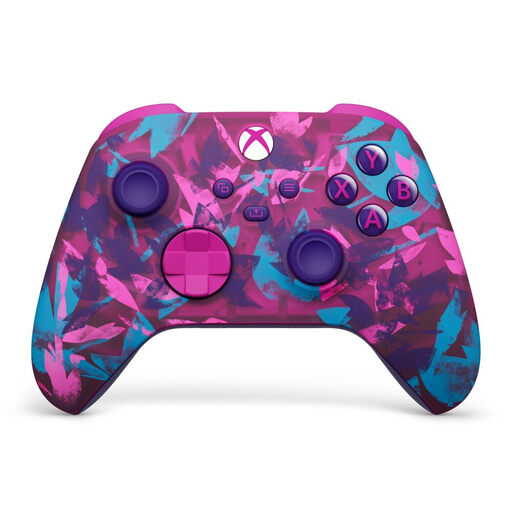
An option for use with Xbox Series and PC when the game supports separate controllers.
The product description lists Xbox Wireless and Bluetooth, textured grips, a 3.5mm jack and included AA batteries.
 No image available
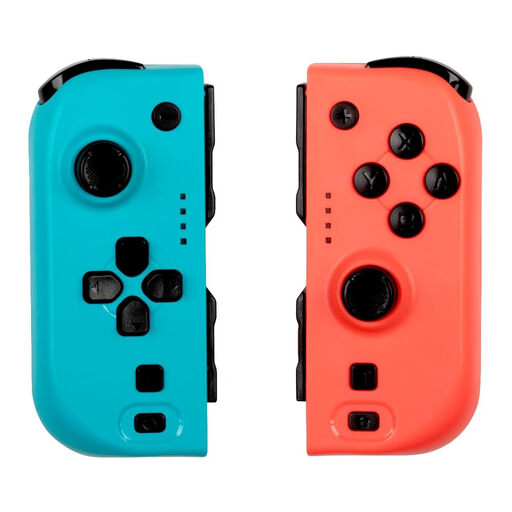
A pair of controllers for anyone looking for two gamepads for a compatible Nintendo Switch system.
The product listing mentions Bluetooth, vibration, a gyroscope and battery life of up to 8 hours.
 No image available
An option for an extra PS5 player when your chosen game supports local co-op.
The product description lists haptic feedback, adaptive triggers, a built-in microphone and a 3.5mm jack.
 No image available
A full wireless controller for one player on Nintendo Switch 2.
The product description lists HD Rumble, motion controls, a rechargeable battery and a USB charging cable.
 No image available
Can serve two players when the chosen Switch 2 game supports one Joy-Con per player.
The pair includes one left and one right Joy-Con 2, plus two wrist straps. The controllers can be synchronised separately; the game determines which controls are needed.
No, it depends on the game. Nintendo allows them to be synchronised separately, but the game determines the player setup and which controllers are needed. Check the requirements for your game.
No. Nintendo says Joy-Con 2 controllers only work with Nintendo Switch 2. Original Joy-Con controllers can be synchronised wirelessly with Switch 2, but cannot be attached to the system.
No. If windows or lamps are reflected on the screen, UCLA Ergonomics recommends adjusting the light or the angle of the screen. It’s a matter of screen setup, not controller choice.
According to PlayStation Support, you can pair an extra DualSense through the Bluetooth accessory settings. Sony says up to four controllers can be used at the same time.
For online purchases from a business, you’ll often have a 14-day cooling-off period; exceptions and conditions may apply. You’re also entitled to a product that is fit for purpose. The Dutch government says there is no fixed statutory warranty period in the Netherlands, and that you should contact the retailer if a product is faulty.