
Club with an existing console
Looking mainly for a controller that works with the Switch, Switch 2, Xbox or PS5 you already have. Nintendo controller compatibility also varies between Joy-Con generations.


Start with the game and the device your local club plays on. Before buying extra controllers, check how many people can play locally and which controller layouts the game supports. Then choose between individual Joy-Cons for compatible Switch games, full-size controllers for the right console or PC platform, and a wired controller if a cable is practical for your setup. None of these options works with every platform.
Looking mainly for a controller that works with the Switch, Switch 2, Xbox or PS5 you already have. Nintendo controller compatibility also varies between Joy-Con generations.
Wants to match the number of player slots, available controllers and the game's play style before buying extra controllers.
Looking to choose between a wired controller and wireless play using, for example, a USB receiver, while taking the available ports and distance to the playing positions into account.
First check the game, the club's device and how many player slots you need. Then compare the controller layout, connection and charging method with your match setup.
| What to consider | What should you check? | Who is this important for? |
|---|---|---|
| Compatibility | Check the exact device, game, local mode and supported controller layout. | If I want to avoid buying a controller that doesn't work with our game or console, I'll check both before ordering. Around 36% of consumers make compatibility their top priority. |
| Player slots | Check how many people can play locally, then count the available compatible controllers. | For a club match, I want to make sure everyone playing has a working controller. Around 29% of consumers prioritise the number of player slots. |
| Connection and playing space | Measure the distance to the console or PC, and check which cable, receiver and USB ports you'll need. | If the playing positions are further from the device, I want to know in advance where a cable can run or where a receiver needs to be plugged in. Around 21% of consumers focus mainly on the connection and the layout of the playing space. |
| Power and use | Check what charging option or power supply is needed and what's included with the version you've chosen. | When controllers need to be ready again between matches, I want to know how many charging spots we have and what equipment we'll need. Around 14% of consumers make power and additional running costs their top priority. |
Nintendo states that Joy-Con 2 only works with Switch 2. A controller that isn't compatible with your system won't work for your intended match setup.
Check your Nintendo console generation and the controls required by the game before choosing a set.
Nintendo states that, under normal circumstances, up to eight wireless controllers can be synchronised with a Switch. That doesn't mean a particular game supports eight local players.
Check the player and controller requirements for your chosen game, then count the controllers it actually supports.
For the Ultimate 2C Wireless, 8BitDo specifies a 2.4GHz receiver or wired use on Windows, and Bluetooth on Android. These connection methods aren't automatically interchangeable.
Check the exact model variant, the receiver required and the ports available on your club's device.
According to the Dutch government, the seller remains responsible for ensuring a product is of satisfactory quality. An extended warranty is mainly worth considering if it gives you something beyond your existing rights.
Compare the terms of an extended warranty with your statutory rights before paying for one.
A good fit for clubs playing locally on Switch or Switch 2, provided the game supports the play style you've chosen.
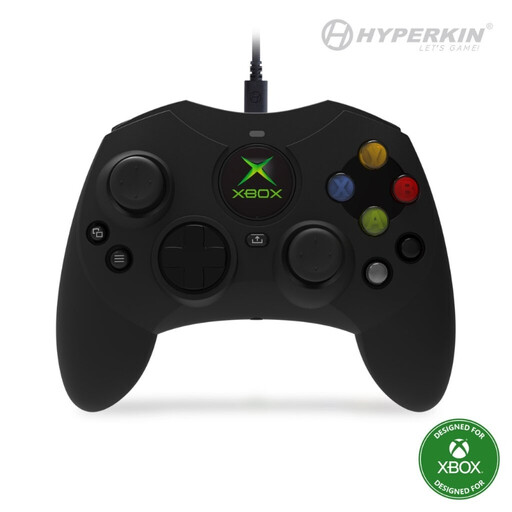
An option for clubs with an Xbox console or supported Windows games.
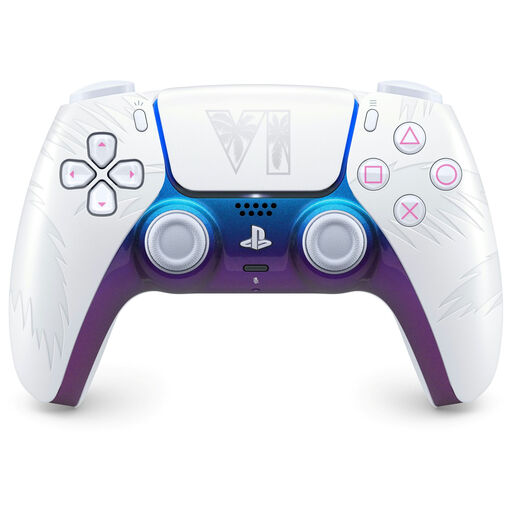
The DualSense is an option for clubs with a PS5, and can also be considered for compatible PC games.
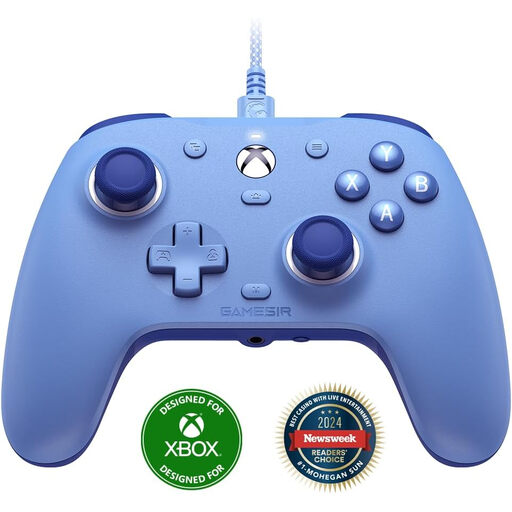
The G7 SE is a wired option for Xbox Series X|S, Xbox One and Windows 10/11.
The Ultimate 2C Wireless is another option for clubs that play on Windows.
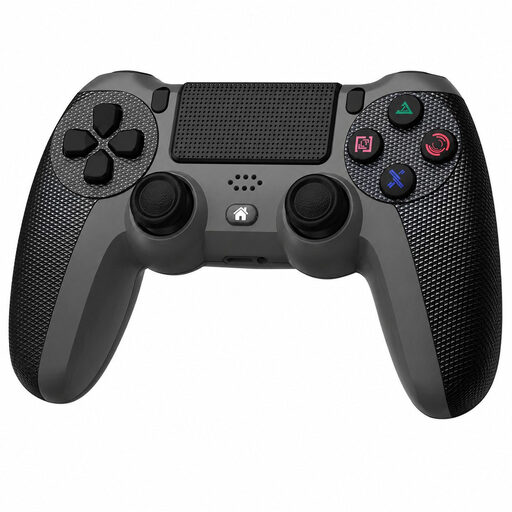
This selection includes full-size controllers for PS4 and PC, PS5 and other listed devices, plus wired options for Xbox and Windows. Before buying, check that the exact controller and connection are suitable for your game's local mode.
 No image available
An option for one player at a club playing on PS4 or a compatible PC.
The product information lists a wireless connection, touchpad, gyroscope and dual vibration motors.
 No image available
A full-size controller to consider for a club with a PS5 or a compatible device among the listed PC and mobile platforms.
The product information lists USB-C and Bluetooth, a built-in microphone and a rechargeable battery. Haptic feedback and adaptive triggers depend on game support; on PC, these features may require a USB connection.
 No image available
A potential option for a club with a PC or Switch; check support for your exact game and platform.
The product information lists TMR sticks, interchangeable ABXY buttons and a charging dock included in the bundle. Bluetooth, wired use and wireless use via a dongle are also listed.
 No image available
A wired option for a club playing on Xbox Series X|S, Xbox One or Windows 10/11, with a suitable route for the cable.
The product information lists Hall Effect sticks and triggers, two programmable rear buttons and a detachable USB cable.
 No image available
A wired option for a club with Xbox Series X|S, Xbox One or Windows 10/11.
The product information lists Hall Effect sticks, a headset socket and a detachable 3-metre USB-C cable.
Not always: in supported Switch 2 software, a Joy-Con 2 held horizontally can be used individually. Check the game information and the number of controllers required first; the maximum number of controllers that can be synchronised doesn't, by itself, tell you the maximum number of players in the game.
Nintendo describes two options: attach the controllers to the Switch 2, or open Controllers from the HOME Menu, then select Change Grip/Order; next, use the SYNC button. Check the screen to see whether players should hold the controllers horizontally together or separately.
According to Nintendo, Joy-Con 2 controllers charge when attached to a Switch 2 connected to a power supply, whether it's switched on or in sleep mode, or in a separate Joy-Con 2 charging grip. Check in advance that the club has enough charging spots for the controllers needed during matches.
According to the Dutch government, the seller must offer a solution if a product is faulty. The Netherlands doesn't have a fixed statutory two-year guarantee period: what matters is what you could reasonably expect from the product. For distance purchases from a professional seller, you also usually have a 14-day cooling-off period, subject to statutory exceptions.