What should you look for when choosing one?
First, check whether your game supports local multiplayer and what controls both players need. Then choose a controller that works with your platform, and consider whether the cable route and power supply will be practical in your kitchen-diner.
| What to consider |
What should you check? |
Who is this important for? |
| Platform and game |
Check support for your console or version of Windows, any firmware requirements, and the game's local multiplayer mode. |
If I want to play with someone else, I want to make sure both the controller and the game I choose work with my system. Around 29% of consumers put compatibility with their platform and basketball game first. |
| Controllers for both players |
Check how many players the game supports locally and whether your existing controllers have the buttons and sticks you need. |
If I want to play with someone beside me, I want to know whether we already have enough suitable controllers. Around 24% of consumers prioritise the number of controllers available for local multiplayer. |
| Cable and walkways |
Check where the connection and seating are, and whether a cable would cross a walkway. |
If I play in the kitchen-diner, I don't want a cable across a route people walk along. Around 23% of consumers consider cables and room to move the most important factors. |
| Batteries and charging |
Check whether the model needs AA batteries or charging, and whether you have a suitable cable or charging option. |
If I want to be able to play without finding that charging essentials are missing, I want to know how the controller is powered in advance. Around 12% of consumers prioritise batteries, charging and the accessories required. |
| Controls |
Check which sticks and buttons your game requires, and whether the game supports any extra features. |
If I want to play basketball with another person, I want the controls to suit the game; extra features only matter if the game supports them. Around 12% of consumers prioritise controls and comfort. |
Joybuy controllers for this gaming set-up
These product options are intended as extra controllers for PS5, Xbox, Windows PC and Nintendo Switch set-ups. Check that each model works with your system and basketball game.
 No image available
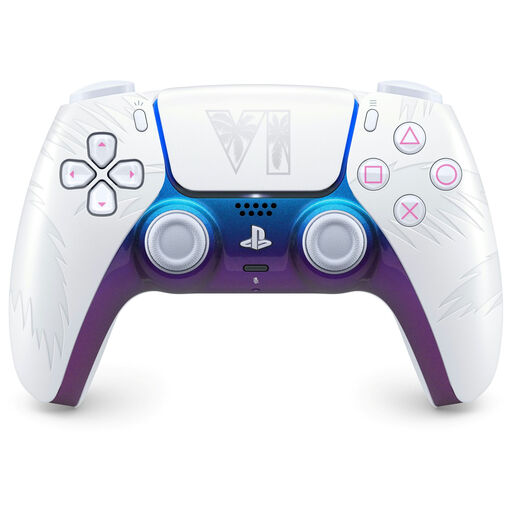
PlayStation DualSense Wireless Controller – Grand Theft Auto VI White Limited Edition
An option if you're looking for an extra wireless DualSense for a PS5 set-up; check whether your basketball game supports local multiplayer.
The product name also mentions PC, Mac and Mobile. The built-in battery needs charging; a USB cable is not included.
View at Joybuy
 No image available
Xbox Wireless Controller Robot White
Suitable for an Xbox or Windows PC set-up if you're looking for a wireless controller and want to keep cables out of the way.
The Robot White version is listed as using AA batteries; check which batteries or charging solution you need.
View at Joybuy
 No image available
GameSir Cyclone 2 Black-Bundle Edition
An option if you're looking for a controller for a PC or Switch set-up; check support for your specific system and game.
The product name mentions PC, Switch, iOS and Android, TMR sticks and a charging station.
View at Joybuy
 No image available
Nintendo Switch Pro Controller Black
A potential choice if you're looking for an extra Pro Controller for Nintendo Switch. Check compatibility with your console and basketball game.
View at Joybuy
 No image available
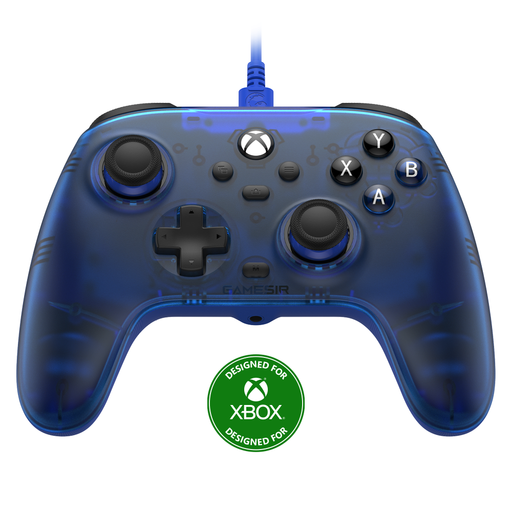
GameSir T7 Wired Xbox Controller Blue
A wired option for an Xbox or Windows PC set-up if you can keep the cable clear of walkways.
The product name mentions Xbox Series X|S, Xbox One, Windows 10 and Windows 11, and Steam. In a kitchen-diner, the cable could cross a walkway.
View at Joybuy
Frequently asked questions
Do you always need to buy a second controller for a local basketball match?
No, not necessarily. First, check how many players your game supports locally and whether your existing controllers give both players the controls they need. The Dutch PlayStation Store lists NBA 2K27 as supporting one to four players; this tells you nothing about the set-up for other games or platforms.
How do you connect a Switch 2-Pro Controller for a second player?
Nintendo explains that you can pair it using the supplied USB-C cable through the holder, or wirelessly by going to Controllers and Change Grip/Order and pressing the SYNC button. Then check which local game mode you have selected.
Can you attach older Switch Joy-Con to a Switch 2 and charge them?
No. According to Nintendo, older Joy-Con can be synced wirelessly with Switch 2, but cannot be attached to the system. They need to be charged using a Switch system or a suitable accessory.
Who can help if your controller develops a fault, and do online purchases come with a cooling-off period?
According to the Dutch government, the seller must provide a solution if a product is faulty; a manufacturer's warranty does not replace your statutory rights. For eligible distance purchases, there is often a 14-day cooling-off period, although exceptions apply.


