What to consider when choosing
First decide whether one device will do, or whether you want to place speakers in several spots. Then consider how you’ll play your music and which components you’ll need for the complete set-up.
| What to consider |
What to check before buying |
Most relevant for |
| Sound distribution and placement |
Check whether two units work as a pair and how much clearance the manufacturer recommends around the model. |
If I want to hear music from several seating areas, I’ll check whether one speaker is enough or whether two separately placed units better suit my room layout. Around 36% of consumers put sound distribution first. |
| Starting music and connectivity |
Check which music services are supported, how you can play music from your phone, and whether initial set-up over Wi-Fi is required. |
If you want to start music from a phone, service or connection without unnecessary extra steps, focus on the playback options for the exact model. Around 29% of consumers prioritise ease of playback. |
| Complete set-up |
Check whether you’re buying one speaker or a set, and whether you need adapters, cables or a hub. |
If I want a complete set-up without an unexpected second speaker or adapter, I’ll check what’s included in advance. Around 21% of consumers prioritise what’s needed and how simple the set-up is. |
| Control and privacy |
Check the controls, any voice control features, and the model’s privacy and security information. |
If you want to make an informed choice about app or voice control and data processing, look at the provider’s features and information. Around 14% of consumers put control and privacy first. |
Joybuy product picks
These product picks are suited to background music in a large living room, with Bluetooth speaker sets and Wi-Fi speakers for different playback options.
 No image available
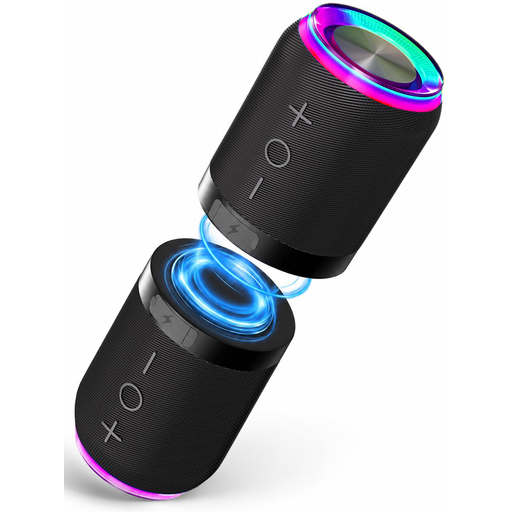
Bluetooth speaker set with magnetic attachment, 2 speakers
This set of two speakers that can be placed separately is worth considering if you’re comparing Bluetooth stereo set-ups.
The product description lists Bluetooth, AUX and TF card as playback options, and says the two units can be joined magnetically or used separately.
View at Joybuy
 No image available
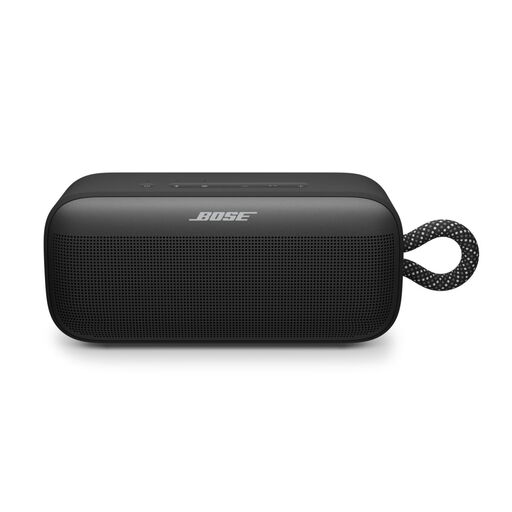
Bose SoundLink Plus Black
This model is suited to anyone looking for Bluetooth playback and control through the Bose app.
The product information lists Bluetooth and the option to pair two SoundLink Plus speakers in stereo mode.
View at Joybuy
 No image available
Edifier ES300 Wi-Fi and Bluetooth speaker
This speaker is worth comparing if you want both Wi-Fi and Bluetooth playback.
The product title lists 60 W, AirPlay 2, multi-room, USB and AUX. Check that the music service and connections you want suit your needs.
View at Joybuy
 No image available
Bose Lifestyle Ultra Speaker Black
This is worth comparing if you’re looking for a home Wi-Fi speaker with app control.
The product information lists Wi-Fi and multi-room. One speaker is included; you’ll need additional speakers for multi-room playback.
View at Joybuy
 No image available
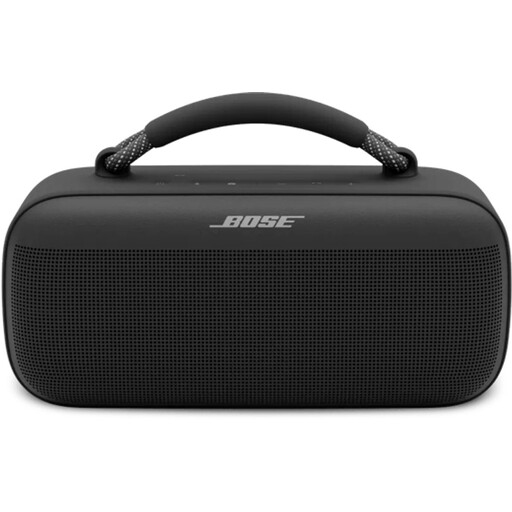
Bose SoundLink Max Bluetooth speaker Black
This model is worth considering if you want Bluetooth playback and control through a mobile app.
The product information also lists Spotify Connect and AirPlay. According to the product information provided, two units can’t be paired as a stereo pair.
View at Joybuy
Frequently asked questions
Do you always need to buy two speakers for a large living room?
No, one home speaker can be a good starting point. Choose two compatible units if you can place them separately and that set-up suits your listening spots; check whether the exact model can be used as a pair.
Can you connect a wired audio source to any Wi-Fi speaker?
No, connections vary by model. Sonos lists a separate line-in adapter for the Era 100 SL, while the Five has a 3.5 mm line input according to Sonos. Check the connection, cable and any adapter you need before buying.
What should you check when placing and setting up your speaker?
Follow the instructions for your chosen model and check the location, power supply and network requirements. Sonos recommends leaving at least 5 cm of clearance behind the Five; this model-specific distance doesn’t automatically apply to other speakers.
What are your rights around warranties and online returns in the Netherlands?
According to the Dutch Government, you’re entitled to a product that works as it should, and there is no fixed statutory warranty period in the Netherlands; if something goes wrong, the seller must provide a solution. For eligible online purchases from a business, you’ll generally have 14 days to change your mind. Check the terms that apply to your specific purchase.
What should you consider when it comes to the privacy of an internet-connected speaker?
The Dutch Data Protection Authority advises checking the privacy notice, security information and provider before buying. Also consider whether the controls and any voice control features on your chosen model suit your preferences.


