
Streamer using OBS
You want to view the preview, programme output or multiview on a second screen. OBS Studio explains that these views can be projected onto another connected screen.


For an OBS preview, programme output or multiview on a second screen, choose a computer monitor. For a direct camera feed with monitoring tools, a compact production monitor is a better fit. First, arrange your workspace so daylight doesn’t fall on the screen or shine into your eyes. Then compare the screen coating, brightness measured using the same definition, connections and power supply. A higher brightness figure alone won’t prevent reflections.
You want to view the preview, programme output or multiview on a second screen. OBS Studio explains that these views can be projected onto another connected screen.
You want to check a direct camera feed beside the window. Atomos lists an HDMI input for the Shinobi II, while Blackmagic Design specifies HDMI and SDI for the Video Assist 7” 12G HDR.
Alongside livestreaming, you want to consider colour modes and viewing conditions. ASUS lists a Rec.709 mode for the PA279CRV, as does BenQ for the SW272U.
First decide whether you want to view software on a second screen or check a camera feed beside the camera. Then compare the features that matter for your setup.
| What to consider | What should you check? | Who is this important for? |
|---|---|---|
| Reflections and readability | Check the screen coating and compare typical brightness, not just an HDR peak figure. Also consider screen position and window blinds. | If I work beside a bright window, I want to reduce reflections without relying on brightness alone. Around 36% of consumers rank reducing reflections as their top buying priority. |
| Livestream overview | Check the screen size, resolution and whether your computer’s video output is compatible with the screen’s input. | I want to keep a clear eye on both the preview and the broadcast. Around 29% of consumers give software visibility their top priority. |
| Direct camera feed | Check HDMI or SDI, supported signal formats, power and mounting. Also decide whether you need recording features. | If I want to check the camera feed at the camera, the right input and power supply are essential. An estimated 21% of consumers put direct camera monitoring first. |
| Colour assessment | Check which colour modes the exact model offers and whether incoming light affects your viewing conditions. | I want to assess colours during production too, so I look for the right mode and a comfortable viewing position. Around 14% of consumers make colour assessment their top buying priority. |
Typical brightness and HDR peak brightness are different measurements. What’s more, a screen can still reflect incoming light, whatever its stated brightness figure.
Compare figures measured using the same method, and assess the coating and screen position separately. The Arboportaal recommends positioning your viewing direction parallel to the window when working at a screen.
OBS projects software views onto a computer screen. The Atomos Shinobi II has an HDMI video input and no built-in battery.
First, map the signal path from your computer or camera to the screen. Then check the connections and power supply you’ll need.
The Blackmagic Video Assist 7” 12G HDR combines monitoring with SDI and recording, but you may only need to view a camera feed.
Decide in advance whether direct viewing is enough or whether you also need SDI, scopes or recording.
The ProArt PA279CRV is a desktop monitor for anyone who wants to view livestreaming software on a second screen.
The Creative Pro SW272U is a 27-inch desktop monitor for anyone who values image and colour assessment alongside livestream monitoring.
The Shinobi II is a compact camera monitor for monitoring a compatible HDMI signal.
The Video Assist 7” 12G HDR is a camera monitor for workflows where SDI, scopes or recording are useful.
The Pro 27 Plus 4K USB-C hub monitor P2725QE is designed to work as a second computer screen for livestreaming software.
These computer monitors are for viewing livestreaming software on a second screen.
 No image available
For software views on a second screen; the product name lists 27 inches, 4K and IPS.
 No image available
For use as a second screen; the product information lists a 27-inch IPS screen with 2560 × 1440 resolution, HDMI and DisplayPort.
The product information also mentions 99% sRGB and an adjustable tilt angle.
 No image available
The product information lists a 23.8-inch screen, 1920 × 1200 resolution and 300 nits, with USB-C and Mini-HDMI connections.
The stated weight is 1.91 kg without the stand. Check that the connections are compatible with your computer.
 No image available
The product information lists an anti-glare screen, 250 cd/m² brightness, and HDMI and DisplayPort connections.
An IPS panel and 99% sRGB are also listed. Check the screen position and incoming light in your workspace.
 No image available
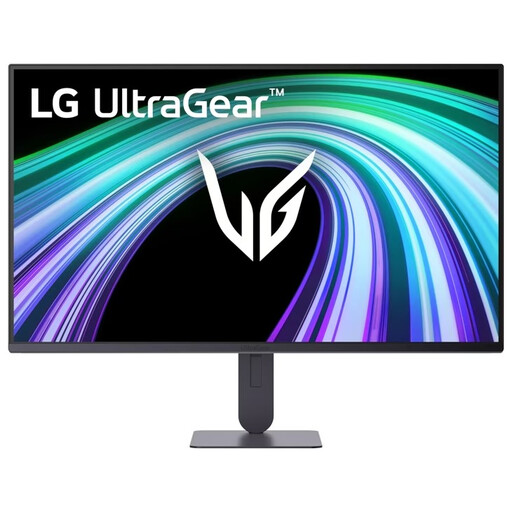
For software views on a second screen; the product information lists a 27-inch screen, 3840 × 2160 resolution, HDMI and DisplayPort.
An anti-glare screen and typical brightness of 350 cd/m² are also listed. Specifications alone can’t tell you how easy the screen will be to read in the light from your window.
No, not if that causes reflections or glare. The Arboportaal recommends positioning your viewing direction parallel to the window when working at a screen, and using distance or window blinds if needed. This is workspace advice, not a product feature that applies to every buyer.
Yes. OBS Studio explains how to project views such as the preview, programme output and multiview onto another connected computer screen. Check that your computer’s video output is compatible with the screen’s input.
It depends on the model and your camera. Atomos says the Shinobi II has no built-in battery and needs a compatible NP-F battery or suitable external power supply. Also check the HDMI connection and the camera signal it supports.
In many cases, you have 14 days to change your mind when buying remotely from a business. The Rijksoverheid lists some exceptions and explains that an online purchase from a private individual isn’t covered by the same distance-selling rules.
Report the problem to the retailer. The Rijksoverheid explains that the retailer must resolve the problem or involve the manufacturer; a commercial manufacturer’s guarantee doesn’t replace that responsibility.