
Viewers with one room that has a weak signal
Your internet works near the router, but the live concert keeps buffering in one viewing spot. A wireless repeater is only a potential solution if it can still receive a usable connection from the router.


A wireless repeater may help if reception is poor mainly in one viewing spot and the repeater itself can still receive a usable signal from the router. If you can run an Ethernet cable to the viewing spot, a wired access point avoids the wireless link between the router and access point. If several rooms have weak coverage, it’s worth comparing a suitable mesh system. First, test your internet connection and Wi-Fi at the viewing spot: none of these solutions will increase the speed of your internet plan.
Your internet works near the router, but the live concert keeps buffering in one viewing spot. A wireless repeater is only a potential solution if it can still receive a usable connection from the router.
Several people are watching or using the internet at the same time in different rooms. So, compare not only the range but also the coverage across the whole set-up and the connection between the Wi-Fi points.
You can run an Ethernet cable to the viewing spot and want to avoid a wireless link between the router and the Wi-Fi point. If so, check that the device you choose has a suitable access point mode and Ethernet port.
Suitable when: one viewing spot has poor reception and there’s a location between the router and that spot with a usable signal.
Bear in mind: the repeater first needs to receive the existing signal; a high quoted Wi-Fi speed doesn’t guarantee a stable stream.
Suitable when: you can run an Ethernet cable from the router to the viewing spot.
Bear in mind: you’ll need to plan the cable route and choose a device with a suitable Ethernet port and access point mode.
Suitable when: several rooms have insufficient coverage and you want multiple Wi-Fi points to work together.
Bear in mind: check that the mesh system is compatible with your existing router; general router compatibility doesn’t guarantee mesh integration.
Suitable when: running an Ethernet cable isn’t practical and wireless coverage between rooms isn’t sufficient.
Bear in mind: you’ll need a suitable set of adapters; the connection via your home’s electrical wiring depends on the conditions in your home.
| What to consider | What should you check? | Who should pay particular attention? |
|---|---|---|
| Reception at the viewing spot | Test the connection at the viewing spot and at the intended location for the repeater. Find an intermediate spot where the router’s signal is still usable. | If the concert mainly buffers in one room, you’ll want to know whether a repeater can still deliver a good signal there. Around 40% of consumers prioritise reception in one viewing spot. |
| Simultaneous use | Test with several devices at the same time and compare the connection with your concert service’s requirements. Netflix recommends speeds of 5 Mbps for FHD and 15 Mbps for 4K for its own streams; these figures aren’t a universal standard for concert streaming. | If several people are watching or using the internet at the same time, you’ll want to know how the connection holds up under that load. Around 30% of consumers prioritise simultaneous use. |
| Coverage across several rooms | Map all the weak spots and check that the extension works with your router, especially if you want a single mesh network. | If viewers are spread across different rooms, coverage in all those spots matters more than a solution for a single screen. Around 20% of consumers prioritise coverage across several rooms. |
| Wired connection | Check whether you can run a cable and whether the device has an Ethernet port and access point mode. | If you can run a cable to the viewing spot, you’ll be less reliant on wireless coverage between rooms. Around 10% of consumers prioritise a wired connection. |
The quoted Wi-Fi link speed doesn’t tell you how much internet speed will be available at the viewing spot when several devices are active at the same time.
Compare range and speed tests under load, and test at home with the devices that will be online during the concert.
A wireless repeater first needs to receive the router’s signal before it can extend it. Placing it somewhere with no usable reception won’t solve the problem.
Try an intermediate spot where the signal is usable. If there isn’t one, compare a wired access point.
A repeater may work with a router without supporting its brand-specific mesh features.
Check which mesh standard and compatibility are supported for your exact router and Wi-Fi extender.
The RE605X and RE705X are standalone Wi-Fi 6 repeaters with a gigabit port and access point mode.
The FRITZ!Repeater 1200 AX has a gigabit LAN port and is worth comparing for a suitable extension to your network.
The EAX20 is a Wi-Fi 6 mesh extender to consider for wireless coverage.
The Magic 2 WiFi 6 next Starter Kit combines powerline adapters with Wi-Fi.
This selection includes mesh systems, wired access points and repeaters for extending Wi-Fi coverage at home.
 No image available
A mesh system to consider if you need coverage in several areas of your home.
Dual-band: 2.4 GHz and 5 GHz; Wi-Fi 6 (802.11ax).
 No image available
A wired access point to consider if you can run an Ethernet cable to the viewing spot.
The product name specifies PoE and 2976 Mbit/s.
 No image available
A repeater to consider if you want to extend coverage wirelessly to a viewing spot with a weak signal; place it where it can still receive the existing router signal.
The product name specifies 10, 100 and 1000 Mbit/s.
 No image available
An access point for a wired set-up; the cable must reach the access point’s location.
The product name specifies PoE and 5012 Mbit/s.
 No image available
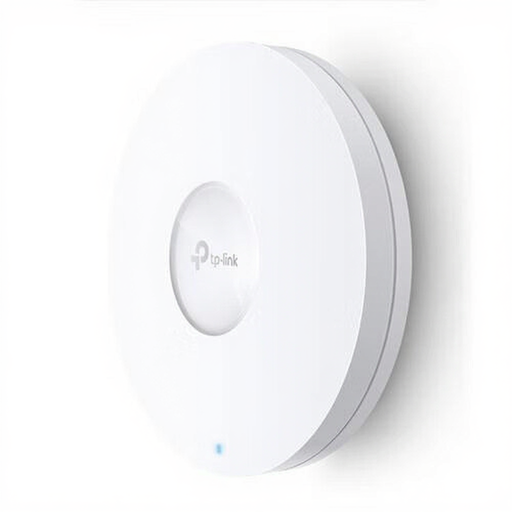
An access point to consider if you can run a cable to the viewing spot.
The product name specifies Wi-Fi 6, PoE and 1201 Mbit/s.
Compare the connection near the router with the one at the viewing spot, and check whether the intended repeater location still receives a usable signal from the router. Netflix recommends speeds of 5 Mbps for FHD and 15 Mbps for 4K for its own streams; your concert service’s requirements and simultaneous use may differ.
Start with a spot between the router and the room with poor reception, where the repeater can still receive the router’s signal. Follow the set-up instructions for your chosen model; the controls vary from device to device.
For a wired solution, factor in any cable installation costs. For other solutions, compare how many Wi-Fi points or adapters you’ll need. ACM ConsuWijzer explains that your statutory guarantee applies alongside any commercial guarantee. If a product used normally doesn’t meet what you could reasonably expect, contact the seller.
The Dutch Authority for Digital Infrastructure states that radio equipment sold in Europe must meet the applicable requirements and carry the correct CE marking. Check the equipment you actually receive; a mention in a product description isn’t the same as checking the marking on the device.