Choose a stereo pair if you want distinct left and right channels for live recordings and have room for two speakers. Sonos documents stereo pairing for the Era 100, and Apple does so for the HomePod (2nd generation). If you’d rather have a single device, compare the playback options and setup requirements. Manufacturer claims about room-filling sound aren’t independent measurements of your living room. Remember to factor in the complete setup, including a second speaker or line-in adapter if needed.
Who is this choice relevant to?
Listeners looking for stereo separation
You want to hear where the left and right channels sit in live recordings, and have room for two speakers. Sonos and Apple describe stereo pairing for specific models, although the result also depends on how you arrange them in your room.
Listeners with several seating areas
You’re looking for a practical way to play music in a large living room and want to weigh up whether one larger speaker will suit your seating areas. The Consumers’ Association discusses speakers for home use and larger spaces.
Listeners with an existing music system
You want to keep using your existing devices and music services, so you’re considering playback options, setup and any voice controls. Check that the specific model works with your own music source.
What should you consider?
First decide whether distinct stereo imaging or a single centrally positioned speaker matters more to you. Then check the playback option and the complete setup.
| What to consider |
What should you check? |
Who should weigh this up carefully? |
| Stereo imaging and positioning |
Check whether the model supports stereo pairing and whether you can place two units in suitable positions. |
If you want to distinguish the left and right channels in live recordings, you’ll need room for two speakers. Around 31% of consumers prioritise stereo imaging and positioning. |
| Sound in a large living room |
Compare the positioning and size. Manufacturer claims about room-filling sound don’t measure coverage in your seating areas. |
If you mainly listen to concert albums from several regular seating areas, you’ll want to know how the setup performs there. Around 25% of consumers put coverage of the room first. |
| Playback source and setup |
Check that your music service, album and device work with your chosen playback option, and review the initial setup requirements. |
If you want to use your existing albums and devices without extra steps, source compatibility is key. Around 19% of consumers prioritise this. |
| Privacy and voice control |
Read the privacy policy and check the microphone, account and privacy settings for the specific model. |
If you value control over microphones and data processing, privacy matters more. This applies to around 13% of consumers. |
| Complete setup |
Include a second speaker and any required adapter in your comparison. |
If you want to assess the complete working setup rather than just one speaker, the overall package comes first for around 12% of consumers. |
Pitfalls to avoid
-
Assuming ‘Dolby Atmos’ is guaranteed to work with every concert album
Dolby Atmos Music requires compatible content and a supported playback option. Not every version of an album offers both.
Before buying, check which version of your concert album you have and whether your music service and playback method support it.
-
Assuming Bluetooth means you can set it up without Wi-Fi
According to Sonos, the Era 300 must first be set up over Wi-Fi before you can use it as a Bluetooth speaker.
Check the setup requirements for the exact model, even if you plan to use Bluetooth most of the time afterwards.
-
Budgeting for just one speaker when choosing a stereo pair
A stereo pair consists of two units. Sonos also specifies an adapter for the wired line-in option described for the Era 300.
Check which components you’ll need for your music source and preferred setup.
A second speaker or a separate line-in adapter may require extra space and components.
Brands to compare
These models offer different options for stereo pairing, using a single speaker and playback methods. Always check that the features suit your devices and albums.
Sonos
The Era 100 is worth considering for stereo pairing, while the Era 300 also focuses on Dolby Atmos Music and a range of playback options.
- Sonos documents stereo pairing for the Era 100, and Wi-Fi, Bluetooth and an adapter-based line-in connection for the Era 300.
- The Era 300 requires compatible content and a suitable playback option for Atmos Music. It must first be set up over Wi-Fi before you can use Bluetooth.
JBL
The Authentics 500 is a larger all-in-one option with several wireless playback methods and voice assistants.
- JBL lists Wi-Fi, Bluetooth, AirPlay, Chromecast built-in and Spotify Connect for the Authentics 500.
- JBL’s claims about lifelike sound or large rooms are manufacturer descriptions, not independent listening comparisons. Atmos Music requires compatible content and services.
Apple
The HomePod (2nd generation) is an option if you have a compatible Apple device and are considering either one speaker or a stereo pair.
- Apple describes stereo pairing between compatible HomePod speakers.
- Apple specifies a compatible iPhone or iPad model and Wi-Fi for setup. Bluetooth 5.0 in the specifications does not, by itself, confirm general Bluetooth audio playback.
Denon
The Home 350 is worth comparing if you’re interested in HEOS, a direct 3.5mm input or stereo pairing.
- Denon specifies HEOS and connection options for this model and publishes an EU declaration of conformity.
- The Dutch model page is marked as archived, so don’t treat it as proof of current availability.
Joybuy product picks
Joybuy product picks for playing music in your living room, with wireless connection options and different setup configurations.
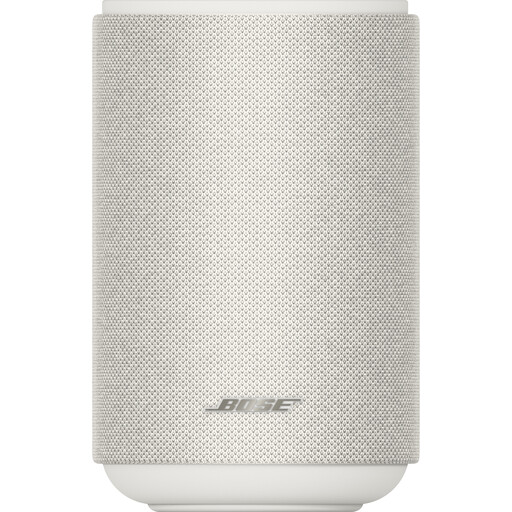 Image unavailable
Bose Lifestyle Ultra Speaker, White
Could be a good fit if you’re looking for one speaker as your main music source.
The title specifies the white version.
View at Joybuy
 Image unavailable
Edifier ES300 WLAN & Bluetooth Speaker, 60W
Could be a good fit if you want to play music over a wireless connection or one of the listed wired connections.
The product title lists WLAN, Bluetooth, AirPlay 2, USB and AUX, as well as 60W and up to 12 hours of battery life.
View at Joybuy
Frequently asked questions
Do you need to buy two speakers for live albums?
No, you don’t. Choose two compatible units if you want distinct left and right channels and have room for them. One larger speaker is a different kind of setup. Product specifications don’t measure how the sound performs in every seating area in your room.
Can you use the Sonos Era 300 straight away over Bluetooth?
No. According to Sonos, the Era 300 must first be set up on a Wi-Fi network. You can then use Bluetooth.
How can you protect your privacy after setup?
Check the privacy settings and change the default login details where possible. The Dutch Data Protection Authority advises reviewing your privacy settings, while the Dutch government recommends using strong passwords and updating your software and apps.
What are your rights if a speaker bought online doesn’t work properly?
If a product is faulty, contact the seller to put things right. A manufacturer’s warranty is in addition to your statutory rights. The Dutch government states that when you buy from a business at a distance, you generally have a 14-day cooling-off period, subject to statutory exceptions.
What requirements apply to Wi-Fi or Bluetooth speakers in the Netherlands?
Radio equipment placed on the EU market must meet the applicable requirements of the Radio Equipment Directive, including conformity assessment and CE marking. The European Commission outlines these market access requirements. Check the marking and documentation for the specific product listing, as information about one model doesn’t automatically confirm compliance for another version.


