
At-the-table listener
You want to listen to vocals and instruments from a regular seat, and find out whether there’s room for two separate speakers.


Start with your playback source and the safe space available in your kitchen-diner. One speaker takes up less room, while a stereo pair needs two suitable places to set them up. A pair may be worth considering if you usually listen from a fixed spot at the table. Then check whether you can play albums through your streaming service, phone or a wired source, and which speakers, cables or adapters you’ll need.
You want to listen to vocals and instruments from a regular seat, and find out whether there’s room for two separate speakers.
You listen at both the worktop and the table, and want to work out where a speaker can sit safely and how you’ll control the music.
You have recordings on a phone or another playback device, and want to check the whole connection, including any adapters you might need.
A good fit if: you mainly stream at home, have limited space and are happy to use an app for control.
The trade-off: one speaker isn’t the same as two stereo channels placed apart. Sonos says the Era 100 must first be set up over Wi-Fi before Bluetooth will work.
A good fit if: you have two safe spots for speakers and your playback source works with the available connections.
The trade-off: you’ll need more space and should consider the position of both speakers and how they’ll connect to your source.
First, choose between one cabinet and two separate speakers. Then check the playback options, available space and controls.
| What to consider | What to look for when buying | Who should pay particular attention? |
|---|---|---|
| Stereo image | Measure two safe spots for the speakers and, if possible, listen from your usual seat. | From my usual seat at the table, I want to decide whether two separate speakers will suit my listening setup. Around 31% of consumers put stereo image first. |
| Playing your own albums | Check where your albums are stored, which output your source has and whether you need an adapter. | I want to play my albums from my phone or own player without overlooking a connection. Around 31% of consumers prioritise playback options. |
| Safe placement and space | Measure the space for one or two speakers, and plan for power sockets and cables. | In my kitchen-diner, I want to find a suitable spot without obstructing walkways. Placement comes first for around 23% of consumers. |
| Everyday controls | Check that each model supports the app, physical controls and music service you want to use. | When I’m cooking or eating, I want to be able to start and adjust the music easily. Around 15% of consumers make controls their top priority. |
A single speaker is a different setup from a stereo pair. Sonos describes pairing two Era 100 speakers, while Denon describes the Home 150 as a mono speaker and explains how to pair it in stereo with a second compatible speaker.
Decide whether you want to use two safe speaker positions now or in the future, and compare the complete setup before choosing.
The required setup, input or adapter can vary by model. Sonos says the Era 100 must first be set up over Wi-Fi before you can use Bluetooth. For a wired source, Sonos specifies a separate adapter.
Check the whole route: from where your album is stored to the connection or service used by the speaker.
Consumentenbond assesses factors including tonal balance, distortion and dynamics. The sound can change when you turn the volume up from a normal listening level.
If possible, listen to recordings like your own at the volume you usually use at home.
The Era 100 is an example of a compact home speaker with Wi-Fi and Bluetooth.
The active R1280DB is an example of a pair of speakers with Bluetooth and wired inputs.
The Home 150 is a standalone Wi-Fi and Bluetooth speaker in the HEOS system.
The Authentics 200 is an example of a standalone Wi-Fi and Bluetooth speaker.
The PULSE FLEX is a compact streaming speaker that Bluesound says can be used on its own or as part of a pair.
These product options range from portable Bluetooth speakers and a Wi-Fi speaker to computer and passive bookshelf speakers. For a wired source, check the connections. Bear in mind that passive speakers need a separate amplifier.
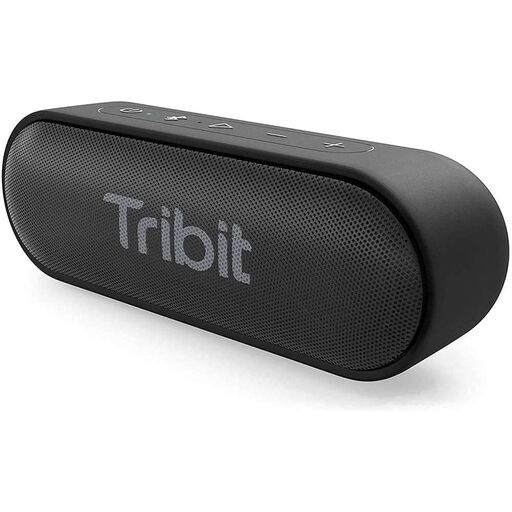 No image available
A portable Bluetooth speaker for playing audio from a compatible Bluetooth source.
The product name specifies Bluetooth and the BTS58 variant in black.
Close the port cover before exposing it to water, and dry the port before charging.
 No image available
A portable Bluetooth option for playing albums from a compatible Bluetooth source.
The product name specifies Bluetooth and IPX7; follow the product instructions for use and contact with water.
The product name also specifies RGB lighting.
 No image available
An option for streaming at home or connecting a wired source, provided the connections work with your playback device.
The product name specifies Wi-Fi, Bluetooth, AirPlay 2, LDAC, multi-room, USB and AUX.
The product name specifies 60 W and a 12-hour battery life.
 No image available
A set of computer speakers for a source that supports one of the listed connections.
The product name specifies Bluetooth 5.3, USB and a 3.5 mm AUX connection.
The description specifies USB power; check that this suits your planned setup.
 No image available
A pair for a fixed listening spot where you have room for two speakers and a suitable amplifier.
These are passive bookshelf speakers with 6.5-inch drivers.
They need to be connected to a separate amplifier.
No, you can listen with one speaker. Two compatible speakers are an option if you want a stereo pair and have room for two positions. For example, Sonos describes pairing two Era 100 speakers.
No, Sonos says the Era 100 must first be set up over Wi-Fi before you can use Bluetooth.
That depends on the connections available on both devices. For the Era 100, Sonos specifies a separate adapter for a line input. Edifier lists RCA, optical and coaxial inputs, among others, for the R1280DB. Compare your player’s output with the inputs on the exact model you’re considering.
Choose a stable spot and follow the placement and safety instructions for your chosen model. Keep the speaker away from direct splashes and heat, and plan the cable route and space to move around.