What should you look for when choosing?
First choose between a sealed design, an open design and headphones. Then compare the fit, ambient sound and playback time to find what suits the place where you listen.
Sealed wireless in-ear earbuds
A good fit if: you want a small case and often listen somewhere that background noise could drown out the narrator.
Trade-off: a sealed fit may feel uncomfortable and makes it harder to hear surrounding sounds.
Open earbuds
A good fit if: you want to hear traffic or announcements while listening, or find sealed earbuds uncomfortable.
Trade-off: background noise can make speech harder to follow; an open design is no substitute for staying alert.
Compact on-ear or larger over-ear headphones
A good fit if: you often listen for a long time and a pocket-sized case is less important to you.
Trade-off: over-ear headphones take up more space in your bag; on-ear headphones can put more pressure on your ears. Check the dimensions of the model.
| What to consider |
What should you check? |
Who is it important to? |
| Compact size and fit |
Check the shape and size of the earbuds and case, and which ear tips are included. |
When I go out without a large bag, I want a set that’s easy to carry and comfortable to wear. Around 33% of consumers prioritise compact size and fit. |
| Spoken content in busy surroundings |
Compare the level of isolation and any ANC features; don’t take an ANC claim as proof that every voice will be easier to understand. |
I want to follow the narrator when background noise gets in the way. Around 27% of consumers put being able to understand speech in busy surroundings at the top of their buying priorities. |
| Staying aware of your surroundings |
Check whether the design is open or has an ambient sound mode, and think about where you’ll use it. |
If I want to hear announcements or traffic while listening to a story, I pay attention to how much my ears are sealed off. Around 20% of consumers prioritise awareness of their surroundings. |
| Playback time per charge |
Compare the stated playback time per charge in the same listening mode; keep this separate from the total time with the case. |
When listening to several stories in a row, I don’t want to stop to recharge. Around 20% of consumers put uninterrupted listening time first. |
Joybuy product picks
This Joybuy selection includes wireless in-ear and open-ear models. Compare the design with your need to block out background noise or stay aware of it.
 No image available
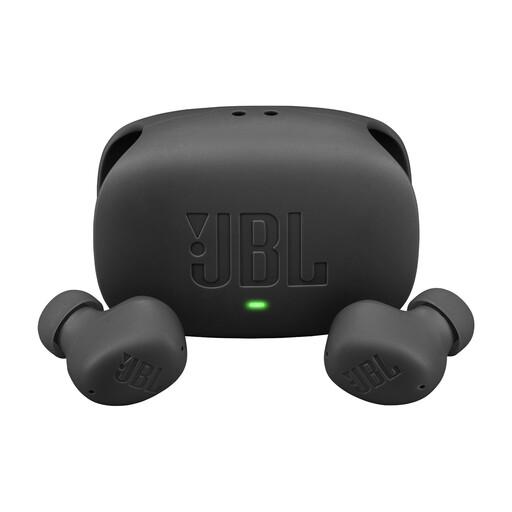
JBL Wave Buds 2, black
A sealed in-ear option to compare if you’re looking for a portable set and want to weigh up ambient sound features.
The product information lists ANC, Smart Ambient and multipoint. Playback time per charge is stated as up to 10 hours with ANC off; the stated 40-hour total includes the charging case.
Joybuy
 No image available
Samsung Galaxy Buds4 Pro True Wireless, black
An in-ear option to compare if you’re looking for a sealed design for wireless listening.
The product information lists ANC and controls on the earbuds. Auto Switch is linked to Galaxy devices.
Joybuy
 No image available
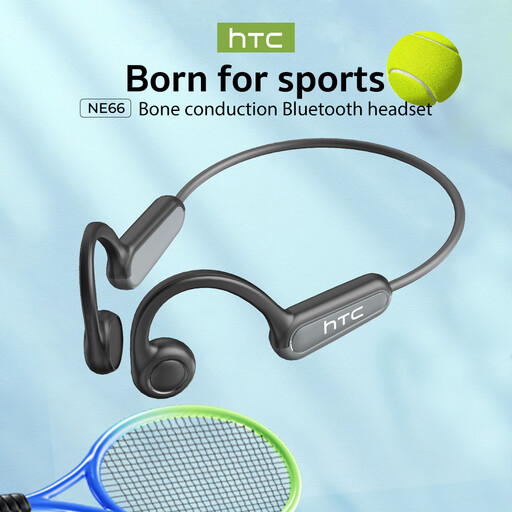
NE66 AI Translation Bone Conduction Headphones, black
The open-ear design is worth comparing if you want to keep your ear canals less blocked and stay aware of surrounding sounds.
The product title lists Bluetooth 5.4 and IPX5. An open design can make spoken content harder to follow in a noisy environment.
Joybuy
 No image available
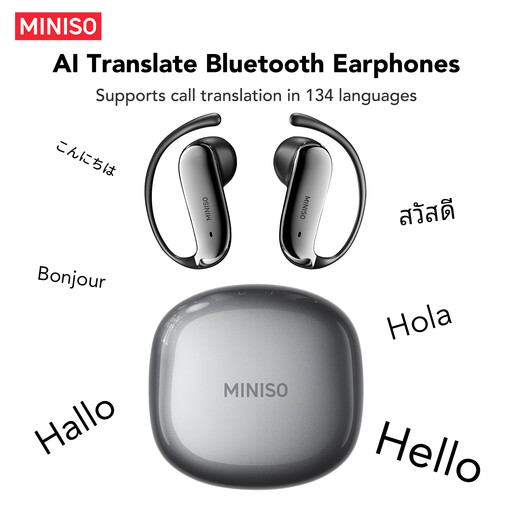
MS218 OWS Open-Ear Bluetooth 6.0 Earphones, gunmetal
An open-ear option to compare if you want to stay more connected to your surroundings while listening.
The product information lists Bluetooth 6.0. An open design can make speech harder to follow when there’s a lot of background noise.
Joybuy
 No image available
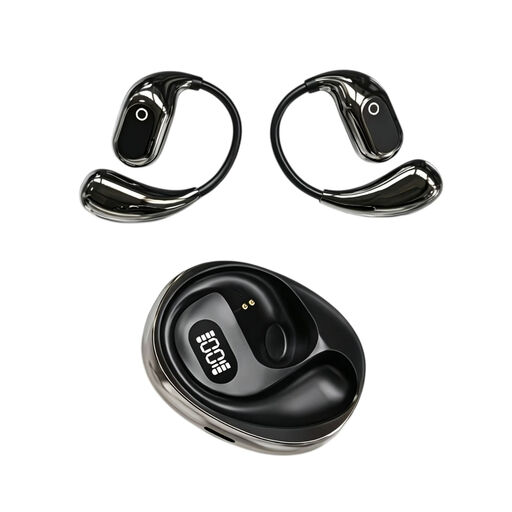
OWS On-Ear Headphones with Type-C Charging Case, black
These OWS headphones are worth comparing if you’re looking for an open design with a charging case for a portable listening set.
The product information lists music playback, a charging case and Type-C charging.
Joybuy
Frequently asked questions
How can you stop background noise from making you turn the volume up?
Keep the volume at a safe level and, if possible, turn on the volume limiter on your playback device. VeiligheidNL recommends this as a preventative measure; it’s no guarantee that a particular pair of earbuds will prevent hearing damage.
What should you check when pairing and charging?
Check that your playback device can connect via Bluetooth, whether you want to switch between devices and how the model charges. Sony lists Bluetooth, multipoint and USB charging via the charging case for the WF-C510; these specifications don’t automatically apply to other models.
Can you listen to music with earbuds while travelling in the Netherlands?
According to the Rijksoverheid, you can listen to music hands-free while driving, but you must not hold an electronic device while driving. Bear your surroundings in mind when choosing and using earbuds.
Who should you contact about a fault with wireless earbuds?
For your statutory guarantee in the Netherlands, contact the seller. The Rijksoverheid states that there is no fixed statutory warranty period; what you can expect from the product depends, among other things, on the product and the information provided.
Do earbuds need a USB-C connection?
The European Commission states that, since 28 December 2024, common charger requirements have applied to products within their scope, including earbuds and headphones. Check the product version and charging specifications; the rules don’t automatically mean that every older item or charging set-up is the same.


