
Vandaag of morgen in huis

Kwaliteit gegarandeerd

Welkomstaanbiedingen ontgrendelen: GRATIS bezorging | Tot 80% korting | Gratis 30 dagen JoyPlus-proefperiode
Download de app
The Lexar NM990 4TB SSD is particularly appealing to users who want to load large games, video projects and 3D files quickly. With a quoted read speed of up to 14.000 MB/s and write speed of up to 11.000 MB/s, this PCIe 5.0 SSD 4TB belongs to a new generation of internal storage.
However, high speed on the product page isn’t the only thing to consider. The wrong M.2 slot, insufficient cooling or unclear product specifications could mean you get less performance than expected. Read on to find out what to check before buying a Lexar NM990 4TB NVMe SSD.
According to the product specifications, the Lexar NM990 uses a PCI Express 5.0 x4 interface. You’ll need a motherboard with an M.2 slot that supports PCIe 5.0 x4. In a PCIe 4.0 slot, an SSD will generally fall back to a lower-generation speed, depending on the motherboard and configuration.
So check:
An M.2 slot doesn’t automatically mean every NVMe SSD will run at maximum speed.
According to the product information, the Lexar NM990 has a heatsink/heat spreader and is 2,45 mm tall. This can help dissipate heat, but airflow inside your PC case is still important. An NVMe SSD can get hot during prolonged transfers, video editing or large game installations. If the temperature gets too high, the controller may reduce the speed.
So consider:
Don’t use both an integrated motherboard heatsink and a bulky separate heatsink unless the manufacturer confirms there’s room for both.
The quoted 14.000 MB/s is a sequential read speed. This is relevant when handling large files, such as raw video footage or project archives. Starting Windows, opening small files and running lots of tasks at once also depend on random read performance, firmware, the processor and software.
According to the product specifications, the Lexar NM990 offers up to 2.000.000 IOPS read and 1.500.000 IOPS write at 4K, QD32. These figures are useful for comparisons, but they don’t guarantee that every game or application will show the same improvement.
With 4 TB of capacity, this internal SSD has room for several large games, 4K video projects and extensive media libraries. The product specifications list 3D TLC NAND, DRAM and dynamic SLC cache. TLC is a common type of flash memory that offers a balance of performance and capacity.
The quoted TBW rating is 3 PB. TBW stands for Total Bytes Written: an indication of how much data can be written to the SSD according to the product specifications. It isn’t a prediction of its exact lifespan. Always back up important files.
The Lexar NM990 is an M.2 2280 SSD. This means the module is approximately 22 mm wide and 80 mm long. Check that your desktop or laptop has a spare M.2 2280 slot that supports NVMe. An M.2 slot for SATA is not the same as a PCIe slot.
Before installation, shut down your computer completely, unplug the power cable and touch an earthed metal part to reduce static electricity. Carefully insert the SSD at an angle, then secure it using the motherboard’s fixing hardware.
The product information lists support for Microsoft DirectStorage. On compatible systems, this technology can make communication between storage and the graphics card more efficient. The actual benefit depends on the game, Windows configuration, GPU and other hardware.
For a 4TB gaming SSD, capacity is often just as useful as maximum speed. You won’t need to uninstall games as often if you want to keep several large titles installed at once.
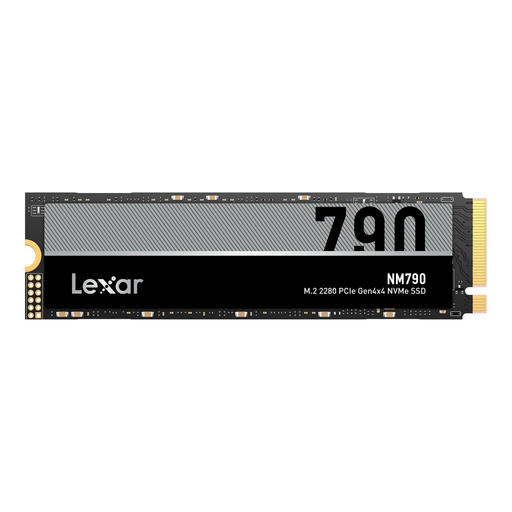
Why it suits this profile: If you’re looking for plenty of storage and smooth performance without upgrading to PCIe 5.0 just yet, this PCIe Gen4x4 SSD offers a practical balance for gaming and everyday creative work.
The quoted read speed of 7.400 MB/s and write speed of 6.500 MB/s are clearly specified for PCIe 4.0 x4. So you won’t be paying for PCIe 5.0 support that your motherboard may not be able to use.
M.2 2280 form factor, 3D TLC NAND and NVMe support. The 2 TB capacity is suitable for several games and projects.
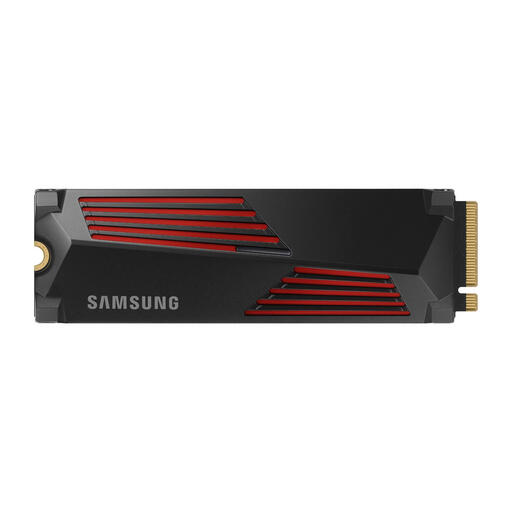
Why it suits this profile: This 4TB PCIe 4.0 SSD is designed for users who want an integrated heatsink and plenty of storage for games, 4K video and 3D projects.
The heatsink is included with the product, so you don’t need to pair it with a separate cooling solution yourself. Be sure to check the available space in your system first.
According to the product information, it offers read speeds of up to 7.450 MB/s and write speeds of up to 6.900 MB/s, plus compatibility with desktops and certain laptops and consoles.
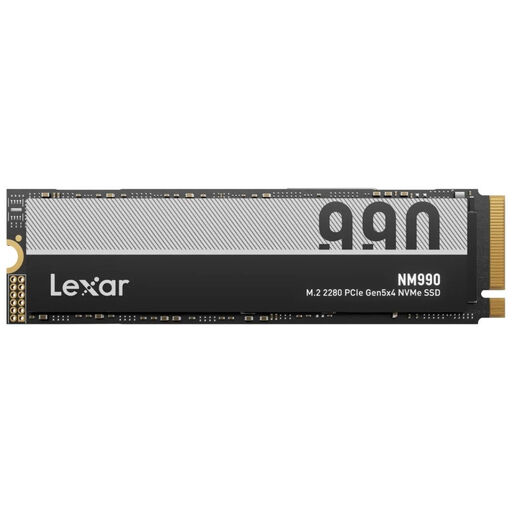
Why it suits this profile: This drive is designed for PC users with a PCIe 5.0 x4 motherboard who regularly transfer large files, games and professional workloads.
The interface, capacity, TBW rating and quoted speeds are clearly specified. Still, check compatibility, as the product information includes different installation references for PCIe 4.0 and PCIe 5.0.
4 TB of storage, read speeds of up to 14.000 MB/s, write speeds of up to 11.000 MB/s, a quoted 3 PB TBW rating and DirectStorage support.
We’ve put together a complete, up-to-date list of products that meet these strict selection criteria and the applicable European safety regulations.
No. Your system needs to support an M.2 2280 slot with NVMe and PCIe 5.0 x4 to use the drive with the specified interface. The SSD may work in an older PCIe slot, but transfer speeds will be lower. Check your motherboard manual.
The product specifications list a heatsink or heat spreader. Additional cooling is particularly important under prolonged heavy workloads. Before fitting an extra heatsink, check that it suits the height of the SSD and won’t interfere with the motherboard or graphics card cooling.
The quoted 3 PB TBW is a technical guideline for the amount of data written. Actual lifespan depends on write workload, temperatures, firmware and system use. You’ll still need a separate backup for important files.
