
Teachers comparing sources
If you need to view source material and a lesson plan at the same time, having space for several clearly readable windows is an important consideration. Lenovo and BenQ describe QHD models that could suit this need.


Do you mainly read or write one lesson document at a time? A compact 16:10 monitor can give you extra vertical space for documents; Dell lists the P2425 as having a resolution of 1920 × 1200 pixels. If you often view sources and lesson plans side by side, you could consider a QHD model: Lenovo and BenQ describe QHD versions with a resolution of 2560 × 1440 pixels. Also check that the monitor is easy to adjust at your shared desk and that its connections are compatible with the laptops used there.
If you need to view source material and a lesson plan at the same time, having space for several clearly readable windows is an important consideration. Lenovo and BenQ describe QHD models that could suit this need.
If you share a workspace, you’ll want to be able to readjust the monitor and reduce distracting reflections. Arboportaal highlights factors such as adjustability and preventing glare at computer workstations.
If you use different laptops, check in advance that the monitor can display an image from each one, and whether charging or connecting peripherals is possible through the connection you want to use. Dell and BenQ describe different USB-C features for their specific models.
Start by considering how much room you need for sources and lesson plans. Then check the adjustment options, laptop connections and available desk space.
| What to consider | What to look for | Who will find this most important? |
|---|---|---|
| Space for sources and lesson plans | Compare screen size and resolution, and view your windows at a text size that feels comfortable. | If I want to read a historical source alongside my lesson plan, I look for enough room to display both windows. Around 33% of consumers put this workspace first. |
| Adjustability and readability | Check the height and tilt adjustments, screen finish and position in relation to light sources. | At a shared desk, I want to readjust the screen position and reduce reflections. Around 25% of consumers give adjustability and readability top priority. |
| Connecting different laptops | For each laptop, compare its video output and charging requirements with the monitor port’s features and the cable. | When different laptops share the same monitor, I want to know whether the connection I plan to use supports video and, if needed, charging. Around 25% of consumers put laptop connectivity first. |
| Desk space and features | Measure the available width and depth, including room for the monitor stand, and decide whether you’ll open one or more documents at a time. | With limited space at a shared desk, I don’t want to choose a screen that takes up more workspace than necessary. Around 17% of consumers give a more compact setup top priority. |
A USB-C connection doesn’t automatically mean that a laptop can receive a video signal or charge through that port. Dell says the P2425 has a USB-C downstream port for data only; BenQ specifies that the GW2790QT supports video, data and 65 W Power Delivery via USB-C.
Compare the full port specifications of the exact monitor model with the video and charging capabilities of each laptop. Depending on the combination, you may also need a separate power adapter, cable or dock.
Screen size and resolution together determine how much room you have for windows. A larger screen doesn’t guarantee that text will be comfortable to read at your workstation.
View your source and lesson plan side by side at a suitable text size, and check how much room the monitor stand takes up.
An adjustable monitor won’t automatically prevent reflections from windows or lighting. Arboportaal also highlights lighting, blinds and the position of the workstation as factors to consider.
Check the screen in the place where you plan to use it, and adjust its position or the lighting if necessary.
The features mentioned below apply to the specific models and product ranges listed, not automatically to every monitor from the same brand.
The P2425 we reviewed is a 16:10 monitor for text-based work; the P2425DE adds QHD and USB-C hub features.
The ThinkVision T27h-30 combines a 27-inch QHD screen with connections for peripherals.
The GW2790QT we reviewed combines QHD with USB-C and adjustable positioning.
The Business Monitor 24B2N4200/00 we reviewed is a 23.8-inch Full HD model for a more compact setup.
The models below offer QHD or 4K for viewing lesson materials and other documents side by side. Compare the resolution with your preferred text size, and check that each model has the connections your laptop needs.
 Image unavailable
The 27-inch QHD format could suit you if you want to view source material and lesson plans side by side.
27 inches; QHD resolution of 2560 × 1440 pixels.
 Image unavailable
This 27-inch 4K model is worth comparing if you want to view several lesson documents on one screen.
27 inches; 4K UHD resolution of 3840 × 2160 pixels; the product name lists USB-C with 90 W Power Delivery. Check that your laptop and cable support the features you need.
 Image unavailable
This model could suit you if you’re looking for QHD resolution in a 24-inch-class monitor and want to compare hub features too.
2560 × 1440 pixels. Dell lists 90 W power delivery via USB-C and ethernet for the P2425DE; check that your laptop supports them.
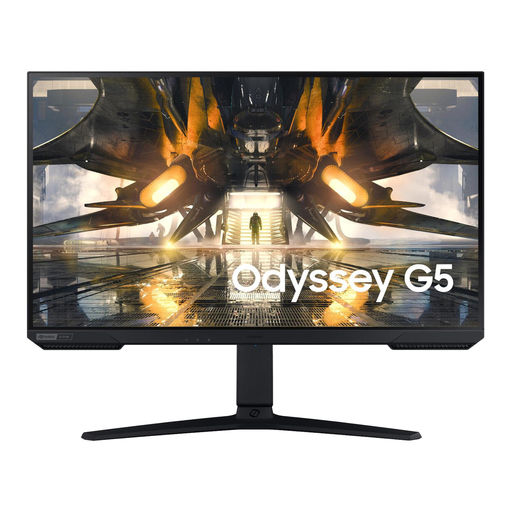 Image unavailable
The 27-inch QHD format could suit you if you want to view sources and lesson plans side by side.
27 inches; QHD resolution of 2560 × 1440 pixels.
 Image unavailable
This 27-inch QHD model could suit you if you want to view more than one document window while planning lessons.
27 inches; QHD resolution of 2560 × 1440 pixels.
Whenever you change desks, readjust the screen height and viewing angle, and check whether windows or lights cause distracting reflections. Arboportaal highlights adjustability, sufficient lighting and preventing glare as factors to consider; one setting won’t automatically suit every workstation.
No. The presence of USB-C alone doesn’t mean that video and charging will both work through a single cable. Dell lists a USB-C downstream data port for the P2425; BenQ specifies video, data and 65 W Power Delivery for the GW2790QT. Check your laptop and cable too.
Compare the energy label and product information sheet for the exact monitor. The European Commission describes an energy label ranging from A to G for electronic displays. If a product is faulty, the Dutch government lists the retailer as your point of contact for a solution.
Arboportaal outlines requirements for setting up computer workstations, including having an adjustable screen and preventing glare. The rules and provisions that apply depend on your working situation, so check which requirements apply to your workplace.
The Dutch government says that a 14-day cooling-off period applies in many cases to distance purchases. Before buying, check which terms apply to the party placing the order.