
Photo editor with few power sockets
Works on a laptop and wants to connect the display, data and enough power for the laptop through the monitor. That’s why it’s important to check what both the laptop and monitor support.


Choose a flat monitor with enough resolution to assess lines and fine details during lens correction. You’ll make the corrections themselves in photo-editing software, as Adobe explains for Photoshop. USB-C with Power Delivery can remove the need for a separate laptop charger if your laptop supports video over the connection and the power output is sufficient. The monitor will still need to be plugged into the mains, and suitable colour settings and calibration are more important for print work than simply having extra ports.
Works on a laptop and wants to connect the display, data and enough power for the laptop through the monitor. That’s why it’s important to check what both the laptop and monitor support.
Assesses curved or converging lines and fine details while correcting lens distortion and perspective in software.
As well as detail, considers a suitable colour gamut and a calibration process that fits their workflow.
First check that your laptop can output video through the connection you want to use and will receive enough power. Then decide how much detail and colour control your work requires.
| What to consider | What to look for | Who is this important for? |
|---|---|---|
| Laptop power and sockets | Check video support over USB-C, the cable and the charging power of the exact monitor model. The monitor itself will still need mains power. | If I have few power sockets, I want to know whether the monitor can power my laptop without compromising the video connection. Around 36% of consumers give top priority to powering their laptop while using as few sockets as possible. |
| Lines and details | Compare the resolution and screen shape with your workspace and the details you want to assess in photos. Lens correction is done in software. | When working on architecture photos, I want to assess straight lines and fine details clearly while correcting distortion. Around 29% of consumers put checking lines and details first. |
| Colour for print work | Check the stated colour space and calibration features of the exact model. A wide colour gamut is no substitute for a controlled workflow. | When preparing images for print, I want to consider colour settings and calibration, not just the connections. Around 21% of consumers put colour control for print work first. |
| Resolution and features | Weigh up the resolution and colour features you need against how you’ll use the monitor and the total cost of your chosen setup. | I want to choose features that genuinely support my editing work, without paying for extras I don’t need. Around 14% of consumers consider the balance between purchase cost, resolution and features the most important factor. |
Your laptop must support video through the connection, and the monitor’s charging power must be suitable for your laptop. Otherwise, you may still need a separate laptop charger.
Before relying on a single mains plug for your setup, check your laptop’s video connection requirements and power needs against the specifications of the exact monitor model.
Adobe describes lens and perspective correction as edits made in Photoshop. The monitor displays the image you assess in the software.
Choose a screen for viewing the results, and separately check whether your photo-editing software offers the corrections you need.
According to AOC, the AOC Q27B3CF2 has a resolution of 2560 × 1440; the 4K models mentioned have a resolution of 3840 × 2160. Colour features also vary by model.
Compare resolution and calibration features separately, depending on whether you mainly prepare images for online use or for print.
The fire service warns that connecting extension leads together can lead to overloading and fire.
Use undamaged, approved extension leads and check the load on your setup. A USB-C connection doesn’t remove the monitor’s mains power consumption.
These brands are useful points of comparison for different photo workflows. The features listed apply only to the specific models and product ranges mentioned.
The 27UP83AK-W is a flat 27-inch 4K monitor with USB-C for connecting a laptop.
The ProArt PA279CV and PA279CRV offer different specifications for colour work and laptop charging.
According to BenQ, the SW272U combines 4K with features for print-focused colour work.
The ColorEdge CS2740 is a 27-inch 4K model with features for print-focused colour work.
The flat Q27B3CF2 is a QHD option for anyone who values laptop charging.
These Joybuy product picks are aimed at assessing fine details during photo editing. Check that each model’s connections and colour features suit your laptop and workflow.
 No image available
The 4K resolution is useful if you want to assess fine details during lens correction; you’ll make the corrections themselves in photo-editing software.
32 inches; 4K UHD; 120Hz; QD-OLED.
 No image available
The 4K resolution may suit you if you need to assess fine details. Bear in mind that the monitor won’t correct lens distortion itself.
31.5 inches; 4K Ultra HD; 3840 × 2160 pixels; OLED.
 No image available
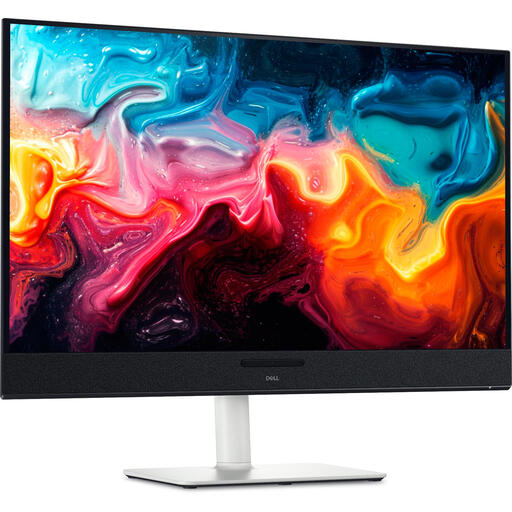
A flat 4K monitor may suit you if you need to assess straight lines and fine details. USB-C power can replace a separate laptop charger if the video connection and power output are suitable for your laptop.
27 inches; 3840 × 2160 pixels; IPS; 120Hz; USB-C 90W PD.
 No image available
The 4K resolution is useful for inspecting details during photo editing; check separately that the connections are suitable for your laptop.
31.6 inches; 3840 × 2160 pixels; 4K Ultra HD; QD-OLED.
 No image available
The portable 15.6-inch size may suit you if you’re looking for a compact second screen for creative work. Check that this size works for your editing setup.
15.6 inches; 3840 × 2160 pixels; 4K Ultra HD; LCD.
No, you’ll make lens corrections in photo-editing software. In Photoshop, Adobe describes corrections for issues including barrel and pincushion distortion, as well as perspective problems. The monitor displays the result for you to assess.
It can remove the need for a separate laptop charger if your laptop supports video through the connection and the charging power is sufficient. The monitor will still need mains power, so check your laptop, cable and the specifications of the exact monitor model.
Choose a colour space that suits your output and check which calibration features the exact model offers. EIZO lists hardware calibration of brightness, white point and gamma for the CS2740; LG lists support for calibration via LG Calibration Studio for the 27UP83AK-W. These model-specific manufacturer specifications don’t mean an uncalibrated setup is automatically suitable for print work.
If a product is faulty, your statutory rights may entitle you to a free remedy from the retailer. According to the Dutch government, there is no fixed statutory guarantee period in the Netherlands; what you can expect from a product depends on the product and the circumstances. Many online purchases from a business also come with a 14-day cooling-off period, subject to exceptions.
The fire service advises using approved, undamaged extension leads and not connecting them to one another, as this can cause overloading and fire. This is safety advice; it does not, in itself, establish a specific legal ban.