
Vandaag of morgen in huis

Kwaliteit gegarandeerd

Welkomstaanbiedingen ontgrendelen: GRATIS bezorging | Tot 80% korting | Gratis 30 dagen JoyPlus-proefperiode
Download de app
A clutter-free desk with a single cable that charges your laptop, connects to multiple 4K displays, and links all your peripherals. That is the promise of a docking station. But the search for the perfect model, especially a high-performance Lenovo Thunderbolt 4 dock, can feel like a minefield. You're bombarded with marketing terms, and specifications are often unclear. As a Joybuy Product Recommendation Officer, I'll help you cut through the noise and find a model that actually delivers on its promises.
Before you buy a Lenovo docking station, it's crucial to recognise the common pitfalls that lead to a bad purchase.
To avoid these pitfalls, focus on a few concrete, verifiable specifications. These are the factors that make the difference between a frustrating experience and a productive workspace.
Although the connector looks the same, there is a world of difference between a standard USB-C dock and a certified Thunderbolt 4 hub.
For a business laptop like a Lenovo ThinkPad, high-wattage charging is not a luxury, but a necessity. Check the specifications of your laptop's original charger. Is it close to 90W or 100W? Then choose a docking station that provides at least 90W Power Delivery. This ensures your laptop battery will actually charge even under heavy loads, such as video editing or running virtual machines. A dock with lower wattage will only slow the battery drain.
Think about the devices you use daily. A good port replicator for ThinkPad offers a practical mix of modern and legacy connections.
Based on these criteria, we have selected a few models that suit different user profiles.
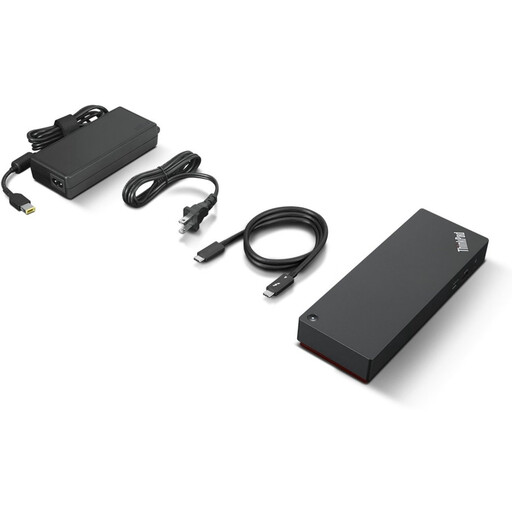
Why This Fits Their Persona: For the professional who demands maximum performance and reliability. This dock is designed to work seamlessly with high-end (ThinkPad) laptops and manage a complex setup with multiple 4K displays and high-speed data transfer.
With full Thunderbolt 4 certification, 100W Power Delivery, and support for multiple 4K 60Hz displays via DisplayPort 1.4 and HDMI 2.1, this model bypasses all common pitfalls.
Guaranteed performance: The 40 Gbps bandwidth and 100W PD ensure a no-compromise experience. Extensive connectivity: Includes 4x USB-A, 1x USB-C, HDMI 2.1, 2x DisplayPort 1.4, and Ethernet.
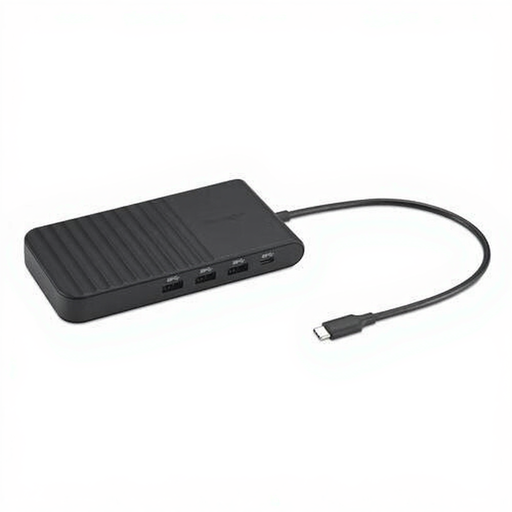
Why This Fits Their Persona: Ideal for the user who switches between the office and home and needs a compact yet powerful solution. This USB-C dock is not Thunderbolt 4, but it offers broad compatibility and excellent display support.
It delivers a solid 85W of Power Delivery, which is sufficient for most business laptops. It clearly specifies support for up to three external displays, avoiding the pitfall of vague video claims.
Compact and portable: Its lightweight and slim design makes it easy to carry. Versatile display options: With 2x HDMI and 1x DisplayPort, you can drive various monitor setups.
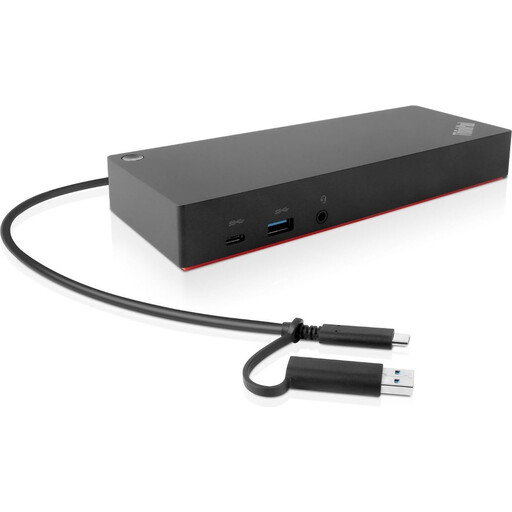
Why This Fits Their Persona: A reliable and functional choice for ThinkPad users who want to expand their workspace without paying the premium for Thunderbolt 4. This USB-C dock provides an excellent foundation for a professional setup.
As an official Lenovo product, its compatibility with a wide range of ThinkPads (see product page for details) is well-documented. The included 135W adapter ensures more than enough charging power.
Excellent value for money: Offers Lenovo's reliability and a generous port selection at an accessible price. Dual display support: With 2x DisplayPort and 2x HDMI, it provides flexible options for a dual-monitor setup.
A docking station is the core of a productive workspace, but the right cables are just as important. Browse our full range to complete your setup.
Yes, one of the advantages of the Thunderbolt 4 standard is its universal compatibility. A certified Lenovo Thunderbolt 4 dock should work with any laptop that has a Thunderbolt 4 port, including models from Dell, HP, or Apple. Functionalities like charging and display output are standardised. To be certain, always check the specifications of both the dock and your laptop.
Modern docking stations, especially those using Thunderbolt 4 or USB-C, are largely 'plug-and-play' on Windows 10 and 11. When you first connect it, Windows may automatically install the necessary drivers. For optimal performance and access to all features, it is advisable to install the latest firmware updates for the dock and the Thunderbolt drivers for your laptop from the manufacturer's website (e.g., via Lenovo Vantage).
The choice depends on your needs. A simple USB-C hub is fine for connecting a mouse and an extra USB stick. A Thunderbolt 4 dock is an investment in performance and future-proofing. You should choose one if you:
