
Vandaag of morgen in huis

Kwaliteit gegarandeerd

Welkomstaanbiedingen ontgrendelen: GRATIS bezorging | Tot 80% korting | Gratis 30 dagen JoyPlus-proefperiode
Download de app
A clean desk with a single cable that charges your laptop, connects to multiple displays, and powers all your peripherals. That's the promise of a docking station. But the search for the right model, especially a powerful Lenovo Thunderbolt 4 dock, can feel like navigating a minefield of technical specifications and marketing claims. Many users invest in an expensive model that ultimately fails to meet their expectations.
As a Joybuy Product Recommendation Officer, I'll cut through the noise and give you practical advice. First, let's discuss the most common pitfalls that cause you to spend money unnecessarily.
To avoid the pitfalls above, you need to focus on a few non-negotiable specifications. These are the technical details that make the difference between a frustrating purchase and a productive workspace.
This is the most important distinction. Although the connector looks the same, the performance is worlds apart.
Always check the charging power of the dock, indicated in Watts (W). Look at your laptop's original charger to see how much power it needs. For a high-performance laptop like a Lenovo ThinkPad, a dock with at least 90W to 100W Power Delivery is recommended. This ensures your laptop can always perform at full speed while simultaneously charging.
Look beyond just the number of ports. The type of ports is crucial. For video output, DisplayPort 1.4 and HDMI 2.1 are the modern standards required for high resolutions and refresh rates. Check the product page for the exact specifications on monitor support. A good ThinkPad docking station will clearly specify how many displays are supported at which resolution and refresh rate (e.g., "2x 4K @ 60Hz + 1x 1080p").
Below is a selection of docking stations that suit different user profiles, based on objective specifications.
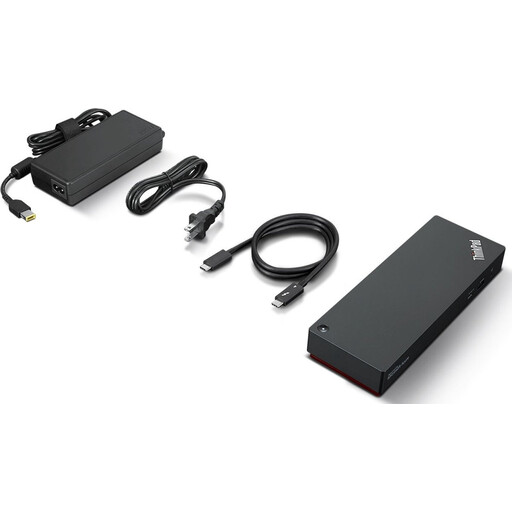
Why This Fits Their Persona: For the professional who demands the most from their workspace. Ideal for video editors, graphic designers, and IT managers who work with multiple 4K displays and demanding applications, and refuse to compromise on speed and connectivity.
This model delivers on the promise of Thunderbolt 4 performance (40 Gbps), offers up to 100W Power Delivery to charge even the most power-hungry laptops, and clearly specifies support for up to four external displays. No vague claims, just hard specs.
Delivers maximum bandwidth for a multi-4K monitor setup and high-speed data transfer. The 'Smart' features enable centralized cloud management, a bonus for IT departments.
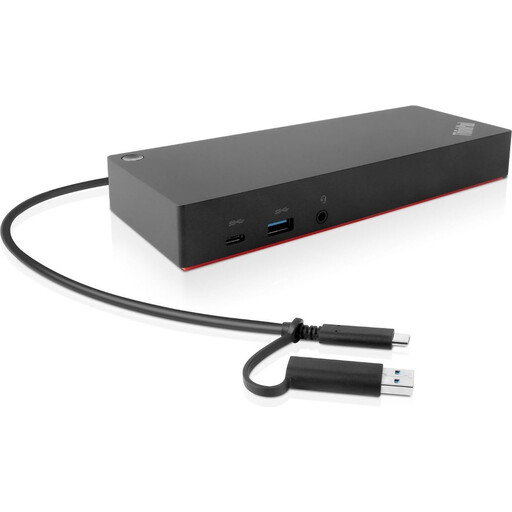
Why This Fits Their Persona: For the professional who wants to create a reliable and complete workspace but doesn't need the absolute peak performance of Thunderbolt 4. Perfect for tasks like administration, programming, and web-based work across two screens.
This is a USB-C dock (not Thunderbolt), but as an official Lenovo product, its compatibility with ThinkPads is excellent. It avoids the 'universal' pitfall, and its specifications are clear: support for 2 displays and a powerful 135W adapter.
Offers a highly reliable, first-party solution with a generous number of ports (including 2x HDMI and 2x DisplayPort) for a lower price than a Thunderbolt 4 model. A solid choice if you want to buy a Lenovo dock without paying a premium.
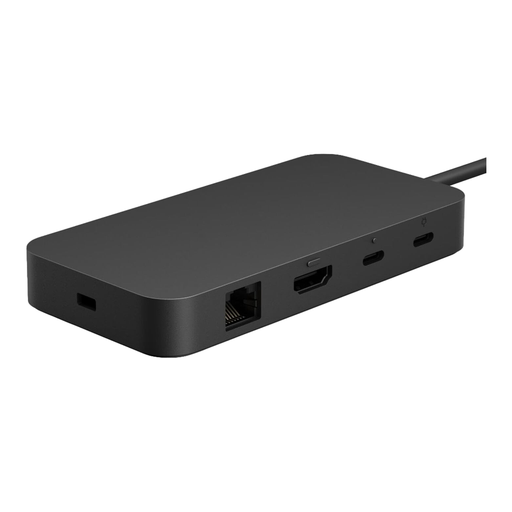
Why This Fits Their Persona: Suitable for users working in a mixed-device environment with, for example, a Surface, a Dell, and a Lenovo laptop. This dock offers the power of USB4/Thunderbolt in a sleek, brand-agnostic design.
Thanks to its USB4 certification, this dock meets the Thunderbolt standard, ensuring reliable operation on any compatible laptop. It clearly specifies 65W Power Delivery and support for two 4K monitors at 60Hz, making it a dependable universal docking station.
Provides the high speed of 40 Gbps and broad compatibility in a compact and sleek design. The inclusion of both USB-C and HDMI for video output offers extra flexibility when connecting displays.
We have compiled a complete, real-time list of products that fully satisfy these strict selection criteria and UK safety regulations.
If you're a professional working with multiple 4K monitors, transferring large files, or simply seeking a stable and powerful all-in-one solution, then the answer is yes. The 40 Gbps bandwidth of Thunderbolt 4 prevents bottlenecks and ensures a smooth experience that a standard USB-C hub cannot guarantee. For simpler use cases (a single 1080p monitor and a mouse), a USB-C hub may suffice.
This depends on the specific dock and your laptop. A certified Thunderbolt 4 dock supports a minimum of two 4K displays at a 60Hz refresh rate by default. Some models, like the Lenovo ThinkPad Universal Thunderbolt 4 Smart Dock, can drive up to four displays, depending on the resolution, according to the manufacturer. Always check the product specifications for the exact configurations.
Lenovo's universal Thunderbolt 4 docks are designed to meet the Thunderbolt standard and therefore generally work well with other brands that have a Thunderbolt 4 port, such as Dell, HP, or Apple. While compatibility is broad, specific features like the power button on the dock might only work with Lenovo laptops. For the most seamless experience, a dock from the same brand as your laptop is often a safe bet.
