For stamp carving in a student room, a dimmable panel that you can position steadily out of shot and point at your work surface is a practical starting point. A larger panel with a diffuser gives you more options for lighting your work surface, but takes up more space; a mini panel is easier to store, but it’s best to test its reach and shadows first. Also check the power supply, mounting hardware included and documentation for the exact version.
Which panel is right for you?
Maker with a dedicated filming desk
Do you film your hands and carving from above, and can you leave the light set up on your desk? If so, adjustable positioning, dimming and control over shadows are important. amaran and NEEWER list accessories or versions that could suit this kind of permanent setup.
Maker who packs away after filming
If you share your desk with your studies or other work, consider the size, mounting options and power supply. SmallRig lists a cold shoe mount for the P96; Ulanzi lists a magnetic back and built-in battery for the VL49 RGB.
Maker who captures colours and details
If you want to film materials, ink or cut lines clearly while the ambient light changes, compare the adjustable colour temperature range. amaran and Godox list these adjustment options for specific panels; also check the colour in a test recording.
What should you look for when choosing?
First, check whether you can position the panel securely out of shot and adjust the brightness. Then make a test recording from your intended camera angle to assess shadows, reflections and the colour of your carving.
| What to consider |
What to look for |
Who is this important for? |
| Shadows and reflections |
Check the diffuser, dimming and adjustable mounting; test with your hands moving from the camera angle. |
For an overhead shot, I want to be able to move my hands and tools without losing detail. Around 33% of consumers prioritise shadow control. |
| Desk space |
Compare the size and mounting options; check whether a stand is included with the version you’re considering. |
If I also use my desk for studying, I want to be able to move or put away the light easily after filming. Around 27% of consumers put limited desk space first. |
| Colour and changing light |
Check the colour temperature range for the exact version and assess test footage with a fixed white balance. |
When daylight or room lighting changes, I want to be able to assess and adjust colours in my footage. Around 20% of consumers consider colour rendering the most important factor. |
| Flicker in video |
Test the dimming level you want to use and, if necessary, check your camera’s anti-flicker and shutter settings. |
When filming video, I want to avoid noticing flicker or banding only when editing. Around 13% of consumers prioritise footage with no visible flicker. |
| Power and mounting |
Check what’s included with the exact set, such as an adapter, battery, diffuser and stand. |
If I want to complete my desk setup, I want to know in advance what power supply and mounting hardware I’ll need. Around 7% of consumers mainly consider the equipment needed for their setup. |
Common buying mistakes
-
Comparing products on lux value alone
A stated lux value applies at a specific distance and light setting. It doesn’t automatically tell you how your hands and tools will be lit on your desk.
Compare the measurement distance and setting, then make a test recording from the camera angle you plan to use.
-
Assuming a stand or battery is included
What’s included can vary between versions of the same panel. For example, NEEWER distinguishes between the NL660 Only and the NL660 with Stand; NEEWER says that NP-F batteries are not included.
Check the parts list for the exact version, including the adapter, battery and mounting hardware.
You may need to buy a suitable stand or battery separately.
-
Assuming a similar product title means it’s the same version
Ulanzi lists a range of 2500–9000 K for the VL49 RGB, while the Joybuy product listing states 2500–9500 K. Don’t assume these specifications apply identically to every listing without checking.
Check the full model name and specifications of the version on offer before applying a manufacturer’s claims to it.
Relevant brands for LED panels and video lights
amaran
The P60x is a bi-colour video panel for a setup that can also accommodate a softbox and grid.
- According to amaran, the P60x kit includes a softbox, grid and mains power supply; the manufacturer lists 3200–6500 K.
- Allow space for the panel and power supply; these product specifications alone won’t predict how the light will fall on your work surface.
Godox
The P260C Pro is worth considering if you want to compare a diffuser and different power options.
- Godox lists a diffuser, USB-C alongside other power options, and a range of 2800–6500 K.
- Godox’s claim that the design gives softer light is a manufacturer’s claim. Check the power supply and mounting hardware included with the version on offer.
NEEWER
The NL660 is worth considering for an adjustable, permanent setup if you choose the package carefully.
- NEEWER lists dimming, a diffuser and a mains adapter included.
- The NL660 Only and NL660 with Stand have different package contents; NEEWER says that NP-F batteries are not included.
SmallRig
The P96 Video LED Light 3286 is a compact mini panel for a small setup or one that needs to be packed away quickly.
- SmallRig lists dimming, 2700–6500 K, a built-in battery and a cold shoe mount.
- SmallRig lists 150 lux at 1 m. So assess its reach on your own work surface rather than assuming the panel can replace every larger panel.
Ulanzi
The VL49 RGB is a compact, rechargeable light for anyone who wants to move and store it easily.
- Ulanzi lists a magnetic back and a 2000 mAh battery.
- Ulanzi lists 2500–9000 K for the VL49 RGB; the Joybuy product listing states 2500–9500 K. Check the range for the exact version.
LED panels and compact video lights
These Joybuy products are compact battery-powered or camera-mounted video lights for a desk setup that you can move or pack away after filming.
 No image available
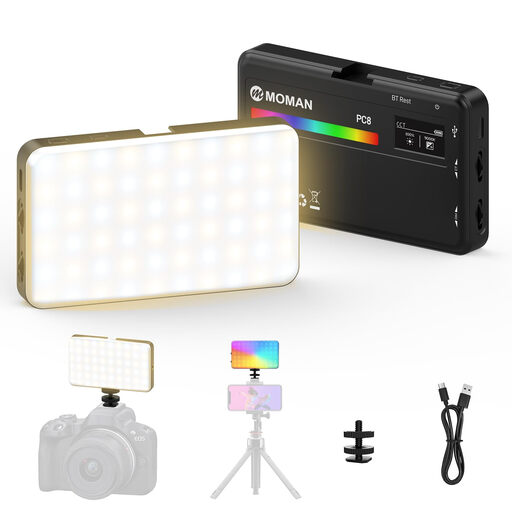
MOMAN PC8 RGB Camera Light
A portable camera and video light for anyone who wants to put it away after use.
The product description lists adjustable brightness and colour temperature, a built-in battery, and mounting via a 1/4-inch thread or cold shoe.
According to the product description, it runs for up to 80 minutes at full power.
View at Joybuy
 No image available
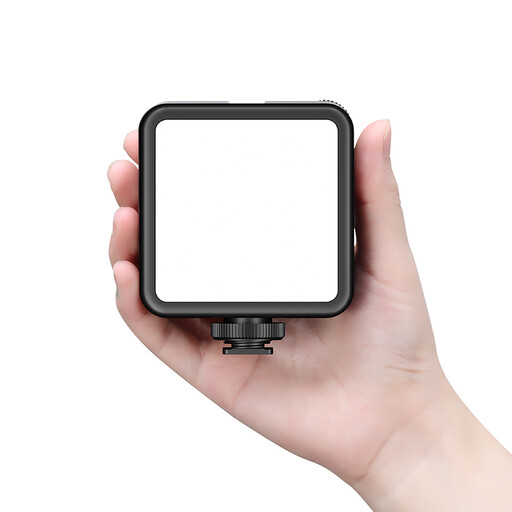
Ulanzi VL81 Rechargeable LED Video Light Black
A compact, rechargeable video light for a shared desk where you want to be able to move the light around.
The product description lists a built-in battery, USB-C charging, adjustable brightness and colour temperature, and a cold shoe mount.
The description also mentions mounting on cameras or stands; check that the fitting suits your setup.
View at Joybuy
 No image available
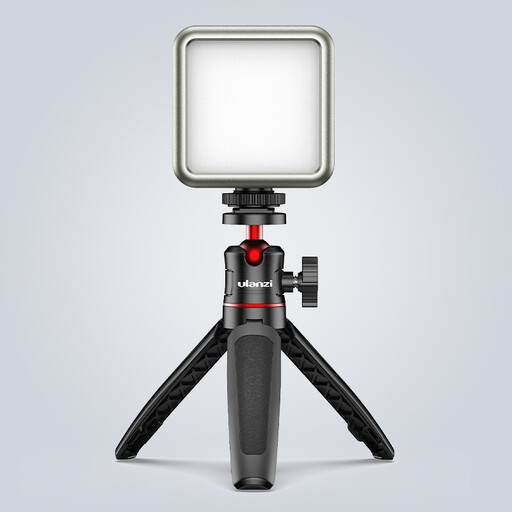
Ulanzi VL49 RGB Video Light, 2000 mAh
A compact light for anyone filming small details and looking for an easy-to-store option.
The product title lists dimming, a magnetic back and 2500–9500 K. Ulanzi lists 2500–9000 K for the VL49 RGB, so check the range for the exact version.
The product description lists a 2000 mAh battery and recommends using a standard 5 V adapter. It also states that the light is not waterproof.
View at Joybuy
 No image available
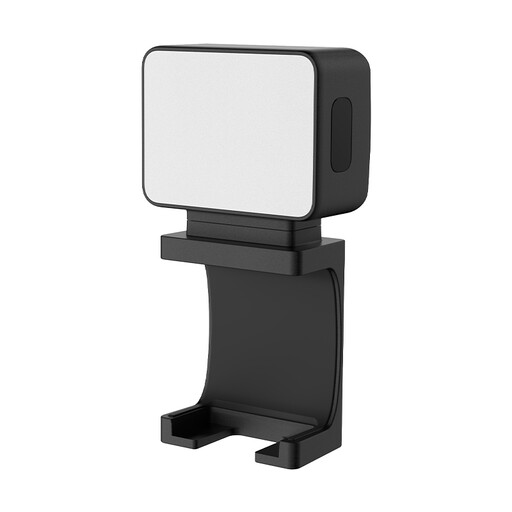
Ulanzi LM001 Portable Mini Fill Light
A portable mini light for anyone who wants to move the light between studying and filming.
The product description lists a 500 mAh battery, magnetic mounting and a 1/4-inch thread.
It offers up to 1.5 hours of use per charge.
View at Joybuy
Frequently asked questions
How should you position a panel for an overhead shot of stamp carving?
Angle the panel towards the carving surface from the side and make a test recording while moving your hand and tools. Move or dim the light if shadows or reflections obscure details; a diffuser gives you another way to adjust the light.
What can you do if your video light flickers?
First, test the brightness level you want to use for filming, then check your camera settings. Nikon explains that flicker can be caused by a combination of recording settings and the refresh rate of certain lights.
Does an LED panel always come with a stand or battery?
Not always; what’s included varies by model and version. For the NL660, NEEWER distinguishes between the NL660 Only and the NL660 with Stand, and states that NP-F batteries are not included. Check the parts list for the exact listing.
What safety documentation should you check for an electric video panel in the Netherlands?
Check the documentation for the exact version and whether CE marking applies. Business.gov.nl explains the European safety requirements for electrical equipment in the Netherlands; where CE marking is required, the manufacturer must assess conformity and draw up an EU Declaration of Conformity. CE marking is not an independent quality mark.
How can you check whether the panel provides enough light on your work surface?
Make a test recording at the distance and brightness level you intend to use. A stated lux value applies at a particular measurement distance and doesn’t, by itself, tell you how evenly your work surface will be lit.


