For calligraphy at a small desk, a compact battery-powered panel is a good fit for close-ups and limited space. If you have room for a stable setup, a larger panel with diffusion makes more sense for a larger sheet and softer hand shadows. Use your own camera to make a test recording and check coverage across the writing area, reflections on the ink, white balance and any flicker bands.
Who is this buying guide for?
Creator filming close-ups of their writing
If you mainly film the nib, lettering or a small section of the page, look for a light that you can position precisely, away from the writing area. SmallRig and NEEWER describe compact panel designs for close-ups and portable setups.
Creator filming full sheets of writing
If you want to light a larger sheet and your moving hand, consider the light spread, diffusion and the space available for a stable mount. Godox and amaran describe larger panel setups with diffusion or a softbox.
Creator who films in different locations
If you regularly move your writing setup, portability, battery power and easy mounting may be important. SmallRig and NEEWER describe portable panel options; check the power supply and included mounting accessories for the exact version.
What should you look for when buying?
Compact battery-powered panel
Choose this if: you mainly film close-ups, have little space beside your desk or often move your setup.
The trade-off: a small panel won’t necessarily light the whole sheet softly or evenly; check coverage at your working distance.
Larger panel with diffusion
Choose this if: you want to light a larger writing area and your moving hand, and have enough room to mount the light.
The trade-off: the panel and any diffuser or softbox take up more space. Their positioning also affects where shadows and reflections fall.
| What to consider |
What should you check? |
Which consumers? |
| Shadows and reflections |
Check for a diffuser or softbox, an adjustable mount and coverage across the writing area. Make a test recording while you write, especially if you use glossy ink. |
If I want my hand and the whole sheet to remain clearly visible, I check for shadows and reflections from the camera’s position; around 36% of consumers put this check first. |
| Desk space |
Measure the space available for the paper, your arm and the camera. Check the panel dimensions, mounting point, tripod contents and cable route. |
When there’s little room left beside the paper and camera, I want to position a light without getting in the way of my writing; around 29% of consumers prioritise the space available. |
| Colour and flicker |
Check the adjustable white-light range and the colour-rendering specification for the exact version. Set your camera’s white balance and test your intended video settings for banding. |
If I want to capture consistent paper and ink colours and check for banding, I test the light and camera together; around 21% of consumers prioritise colour and video quality. |
| Power and recording time |
Check which battery, adapter or other power source comes with the version, and whether its run time suits your recordings. Keep cables clear of your writing area. |
For recordings in different locations or longer sessions, I want to know in advance how the light is powered; around 14% of consumers start by looking at power and setup. |
Avoid common buying mistakes
-
Comparing the stated lux value on its own
Lux values are only useful when considered alongside the measurement distance and light setting. NEEWER states a maximum of 600 lux at 0.5 m for the NL-116AI; amaran states more than 5070 lux at 1 m at 5600 K for the P60x. These figures were measured under different conditions, so they aren’t a direct comparison of how much light will reach your paper.
Compare the measurement conditions and, most importantly, assess the whole writing area in a test recording at the distance you’ll be filming from.
-
Assuming a tripod or battery is always included
The NEEWER NL-116AI is available as a version with a mini desk tripod and as a panel-only version without one. Power options and included accessories can also vary by model or kit.
Before buying, check the exact model and kit name, along with the list of included accessories.
-
Expecting a diffuser to solve every video problem
Diffusion and positioning can affect the light on your writing area, but they won’t automatically prevent reflections on glossy ink. White balance affects the colour captured, and some camera settings can make flicker bands visible under LED lighting.
Test a writing hand, white paper and your ink with your own camera, light setting and video settings. If you see reflections, move the light; if bands appear, a different shutter speed may help. The settings available vary by camera.
Relevant brands to compare
SmallRig
The P96 3286BC is a compact battery-powered light that can be mounted on a camera or compatible mount, making it suitable for close-ups and portable setups.
- For this version, SmallRig states a weight of 103 g, adjustable white light from 2700–6500 K and a battery life of up to 100 minutes.
- The small light source won’t necessarily illuminate a whole writing area evenly; check coverage at your working distance.
NEEWER
The NL-116AI is a portable, desk-style panel. It’s available with or without a mini desk tripod.
- NEEWER states adjustable white light from 3200–5600 K, a built-in battery and a maximum of 600 lux at 0.5 m.
- The mini desk tripod is included with the relevant kit version; check the contents of the offer you choose.
Godox
The P260C Pro is a larger panel with a diffuser, suited to a fixed writing setup with enough room for the light.
- Godox states adjustable light from 2800–6500 K, several power options and a weight of around 1.2 kg including the handle. According to Godox, the diffuser is designed to soften the light.
- Allow for the space and mounting needed; positioning still affects shadows and reflections on the paper.
amaran
The P60x is a larger bi-colour panel that, according to the manufacturer, comes with a softbox and grid. It’s for those with room to shape the light.
- amaran states 3200–6500 K and more than 5070 lux at 1 m at 5600 K.
- The lux rating applies under those measurement conditions and doesn’t tell you how much light will reach your desk. Also check which power supply comes with the version on offer.
Joybuy products
These Joybuy products are portable camera and video lights for close-ups or filming in different locations. The LM07 is shaped like a torch rather than a panel, so check whether this type of light suits your writing setup.
 No image available
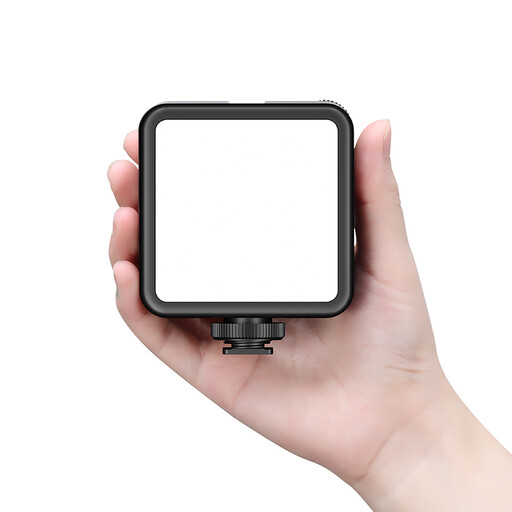
Ulanzi VL81 rechargeable LED video light
The title describes a rechargeable video light, which may suit a portable camera setup.
Rechargeable LED video light.
Joybuy
 No image available
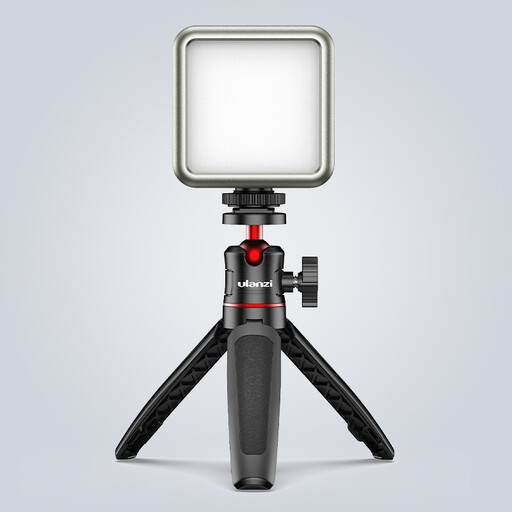
Ulanzi VL49 RGB camera light
The title describes a compact, dimmable camera light for macro photography; check whether it provides enough coverage for your writing area.
2000 mAh battery, colour temperature of 2500–9500 K and magnetic back, according to the product title.
Joybuy
 No image available
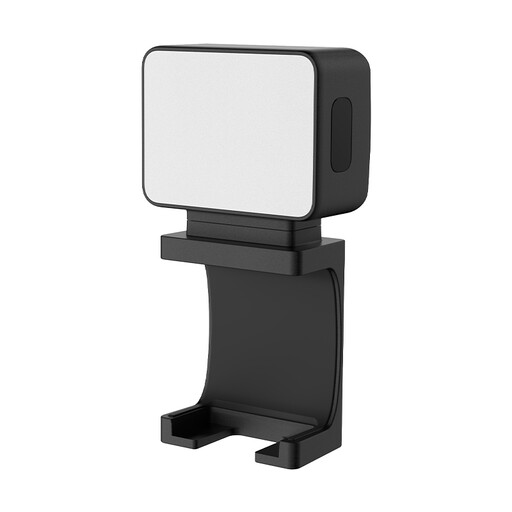
Ulanzi LM001 portable mini fill light
The product title describes this as a portable mini fill light for cameras; consider whether its size will light the part of your writing area you want.
500 mAh battery and magnetic mount, according to the product title.
Joybuy
 No image available
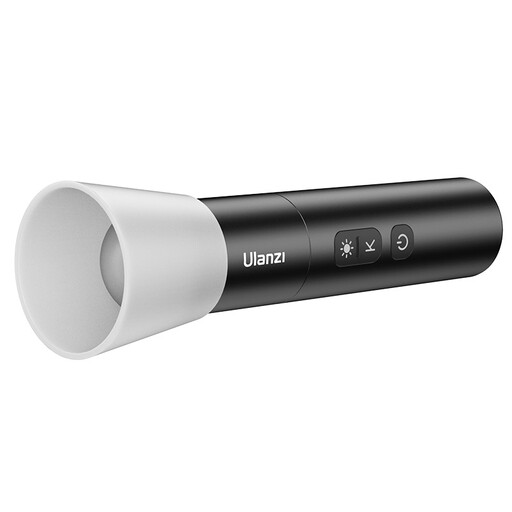
Ulanzi LM07 photography torch
According to the product title, this light is shaped like a photography torch, not a panel; bear this in mind when lighting the paper and your hand.
2000–5500 K, four brightness levels, a 2000 mAh battery and a weight of around 187 g. The description states that the beam can be adjusted from wide to spot.
Joybuy
Frequently asked questions
How do I position the light to avoid shadows from my writing hand?
Keep the panel out of shot and angle it towards the paper and your writing hand. Move it around while filming yourself writing; a diffuser or softbox can make the effective light source larger and soften the light. If you’re using glossy ink, also check for reflections from the camera’s position.
Which settings can help if white paper looks tinted or shows bands?
Set your camera’s white balance to match the light and make a test recording using your intended brightness and video settings. If you see flicker bands, a different shutter speed may help; the anti-flicker settings available vary by camera.
What should I check about power and care?
Check whether your version includes a battery, charging cable or mains adapter, and follow the model-specific instructions for use and care. Keep the power supply and cables clear of your writing hand, and don’t assume that models with very similar names come with the same kit contents.
What can I expect from the seller if a product develops a fault in the Netherlands?
For a consumer purchase, you’re legally entitled to a product that meets the required standards, according to Business.gov.nl. If there’s a fault, repair or replacement may be appropriate; if the issue isn’t properly resolved, you may be entitled to a refund. An additional manufacturer’s guarantee does not replace these statutory rights.
What Dutch rules apply to the sale of an electric LED panel?
Business.gov.nl explains that applicable European product safety rules apply to electrical and electronic equipment sold in the Netherlands. The manufacturer must assess the relevant requirements and, where required, provide the CE marking and EU declaration of conformity. A CE marking is not an independent quality mark for image quality, nor a guarantee that a particular version will suit your setup.


